Email marketing has evolved far beyond sending the same message to an entire subscriber list. Modern customers expect brands to understand their needs, preferences, and actions in real time. As inboxes become more crowded and customer attention becomes harder to earn, sending relevant emails at the right moment has become essential for improving engagement and conversions.
This is where event-based email automation comes in.
Event-based email automation allows businesses to automatically send emails when specific customer actions or events occur. Instead of relying on fixed schedules or manual campaigns, marketers can create automated workflows that respond instantly to user behavior. Whether someone signs up for a newsletter, abandons a shopping cart, completes a purchase, or becomes inactive for a certain period, an automated email can be triggered to deliver timely and relevant communication.
The power of this approach lies in its ability to reach customers when their interest or intent is highest. Rather than guessing when to send a message, businesses can respond directly to real customer actions. This leads to stronger engagement, better customer experiences, and improved marketing performance across the entire customer journey.
In 2026, event-based automation has become a core component of successful email marketing strategies. Advances in customer data platforms, AI-powered segmentation, and marketing automation tools make it easier than ever for businesses of all sizes to create sophisticated automated campaigns. From ecommerce stores and SaaS companies to educational institutions and service providers, organizations are using event-driven email marketing to build stronger customer relationships while reducing manual workload.
What Is Event-Based Email Automation?
Event-based email automation is a marketing strategy that automatically sends emails when a predefined event, action, or condition occurs. The event acts as a trigger that starts an automated workflow, delivering relevant messages to customers without requiring manual intervention.
Unlike traditional email campaigns that are scheduled for a specific date and time, event-based emails are activated by customer behavior or business events. The automation system continuously monitors user activity and executes actions whenever the defined trigger occurs.
For example:
- A visitor subscribes to your newsletter and immediately receives a welcome email.
- A shopper adds products to their cart but leaves without completing the purchase, triggering a cart abandonment sequence.
- A customer completes a purchase and receives an order confirmation and onboarding email.
- A subscriber remains inactive for several months and enters a re-engagement campaign.
- A customer reaches their account anniversary and receives a personalized appreciation email.
In each case, the email is sent because of a specific event rather than a predetermined schedule.
How Event-Based Automation Works
At its core, event-based automation follows a simple process:
- A customer performs an action.
- The system detects the action.
- A trigger activates an automation workflow.
- Rules and conditions determine who receives the email.
- The appropriate message is delivered automatically.
- Performance data is collected for optimization.
For example, when a user downloads a resource from your website, the automation platform can instantly send a thank-you email, followed by educational content over the next few days. If the user clicks a specific link within those emails, they may be moved into a different nurturing sequence tailored to their interests.
This ability to respond dynamically to customer behavior makes event-based automation significantly more effective than generic mass-email campaigns.
Common Types of Events
Businesses can create automations around a wide range of customer activities, including:
- Account registrations
- Newsletter subscriptions
- Product purchases
- Shopping cart abandonment
- Website page visits
- Form submissions
- Free trial signups
- Subscription renewals
- Customer anniversaries
- Inactivity periods
- Product usage milestones
- Feedback or survey submissions
As marketing platforms become more advanced, businesses can track increasingly detailed customer interactions and use them to create highly personalized automated experiences.
Event-Based Automation vs Traditional Email Campaigns
The primary difference lies in timing and relevance.
Traditional campaigns are often sent to large groups of subscribers according to a marketing calendar. Every recipient receives the same message at the same time regardless of their current behavior.
Event-based automation, on the other hand, responds to individual actions and sends messages when they are most relevant to each recipient. This creates a more personalized experience that aligns with customer intent and increases the likelihood of engagement.
As customer expectations continue to rise, event-driven communication has become one of the most effective ways to deliver personalized marketing at scale.
The Benefits of Event-Based Automation
Event-based email automation offers far more than convenience. It helps businesses create personalized customer experiences, improve operational efficiency, and generate better marketing outcomes. By delivering relevant messages based on actual customer behavior, brands can engage audiences at critical moments throughout the customer journey.
Better Timing
Timing plays a major role in email marketing success.
A perfectly crafted email can underperform if it arrives at the wrong moment. Event-based automation solves this challenge by sending messages precisely when customer interest is highest.
When users take a specific action—such as signing up, downloading a resource, requesting a demo, or making a purchase—their attention is already focused on your brand. Triggering an email immediately after that action ensures the communication remains relevant and timely.
For example:
- Welcome emails can arrive within seconds of signup.
- Purchase confirmations can be delivered instantly.
- Cart abandonment reminders can be sent shortly after a customer leaves the checkout process.
- Renewal reminders can be scheduled before a subscription expires.
This real-time responsiveness helps businesses capitalize on customer intent while maintaining engagement throughout the buying journey.
Relevance at Scale
Personalization is one of the biggest drivers of email marketing performance, but manually creating individualized campaigns for thousands of customers is impossible.
Event-based automation enables businesses to deliver highly relevant messages to large audiences without increasing workload.
Because emails are triggered by specific customer actions, every message naturally aligns with the recipient’s interests and stage in the customer journey.
For example:
- New subscribers receive onboarding content.
- Trial users receive product education.
- Existing customers receive loyalty offers.
- Inactive subscribers receive re-engagement campaigns.
Instead of treating every subscriber the same, businesses can automatically provide experiences tailored to each individual’s behavior.
This level of relevance improves customer satisfaction while allowing marketing teams to scale their efforts efficiently.
Better Intent-to-Message Match
One of the greatest advantages of event-based automation is its ability to align marketing messages with customer intent.
When a customer performs an action, they reveal valuable information about their goals, interests, and readiness to engage.
For instance:
- A visitor downloading a pricing guide may be evaluating solutions.
- A customer viewing multiple product pages may be considering a purchase.
- A user completing a free trial signup may be looking for implementation guidance.
- A subscriber who hasn’t engaged in months may need a reactivation incentive.
By connecting specific actions with targeted messaging, businesses can provide information that directly addresses customer needs.
This intent-driven communication often leads to:
- Higher open rates
- Better click-through rates
- Increased conversions
- Improved customer satisfaction
- More effective lead nurturing
Rather than sending generic promotional content, marketers can deliver information that feels timely, useful, and contextually relevant.
Consistency and Fewer Human Errors
Manual email processes can be time-consuming and prone to mistakes.
Teams may forget to send follow-up emails, delay important communications, or accidentally omit segments of their audience. These inconsistencies can negatively impact customer experiences and business results.
Event-based automation removes much of this risk by ensuring workflows run automatically according to predefined rules.
Once configured, the system consistently:
- Sends emails on time.
- Delivers the correct message.
- Applies segmentation rules accurately.
- Maintains communication standards.
- Tracks performance automatically.
This reliability is particularly valuable for businesses managing large subscriber databases or complex customer journeys.
Automation also frees marketing teams from repetitive tasks, allowing them to focus on strategy, optimization, creative development, and customer experience improvements rather than routine email execution.
As businesses continue to scale in 2026, the ability to automate customer communication while maintaining accuracy and consistency has become a significant competitive advantage.
How to Set Up Your Event-Based Automation
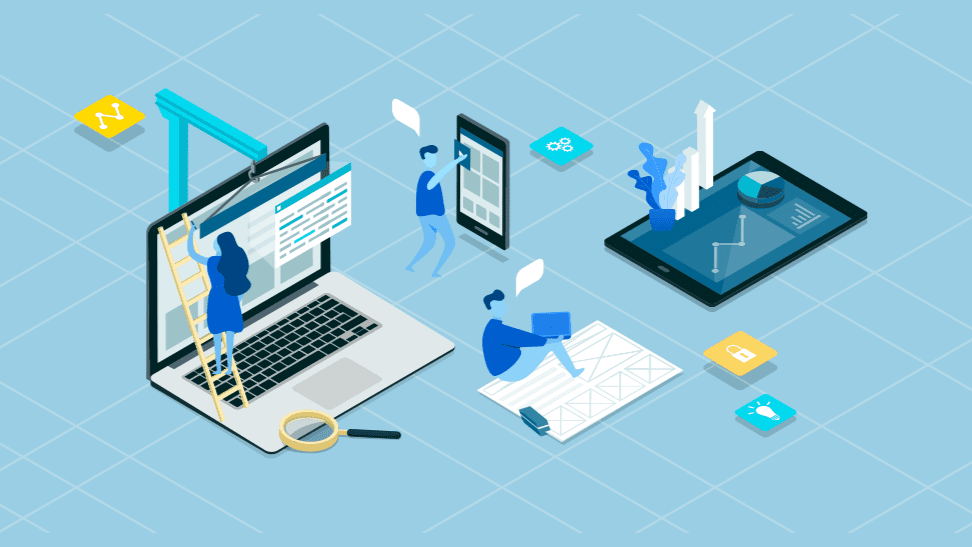
Building an effective event-based email automation workflow requires more than simply connecting a trigger to an email. The goal is to create a customer journey that delivers the right message at the right time based on meaningful user actions.
A well-designed automation sequence can help increase engagement, improve customer retention, and drive more conversions while reducing manual marketing tasks. Follow these six essential steps to build an event-based automation strategy that delivers measurable results.
1. Identify the Event
The first step is determining which customer action or business event should initiate the automation.
An event is any measurable action that indicates customer interest, intent, engagement, or movement within the customer journey. The most effective events are those that signal an opportunity to continue the conversation or guide the customer toward a desired outcome.
Common events include:
- Signing up for a newsletter
- Creating an account
- Downloading a resource
- Starting a free trial
- Abandoning a shopping cart
- Completing a purchase
- Renewing a subscription
- Becoming inactive for a specific period
- Reaching a customer milestone or anniversary
When selecting an event, focus on actions that have a direct connection to your business goals. For example, an ecommerce brand may prioritize cart abandonment and post-purchase events, while a SaaS company may focus on trial signups and product adoption milestones.
The more closely the event reflects customer intent, the more effective your automation is likely to be.
2. Select the Trigger
Once you’ve identified the event, you need to define the trigger that will activate the workflow.
A trigger is the specific condition the automation platform monitors. When that condition is met, the workflow starts automatically.
For example:
| Event | Trigger |
|---|---|
| Newsletter subscription | User submits signup form |
| Cart abandonment | User leaves items in cart without purchasing |
| Trial signup | User creates a trial account |
| Purchase completed | Successful transaction recorded |
| Inactivity | No engagement for 60 days |
Modern email marketing platforms can monitor triggers across multiple channels, including websites, mobile apps, ecommerce stores, CRM systems, and customer portals.
Choosing precise triggers ensures customers enter the correct workflow at the appropriate time, improving relevance and reducing unnecessary messaging.
3. Define the Rules and Segmentation
Not every customer should receive the same automated email.
After establishing the trigger, define the rules that determine who enters the automation and how contacts are segmented.
Segmentation allows you to personalize communication based on characteristics such as:
- Customer lifecycle stage
- Purchase history
- Geographic location
- Product interests
- Engagement level
- Subscription status
- Industry or business size
- Website behavior
For example, customers who abandon high-value carts may receive a different sequence than customers who abandon low-cost products.
Similarly, a software company might create separate onboarding journeys for free users, trial users, and paying customers.
Automation rules can also prevent conflicts between campaigns. For instance, a customer who recently purchased a product may be excluded from receiving promotional emails for the same item.
The more intelligently your audience is segmented, the more relevant your automated communications become.
4. Design the Actions
After defining triggers and audience rules, it’s time to determine what happens after the automation starts.
Actions are the steps performed automatically within the workflow.
These actions may include:
- Sending emails
- Applying tags
- Updating customer records
- Moving contacts between segments
- Notifying sales teams
- Assigning leads to representatives
- Triggering SMS messages
- Scheduling follow-up communications
A simple workflow may contain a single email, while more advanced automations can include multiple emails, delays, decision branches, and conditional paths.
For example:
- Customer abandons cart.
- Wait one hour.
- Send cart reminder email.
- Check whether purchase occurred.
- If purchase is completed, end workflow.
- If no purchase occurs, send follow-up email after 24 hours.
- Offer an incentive after 72 hours if needed.
Every action should support a specific business objective and move the customer toward the next desired step.
5. Create Your Email Campaign
The success of your automation ultimately depends on the quality of the emails being delivered.
Each email should align with the event that triggered it and provide clear value to the recipient.
When creating automated emails, focus on:
Relevant Messaging
Reference the action the customer recently completed. The message should feel like a natural continuation of their experience.
Strong Subject Lines
Use clear, compelling subject lines that encourage opens without relying on misleading tactics.
Examples include:
- Welcome to our community
- You left something behind
- Here’s your requested resource
- Ready to get started?
- We miss having you with us
Personalized Content
Go beyond basic name personalization by incorporating behavioral and contextual information.
Examples include:
- Products viewed
- Categories browsed
- Purchase history
- Subscription type
- Account activity
Clear Calls to Action
Every email should encourage a single primary action, such as:
- Completing a purchase
- Activating an account
- Booking a demo
- Downloading a resource
- Renewing a subscription
The clearer the objective, the more effective the email will be.
6. Test and Measure Performance
Even the best automation workflows require ongoing optimization.
Before launching a workflow, thoroughly test every component to ensure the customer experience functions as intended.
Verify that:
- Triggers activate correctly
- Emails are delivered successfully
- Links function properly
- Personalization fields populate accurately
- Delays and workflow logic operate as expected
- Exit conditions work correctly
Once the automation is live, monitor key performance indicators (KPIs), including:
- Open rate
- Click-through rate
- Conversion rate
- Revenue generated
- Unsubscribe rate
- Bounce rate
- Customer retention metrics
Regular performance reviews help identify bottlenecks, improve messaging, and uncover opportunities for further optimization.
As customer behavior evolves, your automation workflows should evolve as well to maintain relevance and effectiveness.
Most Popular Event Triggers to Use
Not all triggers generate the same business impact. The most successful event-based email programs focus on customer actions that indicate engagement, purchase intent, or lifecycle progression.
The following triggers consistently deliver strong results across industries and remain among the most widely used automation opportunities in 2026.
Newsletter Signup
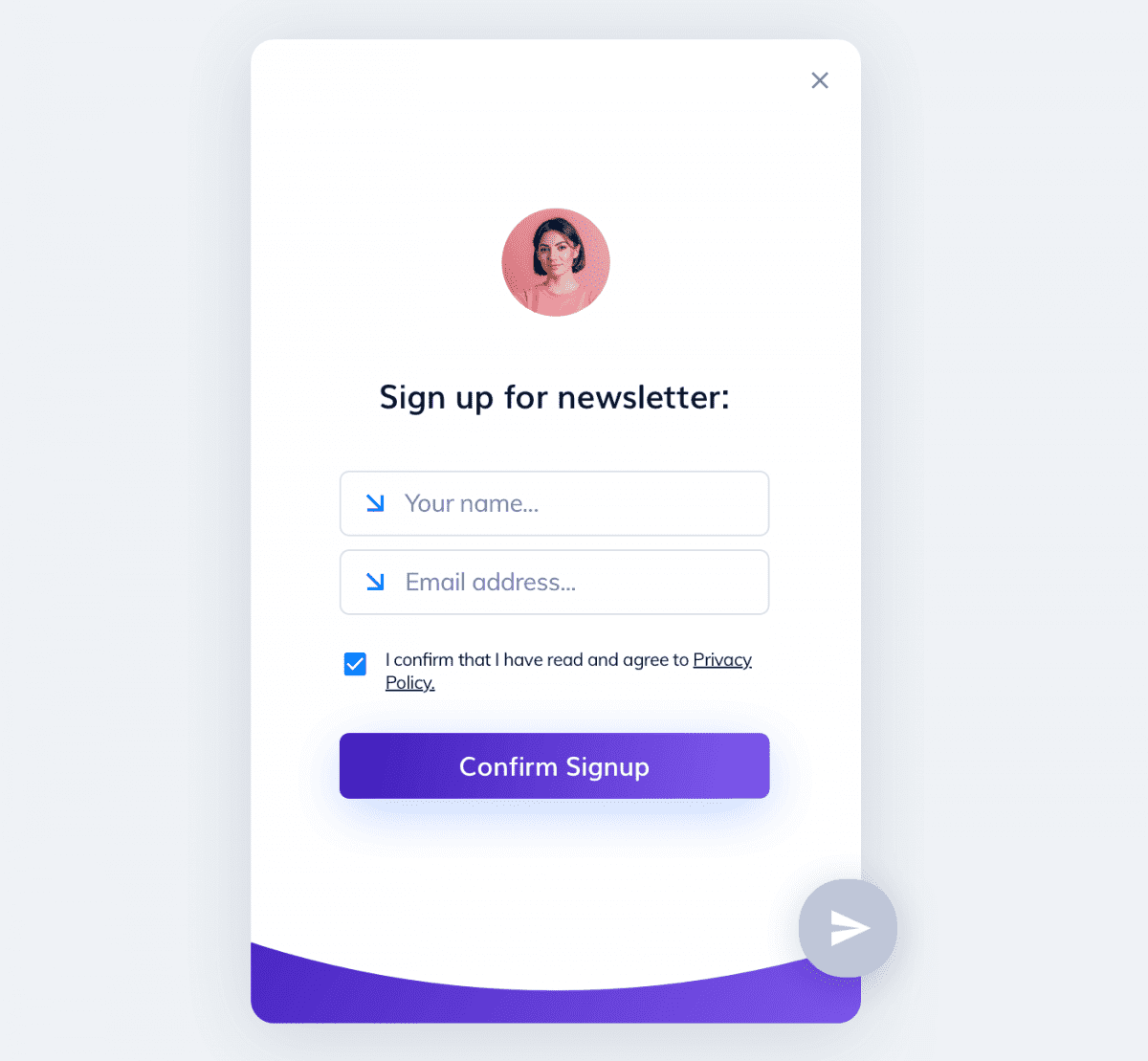
A newsletter signup is often the first interaction between a brand and a new subscriber, making it one of the most important automation triggers.
When someone joins your email list, they are actively expressing interest in your content, products, or services. This creates a valuable opportunity to establish trust and set expectations.
A newsletter signup automation typically includes:
- A welcome email
- Brand introduction
- Product or service overview
- Helpful educational resources
- Next-step recommendations
An effective welcome sequence can significantly improve subscriber engagement and lay the foundation for a long-term customer relationship.
Cart Abandonment
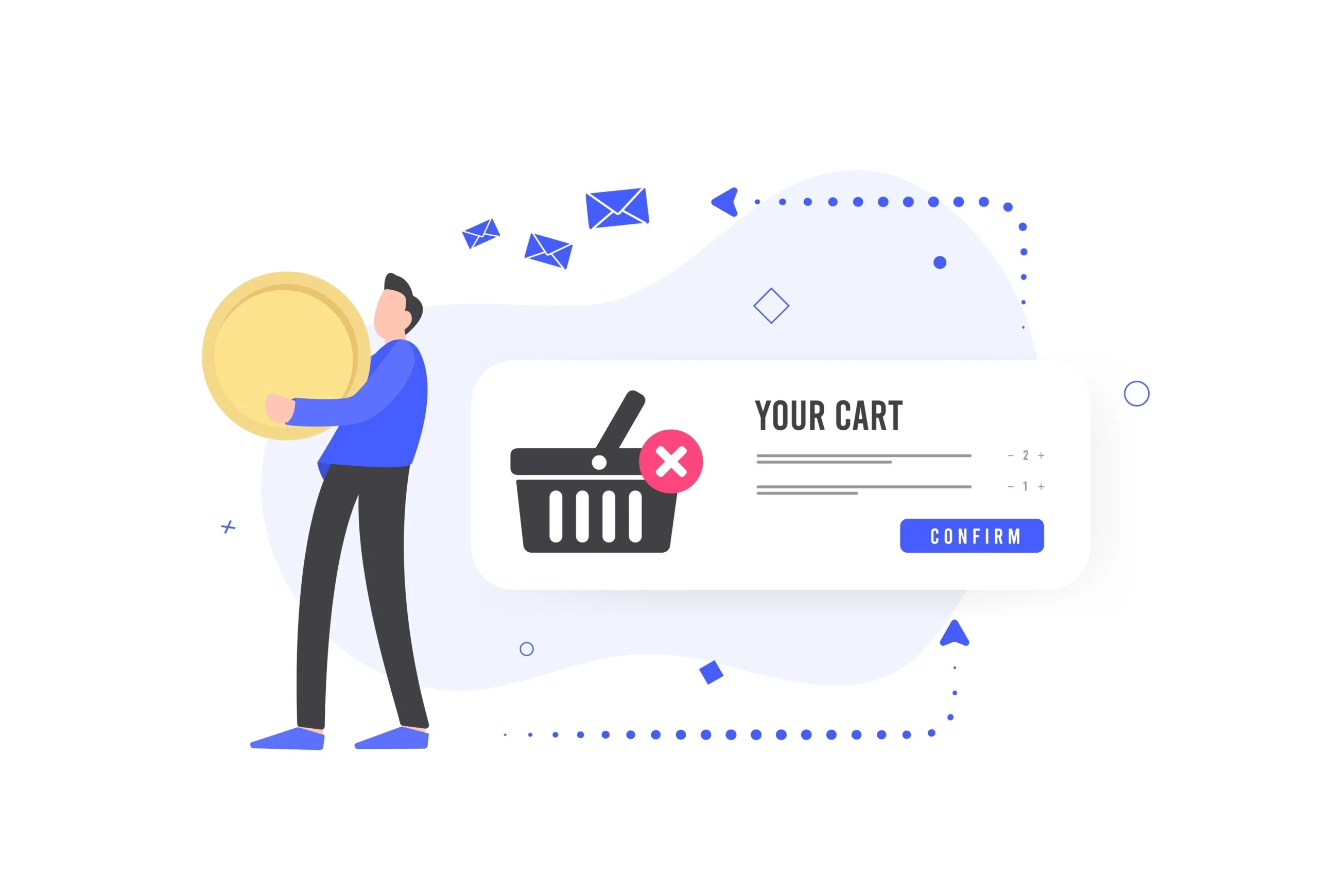
Cart abandonment remains one of the highest-converting event-based email automations.
Many shoppers add products to their cart but leave before completing their purchase. Rather than losing the sale, businesses can automatically send reminders encouraging customers to return and finish checkout.
Cart abandonment emails often include:
- Product reminders
- Product images
- Pricing information
- Customer reviews
- Limited-time incentives
- Checkout links
A well-timed cart recovery sequence helps recover lost revenue while reminding customers of their original purchase intent.
Key Action Completed
When a customer completes an important action, automated follow-up emails help maintain momentum and encourage further engagement.
Examples of key actions include:
- Downloading a guide
- Completing a registration form
- Booking a consultation
- Starting a free trial
- Finishing onboarding
- Watching a webinar
These emails typically serve two purposes:
- Confirm that the action was successful.
- Guide the customer toward the next logical step.
By providing timely follow-up communication, businesses can nurture prospects more effectively and increase conversion opportunities.
Winback Automation Campaign
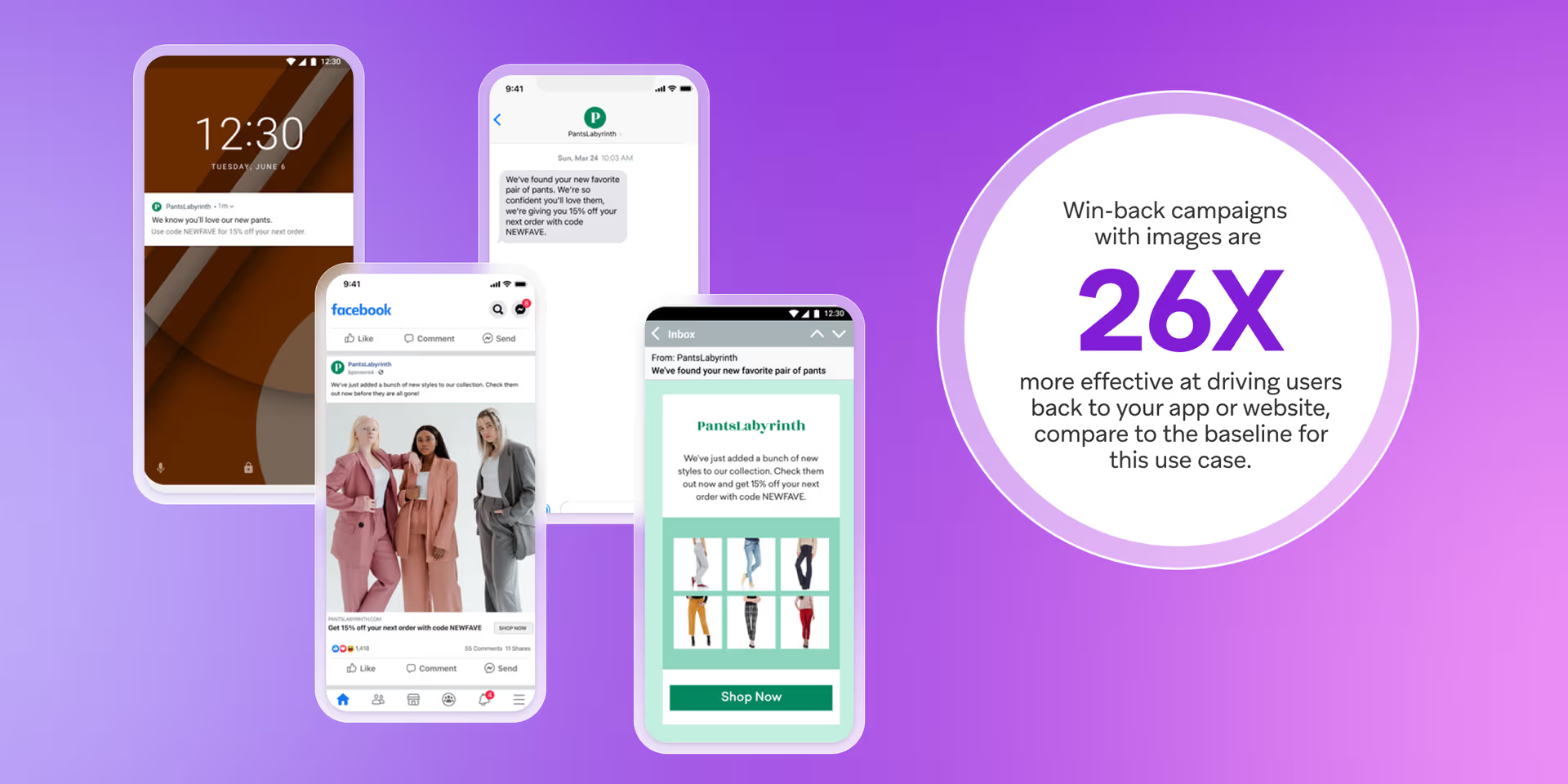
Over time, some subscribers stop engaging with emails, products, or services.
A winback automation is triggered when customers become inactive for a defined period, such as 30, 60, 90, or 180 days.
The goal is to re-establish engagement before the relationship is lost entirely.
Winback campaigns may include:
- Personalized check-in messages
- Product updates
- Exclusive offers
- Educational content
- Preference update requests
- Customer feedback surveys
Re-engaging existing subscribers is often more cost-effective than acquiring entirely new customers, making winback campaigns an important component of long-term email marketing success.
Anniversary Email Campaigns
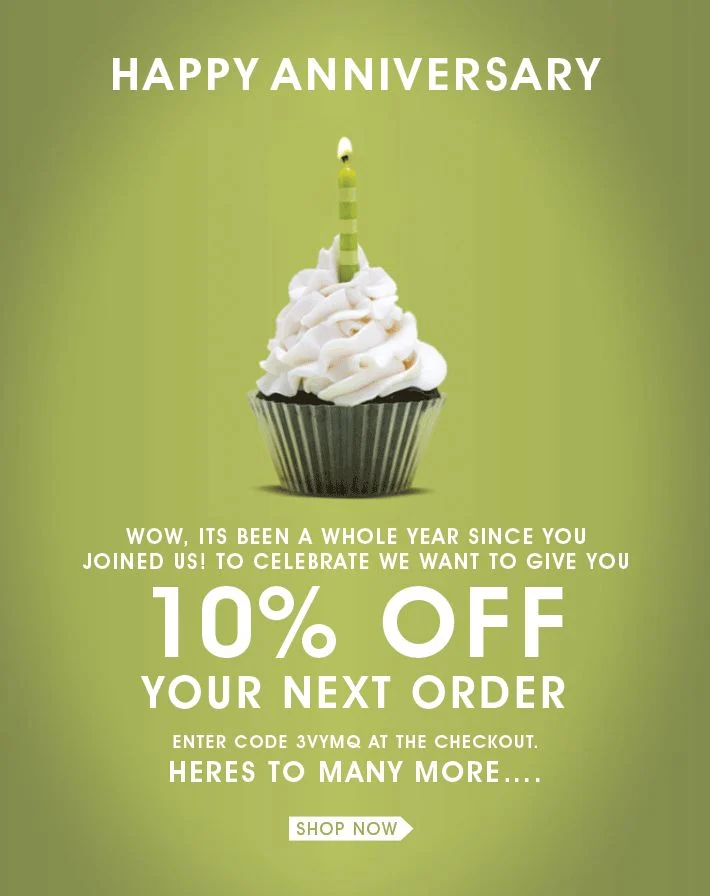
Anniversary-based automations help strengthen customer relationships by recognizing important milestones.
These milestones can include:
- Customer signup anniversaries
- Membership anniversaries
- First purchase anniversaries
- Loyalty program milestones
- Business relationship anniversaries
Anniversary emails are highly personal because they acknowledge the customer’s history with the brand.
Many businesses use these campaigns to:
- Express appreciation
- Reward loyalty
- Offer special promotions
- Deliver exclusive content
- Encourage repeat purchases
When executed thoughtfully, anniversary campaigns can increase customer retention and reinforce long-term brand loyalty.
Event-Based Email Automation Best Practices
Setting up automated workflows is only the beginning. To maximize engagement, conversions, and customer satisfaction, businesses must follow proven best practices that ensure every automated email delivers value and supports the customer journey.
As email marketing continues to evolve in 2026, customers expect timely, relevant, and personalized communication. The following best practices can help you create event-based automation campaigns that perform consistently and strengthen customer relationships.
Be Clear and Concise
When an event triggers an email, recipients expect information that is directly related to the action they just completed.
Whether you’re welcoming a new subscriber, confirming a purchase, or reminding a customer about an abandoned cart, your message should immediately explain why the email was sent and what action the recipient should take next.
To improve clarity:
- Use straightforward subject lines.
- Place the most important information near the top of the email.
- Avoid unnecessary jargon and technical language.
- Focus on a single primary message.
- Include a clear call to action (CTA).
For example, a cart abandonment email should focus on helping customers return to their cart and complete their purchase rather than introducing unrelated promotions.
Customers are more likely to engage when the purpose of the email is obvious within seconds of opening it.
Be Mindful of Timing
Timing is one of the most important factors in event-based email automation.
Even highly personalized messages can lose effectiveness if they arrive too early or too late.
The ideal timing depends on the event itself:
- Welcome emails should be sent immediately after signup.
- Purchase confirmations should arrive within minutes of the transaction.
- Onboarding emails may be spaced over several days.
- Cart abandonment reminders often perform best within a few hours.
- Winback campaigns may be triggered after several weeks or months of inactivity.
It’s also important to avoid overwhelming customers with multiple emails in a short period.
Many modern email platforms allow businesses to create frequency controls that prevent subscribers from receiving too many automated messages simultaneously.
Regular testing can help determine the optimal timing for different audiences and customer journeys.
Go Beyond a First Name
Personalization today involves far more than inserting a subscriber’s first name into the subject line.
Customers expect brands to understand their preferences, interests, and behavior.
Effective event-based automation uses behavioral and contextual data to create more relevant experiences.
Examples include:
- Recommending products based on browsing history.
- Sending content related to previous downloads.
- Referencing recent purchases.
- Tailoring onboarding based on user goals.
- Delivering offers based on engagement level.
- Adjusting messaging according to customer lifecycle stage.
For example, two customers who sign up for the same service may have entirely different needs. One may require beginner guidance, while another may be looking for advanced features. Behavioral personalization allows you to provide more useful information to each user.
The more relevant your emails become, the stronger your engagement and conversion rates are likely to be.
Tie Each Trigger to a Single Goal
One of the most common automation mistakes is trying to accomplish too many objectives within a single workflow.
Every trigger should support one clearly defined business goal.
Examples include:
| Trigger | Primary Goal |
|---|---|
| Newsletter signup | Introduce the brand |
| Cart abandonment | Recover lost sales |
| Free trial signup | Increase product adoption |
| Purchase completed | Improve customer retention |
| Inactivity detected | Re-engage subscribers |
When workflows are built around a single objective, messaging becomes more focused and customer actions become easier to measure.
A clear goal also helps marketers evaluate performance and identify opportunities for optimization.
Before creating any automation, ask:
“What specific action do I want the customer to take next?”
The answer should guide every email, CTA, and workflow decision.
Set Clear Exit Conditions
An automation should not continue indefinitely.
Every workflow needs defined exit conditions that determine when a subscriber should leave the automation sequence.
Exit conditions help prevent unnecessary emails and improve the customer experience.
Common exit conditions include:
- Purchase completed
- Subscription activated
- Trial converted
- Desired link clicked
- Goal achieved
- Customer unsubscribed
- Inactivity threshold reached
For example, if a customer completes a purchase after receiving a cart abandonment reminder, they should immediately exit the recovery sequence. Continuing to send abandoned-cart emails after a purchase can create confusion and damage trust.
Well-defined exit conditions keep automation workflows relevant and ensure customers only receive messages that match their current situation.
Turning Events into Results
Customer actions create opportunities—but only if your email marketing platform can respond effectively.
The most successful businesses don’t simply collect subscriber data. They use that data to deliver timely, personalized experiences that guide customers toward meaningful outcomes. Whether you’re welcoming new subscribers, recovering abandoned carts, nurturing leads, or re-engaging inactive contacts, event-based email automation helps turn customer behavior into measurable business growth.
That’s where Teno Mail can help.
Teno Mail provides the tools businesses need to create powerful event-driven email campaigns without unnecessary complexity. From automated workflows and audience segmentation to personalized messaging and performance tracking, the platform helps marketers deliver the right message at the right time.
With Teno Mail, you can:
- Build automated email workflows based on customer behavior.
- Trigger campaigns from key events and milestones.
- Segment audiences for more relevant communication.
- Personalize emails using customer data and engagement signals.
- Monitor campaign performance with actionable analytics.
- Scale email marketing while reducing manual work.
As customer expectations continue to rise, automation is no longer optional—it’s essential for delivering experiences that drive engagement, retention, and revenue.
If you’re ready to transform customer events into business results, explore how Teno Mail can help you create smarter, more effective email automation campaigns.
FAQs
What’s the Difference Between Email Automation and Event-Based Automation?
Email automation is a broad term that refers to automatically sending emails based on predefined rules or schedules. Event-based automation is a specific type of email automation that triggers messages when a particular customer action or event occurs.
For example, a scheduled monthly newsletter is automated email marketing, while a welcome email sent immediately after a subscriber joins your list is event-based automation.
What Are the Most Effective Event Triggers?
The most effective triggers vary by business model, but several consistently produce strong results across industries:
- Newsletter signups
- Cart abandonment
- Purchase completions
- Free trial registrations
- Product onboarding milestones
- Customer anniversaries
- Subscription renewals
- Inactivity or winback opportunities
Triggers that align closely with customer intent typically generate the highest engagement and conversion rates.
How Many Emails Should an Event Automation Include?
There is no universal number.
Some automations require only a single email, such as a purchase confirmation or password reset. Others, such as onboarding or lead nurturing campaigns, may include multiple emails delivered over several days or weeks.
The ideal number depends on:
- The complexity of the customer journey
- The campaign objective
- Customer engagement levels
- The value being delivered in each email
Focus on quality and relevance rather than email volume.
How Do You Avoid Over-Emailing?
To prevent subscriber fatigue, businesses should implement frequency controls and carefully coordinate their automation workflows.
Best practices include:
- Limiting email frequency.
- Monitoring engagement metrics.
- Using suppression rules.
- Creating clear workflow priorities.
- Removing inactive contacts when appropriate.
- Setting proper exit conditions.
Regularly reviewing automation performance helps identify situations where customers may be receiving too many messages.
Is Event-Based Email Automation Difficult to Set Up?
Modern email marketing platforms have made event-based automation significantly easier to implement than in the past.
Most platforms provide visual workflow builders, pre-built automation templates, segmentation tools, and performance reporting that simplify setup and management.
While advanced workflows may require planning and optimization, businesses can often launch basic automations—such as welcome emails, cart abandonment sequences, and post-purchase follow-ups—with minimal technical expertise.
Starting with a few high-impact automations and expanding over time is often the most effective approach.
Read More: Why Your Re-engagement Emails Fail & How to Fix Them [2026]