Email marketing continues to deliver one of the highest returns among digital marketing channels, but those results depend on one critical factor: whether your emails actually reach the inbox. You can spend hours crafting compelling subject lines, designing engaging campaigns, and building targeted subscriber lists, yet none of that matters if your messages end up in the spam folder.
This is where email deliverability becomes essential. Email deliverability refers to your ability to successfully place emails in recipients’ inboxes rather than having them filtered, blocked, or sent to spam. As mailbox providers become increasingly sophisticated in evaluating sender reputation, engagement signals, and authentication standards, maintaining strong deliverability has become more challenging—and more important—than ever.
In 2026, successful email marketing requires more than simply hitting the send button. Businesses must follow best practices for authentication, list management, content quality, and performance monitoring to maintain a positive sender reputation. Even small mistakes, such as sending to outdated contacts or neglecting email authentication, can negatively impact inbox placement rates.
The good news is that improving email deliverability does not require complex technical expertise. By following a structured checklist and consistently applying proven practices, marketers can significantly increase inbox placement, improve engagement rates, and maximize the return on their email campaigns.
This email deliverability checklist covers the most important do’s and don’ts to help you build trust with mailbox providers, protect your sender reputation, and achieve better email marketing results in 2026.
Why is Email Deliverability Important?
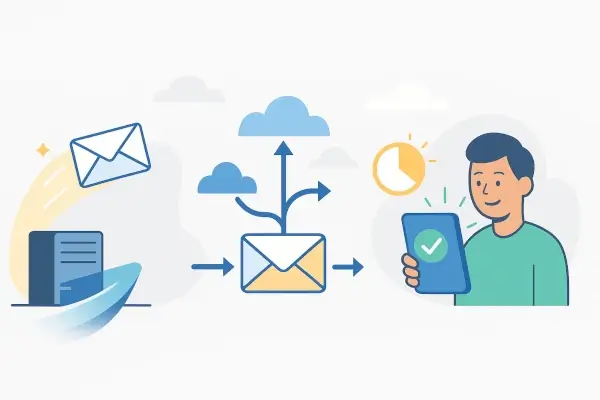
Email deliverability directly affects the success of every email campaign you send. No matter how valuable your content is or how strong your offer may be, your audience cannot engage with emails they never see. High deliverability ensures that your messages reach subscribers’ inboxes, giving your campaigns the opportunity to generate opens, clicks, conversions, and revenue.
One of the biggest reasons deliverability matters is its impact on sender reputation. Internet service providers (ISPs) and mailbox providers continuously evaluate sending behavior to determine whether a sender is trustworthy. Factors such as spam complaints, bounce rates, engagement levels, and authentication records influence this reputation. A poor sender reputation can cause future emails to be filtered into spam folders or blocked entirely.
Strong deliverability also improves marketing performance. When emails consistently reach the inbox, businesses typically experience higher open rates, better click-through rates, stronger customer engagement, and increased conversion opportunities. In contrast, poor deliverability can significantly reduce campaign effectiveness, making it difficult to achieve marketing goals even when the content itself is high quality.
Deliverability is also closely tied to customer trust. Subscribers expect to receive the communications they signed up for, whether they are newsletters, product updates, educational content, or promotional offers. If emails fail to arrive consistently, businesses risk losing engagement, damaging relationships, and reducing customer lifetime value.
Additionally, email deliverability helps protect marketing investments. Companies invest time, budget, and resources into building email lists and creating campaigns. Ensuring those emails reach the inbox maximizes the value of that investment and prevents wasted effort.
Email Deliverability Checklist: Do’s & Don’ts

Improving email deliverability is not about finding a single fix. Inbox placement depends on multiple factors working together, from technical setup and list quality to subscriber engagement and campaign performance. Mailbox providers such as Gmail, Outlook, and Yahoo continuously evaluate your sending practices to determine whether your emails deserve a place in the inbox.
The following email deliverability checklist covers the most important actions marketers should take in 2026 to improve inbox placement rates, protect sender reputation, and maximize email marketing performance.
1. Email Authentication
Email authentication is the foundation of email deliverability. Without proper authentication protocols, mailbox providers have difficulty verifying that your emails are legitimate, which can increase the likelihood of spam filtering or outright rejection.
Authentication helps prove that your messages are genuinely coming from your domain and not from someone attempting to impersonate your brand.
Do:
Set up SPF (Sender Policy Framework)
SPF identifies which servers are authorized to send emails on behalf of your domain. When an email arrives, the receiving server checks the SPF record to verify the sender’s legitimacy.
Enable DKIM (DomainKeys Identified Mail)
DKIM adds a digital signature to outgoing emails. This signature confirms that the message has not been altered during transmission and verifies its authenticity.
Implement DMARC (Domain-based Message Authentication, Reporting, and Conformance)
DMARC builds upon SPF and DKIM by telling receiving servers how to handle emails that fail authentication checks. It also provides valuable reporting data that helps identify potential spoofing attempts.
Monitor authentication reports regularly
Review DMARC reports to identify unauthorized senders, configuration errors, or security issues before they affect deliverability.
Consider BIMI where supported
Brand Indicators for Message Identification (BIMI) allows verified brands to display their logos within supported inboxes, increasing trust and recognition.
Don’t:
- Skip authentication setup because it appears technical.
- Use inconsistent sending domains.
- Ignore DMARC reports after implementation.
- Allow multiple departments to send emails from unverified systems.
- Delay authentication updates when changing email providers.
Authentication has evolved from a best practice into a necessity. Many mailbox providers now expect properly authenticated email traffic, making this one of the most important items on any deliverability checklist.
2. Email List Cleaning
Even the best email content will struggle if it’s sent to outdated, invalid, or disengaged contacts. Maintaining a healthy subscriber list is one of the fastest ways to improve deliverability and sender reputation.
Mailbox providers pay close attention to how recipients interact with your emails. Consistently sending messages to inactive subscribers signals low relevance and can negatively affect inbox placement.
Do:
Use double opt-in registration
Double opt-in ensures that subscribers genuinely want to receive your emails. This process helps reduce fake addresses, spam traps, and accidental signups.
Remove invalid email addresses regularly
Hard bounces indicate addresses that no longer exist or cannot receive mail. Continuing to send to these contacts can damage your sender reputation.
Create re-engagement campaigns
Before removing inactive subscribers, attempt to win them back with targeted re-engagement campaigns. Offer updated preferences, valuable content, or special incentives.
Segment subscribers based on engagement
Group highly engaged users separately from inactive contacts. This allows you to prioritize engaged audiences and maintain stronger engagement metrics.
Monitor unsubscribe trends
Unsubscribes provide valuable feedback regarding content relevance, sending frequency, and audience expectations.
Don’t:
- Purchase email lists.
- Scrape email addresses from websites.
- Continue mailing inactive subscribers indefinitely.
- Ignore bounce reports.
- Add contacts without explicit consent.
A smaller list filled with engaged subscribers consistently outperforms a larger list full of inactive contacts. Quality is almost always more valuable than quantity when it comes to email deliverability.
3. Sending Time Optimization
When you send emails can be nearly as important as what you send. Optimizing sending schedules helps improve engagement rates, which in turn strengthens deliverability performance.
Mailbox providers analyze recipient interactions such as opens, clicks, replies, and deletions. Strong engagement signals indicate that subscribers value your emails, increasing the likelihood of future inbox placement.
Do:
Analyze audience behavior
Review historical campaign data to identify when subscribers are most likely to engage with your emails.
Use time zone-based delivery
For global audiences, schedule emails according to local recipient time zones to maximize visibility.
Maintain consistent sending patterns
Sudden spikes or irregular sending behavior can trigger scrutiny from mailbox providers. Consistency helps build trust over time.
Test different send times
A/B testing can reveal optimal delivery windows for specific audience segments.
Adjust frequency based on engagement
Highly engaged subscribers may welcome more frequent communication, while less active users may prefer fewer emails.
Don’t:
- Send massive email volumes without warming up domains.
- Bombard subscribers with excessive email frequency.
- Ignore audience preferences.
- Make drastic changes to sending schedules without testing.
- Assume one sending time works for every audience.
Modern email platforms increasingly use machine learning and engagement data to determine inbox placement. Sending emails when recipients are most likely to interact with them creates positive engagement signals that support long-term deliverability.
4. Email Design
Email design affects much more than aesthetics. Poorly designed emails can trigger spam filters, reduce engagement, and create a frustrating user experience.
Today’s subscribers increasingly read emails on mobile devices, making responsive design essential for both user experience and deliverability performance.
Do:
Use mobile-responsive layouts
Ensure emails display properly across smartphones, tablets, and desktop devices.
Balance text and images
Emails that rely heavily on images may appear suspicious to spam filters and can create accessibility challenges.
Include a plain-text version
Plain-text alternatives improve accessibility and provide mailbox providers with additional content context.
Use clear calls-to-action
Guide recipients toward desired actions using concise and visible CTA buttons or links.
Prioritize accessibility
Readable fonts, proper contrast, descriptive alt text, and logical content structure improve engagement across all audiences.
Test before sending
Preview emails across devices, inbox providers, and operating systems to identify rendering issues.
Don’t:
- Use image-only emails.
- Overload messages with excessive links.
- Use misleading subject lines.
- Include spam-triggering language excessively.
- Create cluttered layouts that are difficult to navigate.
Good email design improves user experience, encourages engagement, and supports stronger inbox placement. Every positive interaction helps reinforce your reputation with mailbox providers.
5. Performance Monitoring
Deliverability is not a one-time project. Continuous monitoring helps identify issues before they become serious problems.
Successful email marketers regularly evaluate campaign metrics and use performance data to guide optimization decisions.
Do:
Track open rates and click-through rates
These metrics provide insight into audience engagement and content effectiveness.
Monitor bounce rates
Sudden increases in hard or soft bounces may indicate list quality or technical problems.
Review spam complaint rates
Even a small increase in complaints can negatively affect sender reputation.
Check inbox placement performance
Delivery does not guarantee inbox placement. Monitor whether emails are reaching inboxes, promotions tabs, or spam folders.
Monitor sender reputation
Regularly review domain and IP reputation metrics to identify potential deliverability concerns.
Conduct periodic deliverability audits
A comprehensive review of authentication, list hygiene, content quality, and engagement data helps uncover hidden issues.
Don’t:
- Focus only on open rates.
- Ignore declining engagement trends.
- Wait until deliverability problems become severe.
- Overlook spam complaints.
- Assume successful delivery equals successful inbox placement.
Consistent monitoring enables marketers to respond quickly, maintain healthy sender reputations, and continuously improve campaign performance.
6. Deliverability Specialists
Sometimes deliverability issues require expertise beyond standard email marketing practices. Deliverability specialists help diagnose complex problems and develop recovery strategies.
These professionals specialize in inbox placement, sender reputation management, authentication, infrastructure configuration, and compliance.
Do:
Seek expert assistance when deliverability declines significantly
Persistent spam placement, reputation issues, or unexplained engagement drops may require advanced investigation.
Use specialists during major migrations
Changing email service providers, domains, or sending infrastructure can affect deliverability if not managed carefully.
Request reputation audits
Specialists can identify technical issues, authentication gaps, and infrastructure weaknesses that may be limiting inbox placement.
Develop long-term deliverability strategies
Expert guidance can help establish scalable processes that support sustainable email growth.
Don’t:
- Assume every deliverability problem will resolve itself.
- Ignore ongoing reputation damage.
- Delay investigations when engagement drops dramatically.
- Focus solely on content while neglecting technical factors.
While many deliverability improvements can be handled internally, experienced specialists can often identify hidden issues faster and reduce the time required to recover sender reputation.
By following this email deliverability checklist consistently, businesses can improve inbox placement rates, strengthen sender reputation, increase subscriber engagement, and maximize the overall effectiveness of their email marketing programs. In 2026, successful email deliverability depends on combining strong technical foundations with responsible list management, thoughtful campaign execution, and ongoing performance optimization.
FAQs

Are email delivery and email deliverability the same?
No, email delivery and email deliverability are related but not the same thing.
Email delivery refers to whether an email successfully reaches the recipient’s mail server. If the receiving server accepts the message, it is considered delivered. However, that does not guarantee the recipient will actually see it.
Email deliverability refers to where the email ends up after delivery. A delivered email may land in the primary inbox, promotions tab, spam folder, or another filtered location. Deliverability focuses on inbox placement and the likelihood that subscribers will see and engage with your message.
For example, if you send 10,000 emails and 9,900 are accepted by recipients’ mail servers, your delivery rate is 99%. But if 3,000 of those emails are filtered into spam folders, your deliverability performance still needs improvement.
In short, delivery measures whether an email arrives at the destination server, while deliverability measures whether it reaches the inbox.
What affects email deliverability the most?
Several factors influence email deliverability, but sender reputation remains the most important.
Mailbox providers evaluate your sending history and reputation to determine whether your emails are trustworthy. A strong sender reputation increases inbox placement, while a poor reputation can result in spam filtering or blocked messages.
Key factors that affect email deliverability include:
- Email authentication (SPF, DKIM, and DMARC)
- Sender reputation and domain reputation
- Email list quality
- Subscriber engagement rates
- Spam complaint rates
- Bounce rates
- Sending frequency and consistency
- Email content quality
- Domain and IP history
- Unsubscribe rates
Among these factors, subscriber engagement has become increasingly important in recent years. When recipients regularly open, click, reply to, and interact with your emails, mailbox providers receive positive signals that your content is valuable.
On the other hand, low engagement, high complaint rates, and poor list hygiene can quickly damage deliverability performance.
How can I improve my email deliverability quickly?
While long-term deliverability improvements require consistent effort, there are several actions you can take immediately to achieve faster results.
Start by verifying that your domain is properly authenticated using SPF, DKIM, and DMARC. Authentication helps mailbox providers trust your emails and can improve inbox placement almost immediately.
Next, clean your email list by removing invalid addresses, hard bounces, and long-term inactive subscribers. Sending to engaged contacts typically produces stronger engagement metrics and better deliverability.
Other quick ways to improve email deliverability include:
- Stop sending to purchased or scraped email lists
- Reduce email frequency for unengaged subscribers
- Segment your audience based on engagement levels
- Remove contacts that have not interacted with emails for an extended period
- Monitor spam complaint rates closely
- Optimize subject lines to encourage opens
- Use responsive, mobile-friendly email designs
- Test campaigns before sending
- Maintain a consistent sending schedule
If deliverability problems persist, consider conducting a full deliverability audit or consulting an email deliverability specialist. Identifying and correcting technical issues early can prevent long-term damage to your sender reputation.
The fastest path to better deliverability is usually a combination of proper authentication, improved list hygiene, and a focus on sending relevant content to engaged subscribers.
Read More: Getting Unsubscribes From Security Bots? Here’s What to Know [2026]