A customer’s first interaction after signing up, making a purchase, or joining a company often determines how they perceive the entire experience. That’s why onboarding emails remain one of the most important communication tools for businesses. They help new users understand what to do next, introduce key features or processes, and guide people toward their first successful outcome.
An onboarding email is a message sent to welcome and educate a new customer, client, employee, or user after they take a specific action. Unlike promotional emails, onboarding emails focus on helping recipients get value as quickly as possible. Their primary purpose is to reduce confusion, answer common questions, and encourage meaningful engagement.
For SaaS companies, onboarding emails help users activate their accounts, complete setup tasks, and discover important features. For agencies, they establish expectations and collect information needed to start a project successfully. In HR departments, onboarding emails ensure new hires have the information, resources, and confidence they need before their first day.
Modern onboarding strategies rarely rely on a single email. Instead, businesses use a structured sequence of messages delivered over several days or weeks. Each email serves a specific purpose, such as welcoming the recipient, explaining the next step, providing helpful resources, requesting information, or collecting feedback.
Effective onboarding emails typically include:
- A warm and personalized welcome
- Clear expectations about what happens next
- One primary call-to-action (CTA)
- Helpful resources or support information
- A concise and easy-to-scan format
- Relevant personalization based on the recipient’s role or behavior
When done correctly, onboarding emails can significantly improve customer retention, product adoption, employee engagement, and overall satisfaction. They transform a potentially overwhelming experience into a guided journey that helps people achieve success faster.
SaaS Onboarding Email Templates
For software companies, the onboarding process begins the moment a user creates an account. New users are often excited about solving a problem but may not yet understand how to use the platform effectively. A well-designed onboarding email helps bridge that gap.
The best SaaS onboarding emails focus on helping users achieve their first meaningful success quickly. Rather than overwhelming recipients with every feature available, they provide one clear next step and direct users toward actions that increase product adoption.
Common goals of SaaS onboarding emails include:
- Confirming account creation
- Helping users complete setup
- Encouraging feature discovery
- Sharing tutorials and resources
- Increasing activation rates
- Reducing early-stage churn
- Building trust with new customers
The following templates can help SaaS businesses create a structured and engaging onboarding experience.
Template 1: SaaS Welcome Email
The SaaS welcome email is typically the first message users receive after registering for a product. Its purpose is to confirm the signup, welcome the user, explain the immediate next step, and encourage engagement with the platform.
A strong welcome email should avoid overwhelming users with too much information. Instead, it should focus on helping them complete one important action that moves them closer to experiencing the product’s value.
The following template can be adapted for free trials, freemium products, subscription-based platforms, and enterprise software solutions.
Welcome to [Product Name] — Let’s Get Started
Hi [First Name],
Welcome to [Product Name]!
We’re excited to have you join us.
Your account is now active, and you’re just a few steps away from getting the most out of the platform. Whether you’re using [Product Name] to improve productivity, streamline workflows, manage projects, or collaborate with your team, we’re here to help you succeed.
To get started, we recommend completing these quick setup steps:
✔ Complete your profile
✔ Connect your preferred tools or integrations
✔ Create your first project/workspace
✔ Invite team members (if applicable)
Getting these basics in place will help you unlock the full value of the platform right away.
[CTA Button: Complete Your Setup]Need help?
Visit our knowledge base, watch step-by-step tutorials, or contact our support team anytime. We’re happy to answer questions and guide you through the onboarding process.
Thank you for choosing [Product Name].
We look forward to helping you achieve your goals.
Best regards,
[Sender Name] [Company Name]Why this template works
- Creates a friendly first impression
- Clearly explains the next steps
- Uses a single primary CTA
- Reduces uncertainty for new users
- Encourages product activation without overwhelming recipients
Agency Client Onboarding Email Template

Winning a new client is only the beginning of a successful agency relationship. The onboarding phase sets expectations, establishes communication channels, gathers necessary information, and ensures projects start smoothly.
A client onboarding email should make the client feel confident in their decision while clearly outlining what happens next. It should provide instructions, explain timelines, introduce key contacts, and request any information required to begin the engagement.
Whether you’re a marketing agency, web design firm, software development company, consulting agency, or creative studio, a structured onboarding email helps eliminate confusion and improve collaboration from day one.
Important elements to include:
- Welcome message
- Appreciation for the partnership
- Project kickoff details
- Required documents or information
- Communication expectations
- Timeline overview
- Primary point of contact
- Next action item
Template 2: Agency Client Onboarding Email
This template can be customized for virtually any service-based business that works directly with clients.
Welcome Aboard! Here’s What Happens Next
Hello [Client Name],
Thank you for choosing [Agency Name].
We’re excited to partner with you and help achieve your business goals. Our team is looking forward to working together and delivering a successful project experience.
To ensure a smooth start, here’s a quick overview of the onboarding process:
Step 1: Complete the onboarding questionnaire
Please fill out the attached form so we can better understand your business, objectives, audience, and project requirements.
Step 2: Share required assets
Please provide any relevant materials, such as brand guidelines, logos, content, access credentials, previous reports, or reference documents.
Step 3: Kickoff meeting
We’ll schedule a kickoff call to discuss goals, priorities, timelines, deliverables, and communication preferences.
Step 4: Project setup
Our team will create your project workspace, establish communication channels, and begin the planning phase.
Your primary point of contact will be:
[Account Manager Name] [Email Address] [Phone Number]Next Action:
Please complete the onboarding questionnaire by [Date] so we can begin the project according to schedule.
[CTA Button: Complete Onboarding Form]If you have any questions before our kickoff meeting, simply reply to this email and we’ll be happy to help.
We’re excited to get started and look forward to a successful partnership.
Best regards,
[Sender Name] [Agency Name]Why this template works
- Establishes professionalism and trust immediately
- Clearly communicates the onboarding process
- Sets expectations for both parties
- Encourages timely action through a specific CTA
- Reduces project delays caused by missing information
- Creates a strong foundation for long-term client relationships
HR Onboarding Email Templates
A successful employee onboarding process begins long before a new hire starts their first day. HR onboarding emails help organizations create a positive first impression, communicate expectations, reduce uncertainty, and ensure employees have everything they need to become productive quickly.
Today’s onboarding experience extends beyond paperwork and orientation sessions. Modern HR teams use strategic email communication to guide employees through every stage of the onboarding journey—from signing an offer letter and preparing for Day One to attending virtual training sessions and providing onboarding feedback.
Well-crafted onboarding emails can help organizations:
- Improve employee engagement from the beginning
- Reduce first-day confusion and anxiety
- Communicate important policies and procedures
- Streamline document collection and administrative tasks
- Introduce company culture and values
- Increase employee retention
- Create a consistent onboarding experience across teams and locations
The following HR onboarding email templates can be customized for different hiring scenarios, including in-office, hybrid, and fully remote workplaces.
Employee Onboarding Email Template
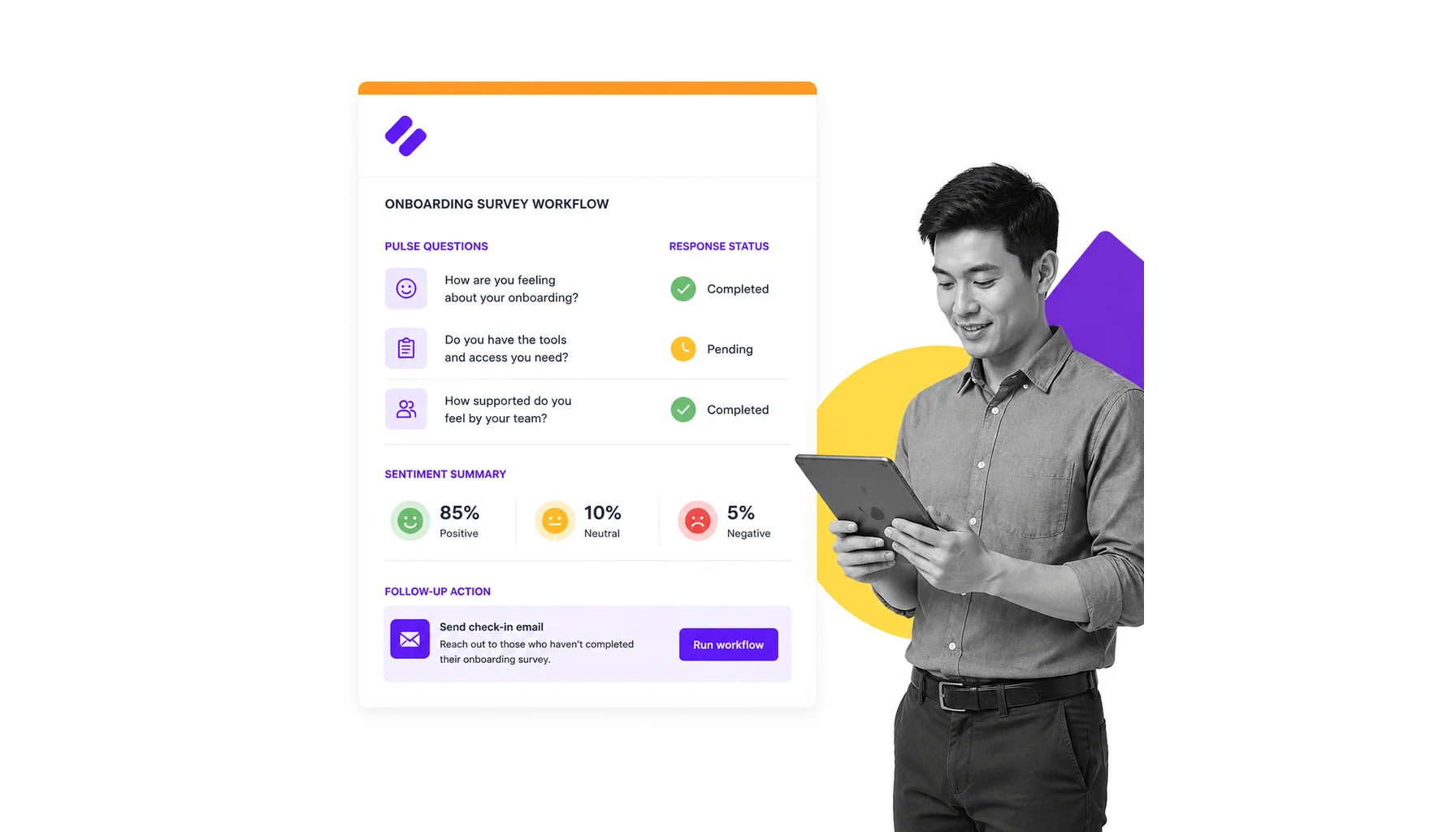
The employee welcome email is usually the first official communication a new hire receives after accepting a job offer. Its purpose is to make the employee feel welcomed, provide essential information, and build excitement about joining the company.
A strong employee onboarding email should be warm, informative, and easy to follow. It should answer common questions while helping the employee understand what to expect during their first days and weeks.
Template 3: General Employee Welcome
This template works well for full-time employees, part-time staff, contractors, and new team members across various industries.
Welcome to the Team, [First Name]!
Hi [First Name],
Congratulations and welcome to [Company Name]!
We’re excited to have you join our team as a [Job Title]. Your skills, experience, and perspective will be valuable additions to our organization, and we’re looking forward to working with you.
Your official start date is [Start Date].
To help you prepare for your first day, here are a few important details:
Start Time: [Time]
Location: [Office Address or Virtual Meeting Link]
Manager: [Manager Name]
Department: [Department Name]
During your first week, you’ll:
• Meet your manager and teammates
• Attend onboarding and orientation sessions
• Receive access to company tools and systems
• Learn about our processes, culture, and values
• Review your role-specific goals and expectations
If there are any documents or forms that still need to be completed, please submit them before your start date.
Should you have any questions before your first day, simply reply to this email and we’ll be happy to assist.
We’re excited to welcome you aboard and help you get started successfully.
Best regards,
[HR Representative Name] [Company Name]Why this template works
- Creates a positive first impression
- Clearly communicates logistical details
- Reduces uncertainty before Day One
- Builds excitement about joining the organization
- Establishes an open communication channel with HR
Pre-Onboarding Email Template
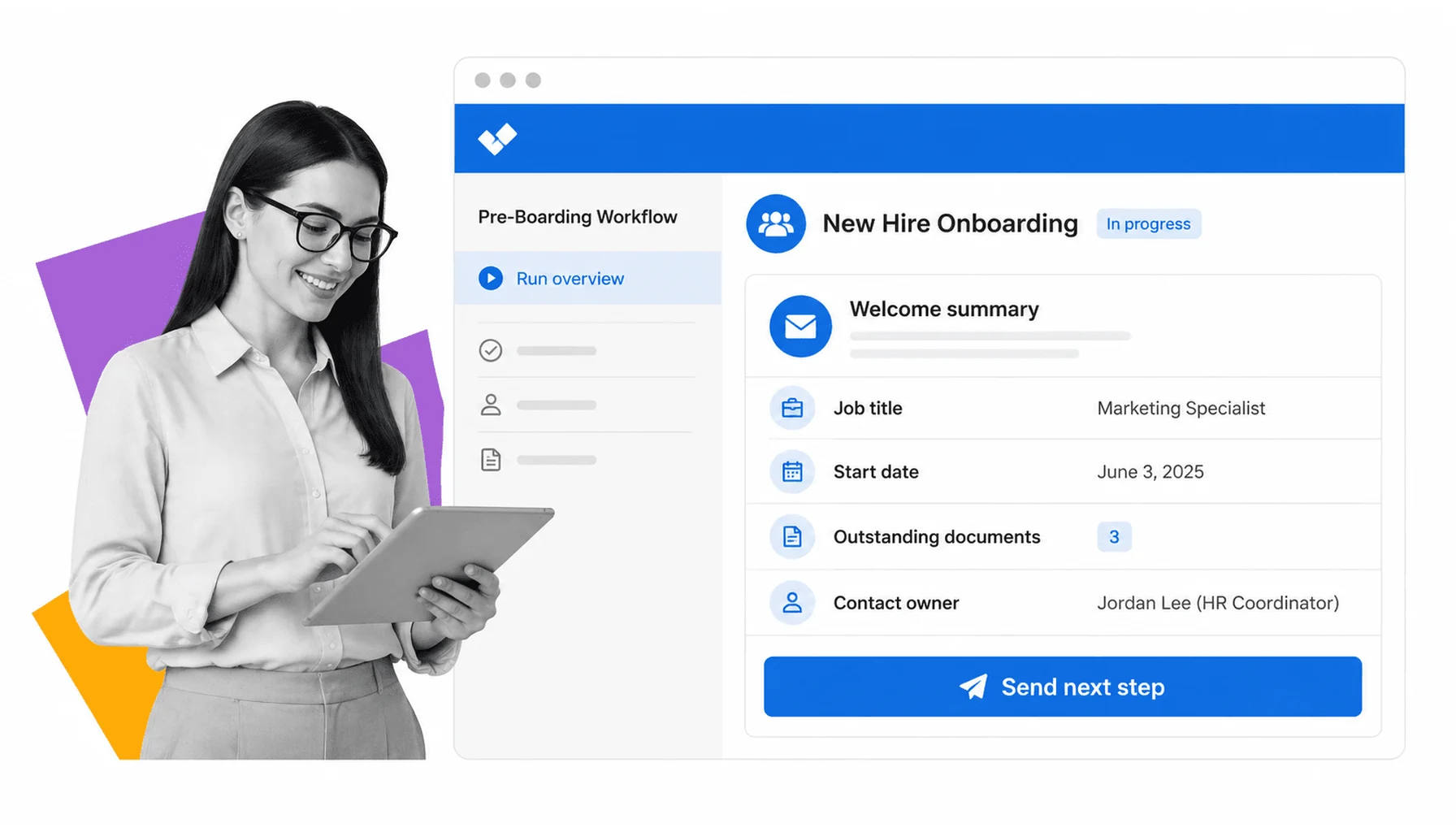
Pre-onboarding emails are sent after a candidate accepts an offer but before their official start date. This stage is critical because it helps maintain engagement and prevents new hires from feeling disconnected during the waiting period.
An effective pre-onboarding email typically includes administrative instructions, required paperwork, important deadlines, and useful resources that help employees prepare before they officially join the organization.
Template 4: Pre-Onboarding Email
The following template helps HR teams organize administrative tasks while keeping communication friendly and welcoming.
Getting Ready for Your First Day at [Company Name]
Hello [First Name],
We’re looking forward to welcoming you to [Company Name] on [Start Date].
Before your first day, we’d like to help you complete a few onboarding tasks to ensure everything is ready when you begin.
Please complete the following items by [Deadline]:
• Submit employment and tax documents
• Review and sign onboarding paperwork
• Verify your personal information
• Complete any required compliance forms
• Review the employee handbook and company policies
Helpful Resources:
• Employee Handbook
• Benefits Guide
• Company Overview
• Team Directory
• Frequently Asked Questions
If you experience any issues accessing forms or documents, please contact our HR team and we’ll assist you promptly.
Thank you for completing these steps ahead of time. Doing so will allow us to focus more on introductions, training, and helping you settle into your new role on your first day.
We can’t wait to have you join us.
Best regards,
[HR Representative Name]
[Company Name]
Why this template works
- Keeps new hires engaged before Day One
- Helps HR collect required information efficiently
- Reduces administrative delays
- Creates a smoother onboarding experience
- Gives employees confidence and clarity before starting
Remote Onboarding Email Template
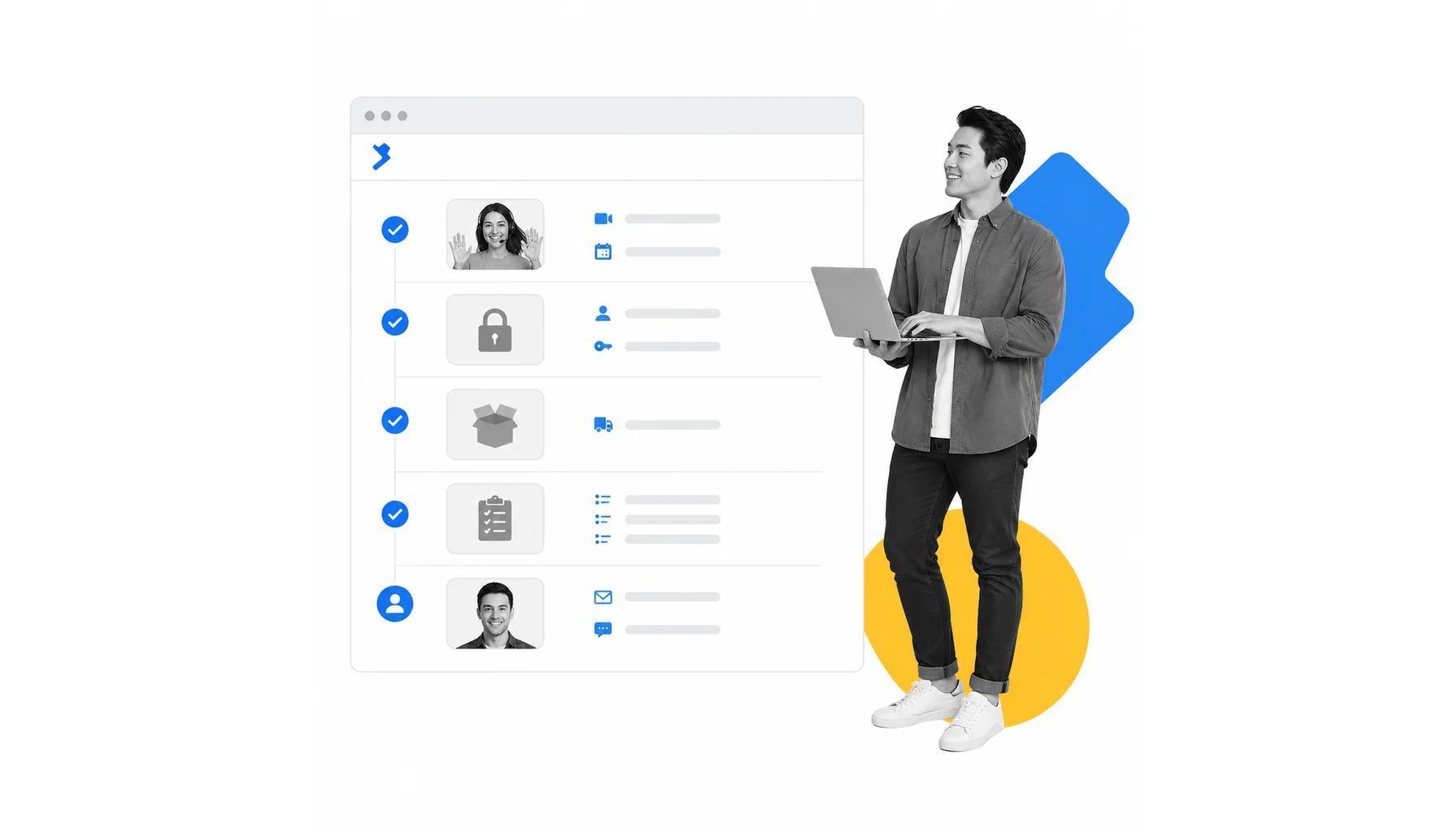
Remote employees face unique onboarding challenges. Without a physical office environment, they may need additional guidance regarding communication tools, collaboration platforms, equipment setup, and virtual introductions.
A remote onboarding email should provide clear instructions, technology requirements, access information, and support resources to help employees feel connected from the start.
Template 5: Remote Onboarding Email
Use this template when onboarding fully remote employees across different locations and time zones.
Your Remote Onboarding Guide
Hello [First Name],
Welcome to [Company Name]!
As you prepare to begin your role remotely, we’d like to ensure you have everything needed for a smooth and successful onboarding experience.
Before your start date, please complete the following steps:
• Log in to your company email account
• Activate collaboration tools (Slack, Microsoft Teams, etc.)
• Access the employee portal
• Verify your equipment setup
• Test your internet connection and audio/video devices
Important Resources:
• New Employee Portal
• Team Directory
• Internal Knowledge Base
• IT Support Contact Information
On your first day, you’ll participate in:
• Virtual orientation session
• Team introductions
• Technology setup review
• Role-specific training sessions
• Goal-setting meeting with your manager
If you experience any technical difficulties, our IT support team will be available to assist you.
We’re excited to have you join our remote team and look forward to helping you get started successfully.
Best regards,
[HR Representative Name]
[Company Name]
Why this template works
- Addresses remote-work-specific concerns
- Provides clear setup instructions
- Encourages confidence with company technology
- Improves early engagement for distributed teams
- Helps employees feel connected before their first day
Virtual Onboarding Email Template

Virtual onboarding programs often include multiple meetings, training sessions, introductions, and workshops delivered online. A dedicated scheduling email ensures new hires know exactly where to be, when to attend, and how to prepare.
Clear scheduling information reduces missed meetings and helps employees navigate their onboarding journey efficiently.
Template 6: Virtual Onboarding Schedule Email
This template can be used for virtual orientation weeks, training programs, or company-wide onboarding initiatives.
Your Virtual Onboarding Schedule
Hello [First Name],
Welcome to [Company Name].
To help you prepare for your first week, we’ve outlined your onboarding schedule below.
Day 1
• Company Welcome Session – [Time]
• HR Orientation – [Time]
• Team Introduction Meeting – [Time]
Day 2
• Product and Service Overview – [Time]
• Department Training Session – [Time]
Day 3
• Systems and Tools Training – [Time]
• Security and Compliance Workshop – [Time]
Day 4
• Role-Specific Learning Sessions – [Time]
• Manager Check-In – [Time]
Day 5
• Goal Planning Session – [Time]
• Q&A and Feedback Discussion – [Time]
Meeting links and calendar invitations have been included for each session.
Please review the schedule in advance and notify us if you anticipate any scheduling conflicts.
We’re excited to guide you through your onboarding experience and help you start strong.
Best regards,
[HR Representative Name] [Company Name]Why this template works
- Provides structure and transparency
- Helps employees plan their week effectively
- Reduces missed sessions and confusion
- Improves participation in onboarding activities
- Creates a more organized onboarding experience
Onboarding Survey Email Template

Collecting feedback is an essential part of improving onboarding programs. Once employees have completed their initial onboarding period, organizations should gather insights about their experience, identify friction points, and uncover opportunities for improvement.
Survey emails should be short, straightforward, and explain how employee feedback will be used.
Template 7: Onboarding Survey Email
Use this email after the first week, first month, or completion of a structured onboarding program.
We’d Love Your Feedback on the Onboarding Experience
Hello [First Name],
Thank you for completing your onboarding journey at [Company Name].
We’re continuously working to improve our employee experience, and your feedback plays an important role in helping us do that.
Please take a few minutes to complete our onboarding survey.
[CTA Button: Complete Survey]We’d especially like to learn:
• How prepared you felt before your first day
• Whether onboarding materials were helpful
• The effectiveness of training sessions
• Your experience with company tools and systems
• Areas where we could improve future onboarding experiences
The survey should take less than five minutes to complete.
All feedback will be reviewed carefully and used to improve our onboarding process for future team members.
Thank you for your time and valuable insights.
Best regards,
[HR Representative Name] [Company Name]Why this template works
- Encourages participation through a simple request
- Demonstrates that employee feedback is valued
- Helps identify onboarding gaps and inefficiencies
- Supports continuous improvement initiatives
- Strengthens employee engagement and trust early in the employment journey
How to Write a Custom Onboarding Email Template
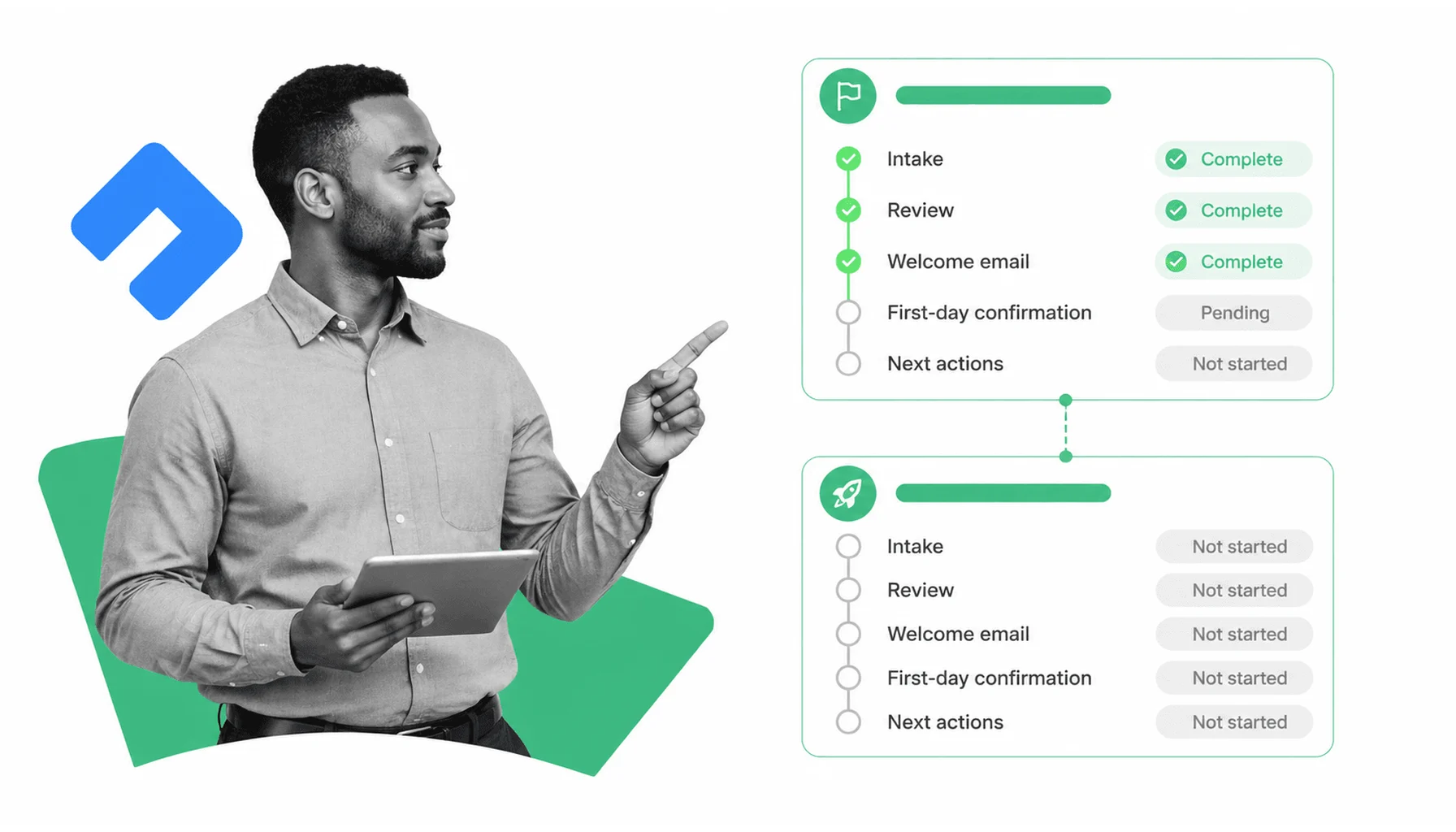
While ready-made onboarding email templates can save time, the most effective onboarding emails are tailored to your audience, product, service, or onboarding process. A custom onboarding email helps recipients feel understood and guides them toward the specific actions that matter most for success.
Whether you’re onboarding SaaS users, agency clients, customers, employees, or community members, the goal remains the same: help people achieve value quickly while minimizing confusion and friction.
A successful onboarding email should focus on a single objective rather than trying to explain everything at once. New users often feel overwhelmed when they receive too much information immediately. Instead, each email should provide one clear next step and explain why it matters.
Start with a Clear Goal
Before writing the email, identify what action you want the recipient to take.
Examples include:
- Completing account setup
- Scheduling a kickoff meeting
- Uploading required documents
- Inviting team members
- Completing employee paperwork
- Watching a product tutorial
- Filling out a survey
When every email has a specific purpose, recipients are more likely to engage and take action.
Personalize the Experience
Personalization goes beyond simply inserting a first name. Modern onboarding emails often use behavioral and contextual data to make messages more relevant.
Consider personalizing based on:
- User role
- Subscription plan
- Industry
- Company size
- Department
- Product usage behavior
- Stage of the onboarding journey
For example, a project manager may receive onboarding instructions different from those sent to a marketing specialist using the same platform.
Write a Strong Subject Line
Your onboarding email cannot succeed if recipients never open it.
Effective onboarding subject lines are:
- Specific
- Helpful
- Action-oriented
- Honest
Examples include:
- Welcome to [Product Name]
- Complete Your Account Setup
- Your First Steps Start Here
- Let’s Get Your Project Started
- Everything You Need for Day One
- You’re Ready to Launch
Avoid misleading or overly promotional language that creates unrealistic expectations.
Focus on One Primary Call-to-Action
Every onboarding email should include a clear CTA that tells recipients exactly what to do next.
Examples:
- Complete Setup
- Schedule a Call
- Upload Documents
- Watch Tutorial
- Invite Your Team
- Start Your First Project
- Complete Survey
Multiple competing CTAs often reduce engagement because users aren’t sure which action matters most.
Keep the Content Easy to Scan
Most recipients skim emails rather than reading every word. Use formatting that improves readability:
- Short paragraphs
- Bullet points
- Headings
- White space
- Bold key information
- Concise sentences
The easier the email is to scan, the more likely recipients are to complete the intended action.
Explain the Value of the Next Step
People are more likely to act when they understand why an action matters.
Instead of writing:
“Upload your files.”
Write:
“Upload your files so our team can begin work immediately and avoid project delays.”
Connecting actions to outcomes helps increase engagement and onboarding completion rates.
Include Support Resources
New users and employees often have questions during onboarding. Include resources that help them find answers quickly.
Examples:
- Help center articles
- Video tutorials
- Knowledge base links
- FAQs
- Support contact information
- Dedicated onboarding specialists
Providing support options reduces frustration and builds confidence.
Test and Improve Over Time
The best onboarding emails are continuously optimized.
Monitor metrics such as:
- Open rates
- Click-through rates
- Activation rates
- Task completion rates
- Reply rates
- Survey responses
Use these insights to refine subject lines, CTAs, messaging, timing, and personalization strategies.
Onboarding Email Sequence Templates
A single welcome email rarely provides enough guidance for successful onboarding. Most organizations achieve better results with a structured onboarding sequence that introduces information gradually over several days.
This approach allows recipients to learn at a comfortable pace while encouraging consistent engagement throughout the onboarding journey.
A common onboarding sequence includes:
- Day 1: Welcome and first action
- Day 3: Feature discovery or progress encouragement
- Day 7: Activation check-in and support
Below are three proven onboarding sequence templates that can be adapted for SaaS platforms, membership sites, digital products, and online services.
Template 8: Day 1 – Welcome and First Action
The first onboarding email should confirm registration, welcome the user, and direct them toward one meaningful action that helps them experience value quickly.
Welcome to [Product Name] — Let’s Get Started
Hi [First Name],
Welcome to [Product Name]!
We’re excited to have you on board.
Your account is now active, and you’re ready to start exploring everything the platform has to offer.
To help you get results faster, we recommend completing one simple step first:
[Primary Action]Completing this step will help you unlock the core benefits of the platform and set the foundation for future success.
[CTA Button: Get Started]Need help?
Our support team and onboarding resources are available whenever you need assistance.
We’re looking forward to helping you achieve your goals.
Best regards,
[Company Name]Purpose of this email
- Welcome new users
- Confirm account creation
- Encourage early engagement
- Drive the first activation milestone
- Reduce onboarding drop-off
Template 9: Day 3 – Feature Nudge
Three days after signup, many users have explored the platform but may not have discovered its most valuable features. This email encourages deeper engagement and helps users uncover additional functionality.
Have You Tried This Yet?
Hi [First Name],
We noticed you’ve started exploring [Product Name].
Great start!
Many successful users improve their results by taking advantage of one of our most popular features:
[Feature Name]With this feature, you can:
• Benefit #1
• Benefit #2
• Benefit #3
It only takes a few minutes to set up and can significantly improve your experience.
[CTA Button: Explore This Feature]If you have any questions, our team is always here to help.
Best regards,
[Company Name]Purpose of this email
- Increase feature adoption
- Encourage product exploration
- Reinforce product value
- Support activation goals
- Reduce abandonment risk
Template 10: Day 7 – Activation Check-In
After one week, users should have enough experience to evaluate their progress. This email checks in, offers assistance, and encourages completion of any remaining onboarding steps.
How Is Everything Going?
Hi [First Name],
It’s been a week since you joined [Product Name], and we wanted to check in.
Have you had the chance to complete your onboarding setup?
If not, don’t worry—there’s still time to get everything configured and start seeing results.
Recommended next steps:
• Complete your profile
• Connect integrations
• Invite teammates
• Launch your first project
[CTA Button: Continue Setup]Need assistance?
Simply reply to this email and our team will gladly help you get started.
We’re committed to helping you achieve success and get the most value from your experience.
Best regards,
[Company Name]Purpose of this email
- Re-engage inactive users
- Encourage onboarding completion
- Offer support and guidance
- Improve activation rates
- Increase long-term retention
How to Send Onboarding Emails

Creating effective onboarding emails is only part of the process. Timing, automation, personalization, and deliverability all influence whether onboarding campaigns achieve their intended goals.
Modern organizations typically use email automation platforms to send onboarding messages based on user actions and predefined workflows.
Use Automated Workflows
Automation ensures every new user or employee receives onboarding emails at the right time without requiring manual intervention.
Common triggers include:
- Account registration
- Subscription purchase
- Contract signing
- Employee hiring
- Form submission
- Project kickoff
Automated workflows create a consistent experience while reducing administrative effort.
Send Emails Based on User Behavior
Behavior-based onboarding is more effective than generic email schedules.
For example:
- Send setup reminders only to users who haven’t completed setup
- Introduce advanced features after initial activation
- Offer support to inactive users
- Trigger survey requests after onboarding completion
Behavioral targeting increases relevance and improves engagement.
Optimize for Mobile Devices
Most onboarding emails are opened on smartphones and tablets. Ensure emails display properly across devices by:
- Using responsive layouts
- Keeping paragraphs short
- Making buttons easy to tap
- Using readable font sizes
- Limiting large image files
A poor mobile experience can reduce engagement significantly.
Segment Your Audience
Different audiences require different onboarding experiences.
Potential segments include:
- Free vs. paid users
- Enterprise vs. small business customers
- New employees vs. contractors
- Remote vs. in-office workers
- Different departments or industries
Segmentation improves personalization and helps deliver more relevant content.
Monitor Performance Metrics
Tracking performance allows organizations to improve onboarding effectiveness.
Key metrics include:
- Open rate
- Click-through rate
- Activation rate
- Conversion rate
- Retention rate
- Survey completion rate
- Time-to-value
These metrics reveal where users encounter friction and where onboarding improvements may be needed.
Test and Refine Continuously
Successful onboarding programs evolve over time.
Regularly test:
- Subject lines
- Email timing
- CTA placement
- Message length
- Personalization strategies
- Design layouts
Small improvements can significantly increase activation and engagement rates.
Wrapping Up
Onboarding emails play a critical role in helping customers, clients, and employees transition smoothly into a new product, service, or organization. A thoughtful onboarding experience reduces uncertainty, builds trust, and guides recipients toward meaningful actions that lead to long-term success.
The most effective onboarding emails focus on clarity, personalization, and timing. Rather than overwhelming recipients with excessive information, they provide clear next steps, explain the value of taking action, and deliver support when it’s needed most. Whether you’re welcoming a SaaS user, onboarding a new agency client, preparing an employee for their first day, or collecting onboarding feedback, well-structured email communication can dramatically improve engagement and retention.
The 10 onboarding email templates in this guide provide a practical foundation that can be adapted to virtually any onboarding workflow. Use them as starting points, customize them for your audience, and continuously optimize your onboarding sequence based on user behavior and performance data. By doing so, you’ll create a more engaging experience that helps people achieve success faster while strengthening long-term relationships with your brand.