Email remains one of the most reliable ways for businesses to communicate with customers, prospects, and subscribers. Companies use email to send newsletters, product updates, promotions, order confirmations, and many other messages. But sending hundreds or thousands of emails manually from a regular inbox is not practical. That is where an Email Service Provider (ESP) becomes essential.
An Email Service Provider is a specialized platform that helps businesses create, send, manage, and analyze email campaigns at scale. Instead of relying on a personal email account, organizations use ESP platforms to handle large volumes of email while maintaining high deliverability and compliance with email regulations.
Modern ESP platforms offer a wide range of tools. These include email template builders, subscriber list management, marketing automation, segmentation, and detailed analytics. They also provide the technical infrastructure required to send large batches of emails reliably without triggering spam filters.
For beginners, understanding how ESPs work is important because email marketing remains one of the most cost-effective digital marketing channels. With the right platform, businesses can reach their audience directly, build relationships, and measure engagement through data such as open rates and click-through rates.
An ESP helps organizations communicate with their audience efficiently, automate email workflows, and improve the overall performance of their email campaigns.
What is an email service provider?
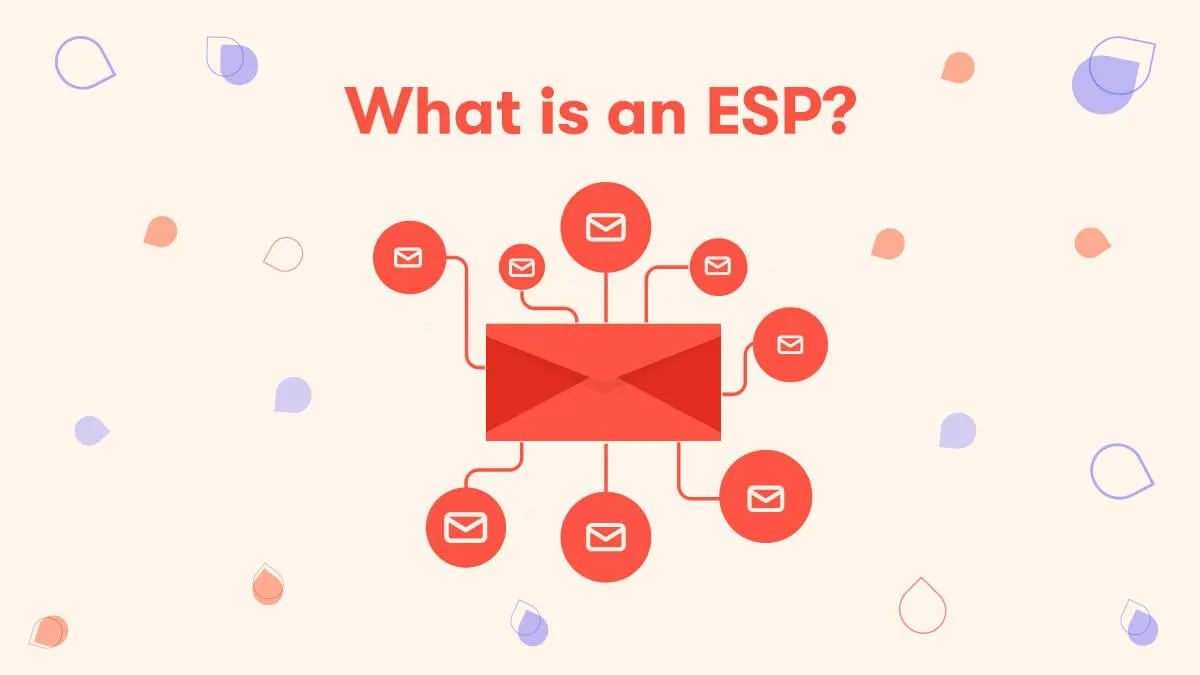
An email service provider (ESP) is a platform or software solution that allows businesses and organizations to send, manage, and track large volumes of emails. These emails may include marketing campaigns, newsletters, product updates, and transactional messages such as password resets or order confirmations.
Unlike basic email tools, an ESP is built specifically for bulk communication. It provides the infrastructure and tools needed to deliver messages to thousands or even millions of recipients efficiently. This includes high-reputation sending servers, automation systems, and tracking technologies that measure email performance.
Most ESP platforms offer several core features that help businesses manage their email communication:
Email campaign creation
Users can design professional emails using drag-and-drop builders or customizable templates.
Subscriber list management
ESPs store and organize contact lists. They allow businesses to segment subscribers based on behavior, location, or interests.
Email automation
Automated workflows send emails based on triggers. For example, a welcome email after a new signup or a reminder for an abandoned cart.
Performance tracking
ESPs provide analytics such as open rates, click-through rates, bounce rates, and conversions to help improve campaigns.
Deliverability management
They handle technical factors like sender reputation, authentication protocols, and spam compliance to ensure emails reach inboxes successfully.
Because of these capabilities, ESPs are widely used in digital marketing, customer engagement, and automated communication systems.
Email Service Provider vs Email Provider
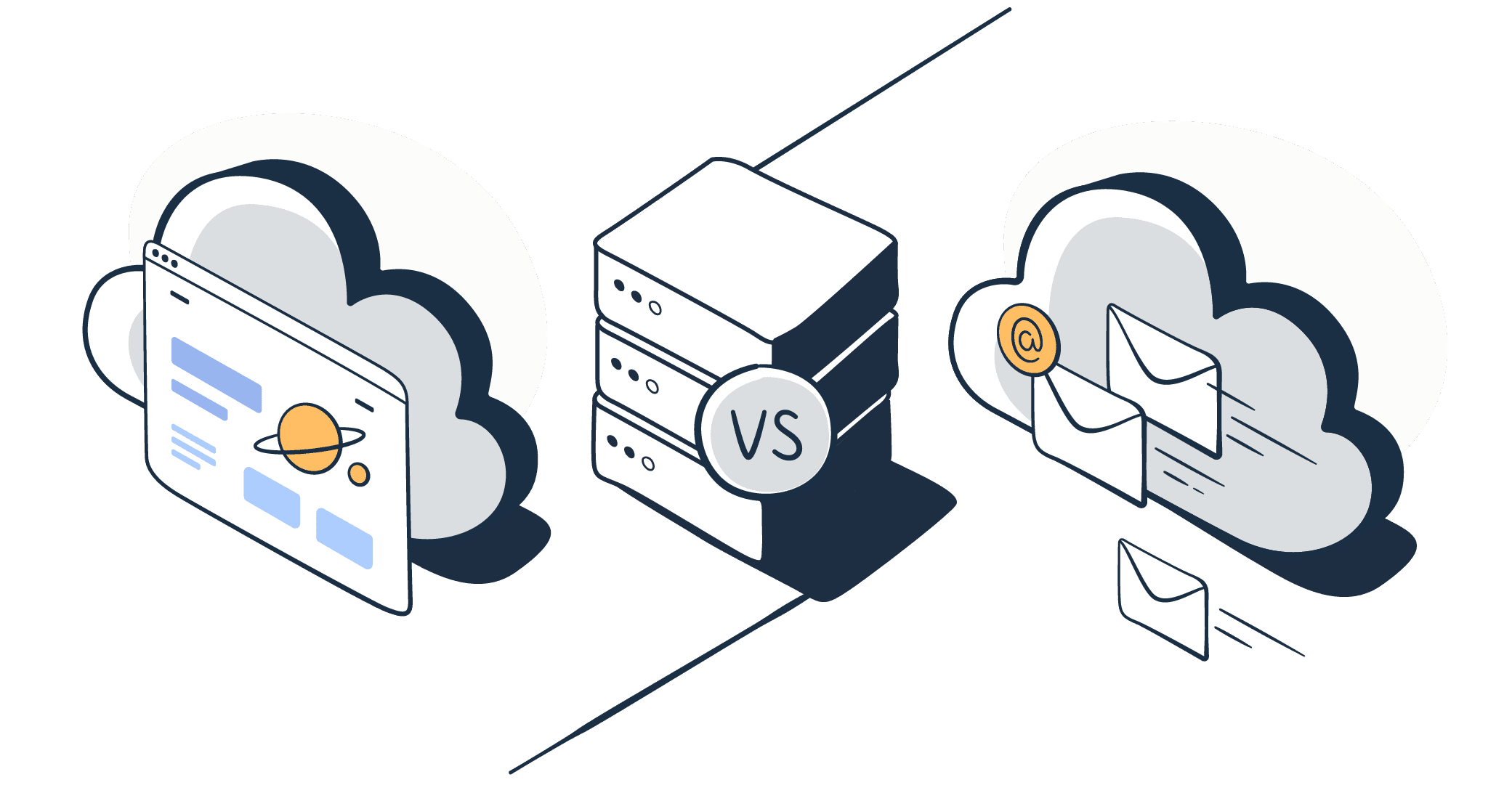
Many beginners confuse an email service provider with a regular email provider. Although both involve email, they serve different purposes.
Email provider
An email provider is a service that allows individuals to send and receive personal messages. Popular examples include Gmail, Outlook, and Yahoo Mail. These services are designed mainly for everyday communication between individuals or small groups.
Email providers usually offer features such as inbox storage, spam filtering, and basic message sending. However, they are not designed for large-scale email campaigns. Sending hundreds or thousands of emails from a personal inbox may lead to spam filtering or account restrictions.
Email service provider (ESP)
An ESP is designed specifically for businesses that need to send bulk emails and manage large subscriber lists. It provides the infrastructure and tools required for email marketing, automation, and performance tracking.
Here are the main differences:
| Feature | Email Provider | Email Service Provider |
|---|---|---|
| Main purpose | Personal communication | Business and marketing emails |
| Email volume | Limited sending | Designed for bulk sending |
| Automation | Usually unavailable | Advanced automation workflows |
| Analytics | Minimal or none | Detailed campaign analytics |
| List management | Not available | Contact segmentation and management |
A regular email provider is suitable for daily personal communication, while an ESP is built to support professional email campaigns and large-scale communication strategies.
The role of an email service provider

Email plays a central role in modern digital communication. Businesses use it to connect with customers, send important updates, and promote products or services. However, managing email communication at scale can be complex. Sending thousands of emails manually, tracking results, and ensuring proper delivery requires specialized tools and infrastructure.
An Email Service Provider (ESP) helps solve these challenges. It acts as the backbone of professional email communication by providing technology, automation, analytics, and security features that make large-scale email sending reliable and efficient.
For businesses of all sizes, an ESP does much more than just send emails. It supports marketing, customer engagement, product communication, and operational messaging. Below are the key roles an ESP plays in helping organizations manage their email communication effectively.
It helps you save on communication and promotion costs
One of the most important benefits of using an ESP is cost efficiency. Traditional marketing channels such as print ads, television, and even some forms of digital advertising can be expensive. Email marketing, on the other hand, offers a much more affordable way to reach a large audience.
With an ESP, businesses can send promotional emails, newsletters, announcements, and updates to thousands of subscribers at a relatively low cost. Most platforms provide pricing models based on the number of emails sent or the size of the contact list. This makes email marketing accessible even for small businesses and startups with limited budgets.
An ESP also reduces operational costs by automating many tasks that would otherwise require manual work. For example, instead of manually sending welcome emails to new customers, the platform can automatically trigger those emails when someone signs up. This automation saves time and reduces the need for additional staff.
Another cost-saving advantage is the ability to reuse templates and campaign designs. Many ESPs provide drag-and-drop email builders and pre-designed templates that help marketers create professional emails quickly. Businesses do not need to hire designers or developers for every campaign.
Email campaigns can also be targeted to specific audience segments. Instead of sending the same message to everyone, companies can tailor emails to people who are more likely to be interested in a particular product or offer. This targeted approach increases engagement and reduces wasted marketing spend.
Because of these benefits, email marketing powered by an ESP often delivers one of the highest returns on investment among digital marketing channels.
It helps your product run smoothly with transactional emails
Not all emails are promotional. Many are essential for the normal operation of a product or service. These are called transactional emails.
Transactional emails are messages triggered by a user’s action or a system event. They include messages such as:
-
Account registration confirmations
-
Password reset emails
-
Order confirmations and receipts
-
Shipping notifications
-
Security alerts
-
Subscription updates
These emails are critical because users expect them to arrive quickly and reliably. If a customer does not receive an order confirmation or password reset message, it can lead to frustration and loss of trust.
An ESP provides the infrastructure required to send these transactional emails instantly and reliably. Instead of relying on a basic email system, businesses can use the ESP’s API or SMTP service to integrate email sending directly into their applications or websites.
When a user performs an action, such as placing an order or requesting a password reset, the application automatically triggers the appropriate email through the ESP. The platform then processes and delivers the message using its high-reputation email servers.
Another advantage is scalability. As a business grows, the number of transactional emails may increase significantly. A reliable ESP can handle large volumes of these messages without delays or delivery issues.
Many ESP platforms also provide tools to design and manage transactional email templates. This ensures that system messages remain consistent, branded, and easy to understand for users.
By handling transactional email infrastructure, an ESP allows businesses to maintain a smooth and reliable user experience.
It tracks email performance to help you improve
Sending emails is only part of the process. Understanding how recipients interact with those emails is equally important. This is where analytics and tracking tools provided by an ESP become valuable.
An ESP collects detailed performance data for every email campaign. This data helps businesses evaluate how well their messages are performing and identify areas for improvement.
Some of the most common email metrics include:
Open rate
This shows the percentage of recipients who opened the email. It helps measure how effective the subject line and sender name are.
Click-through rate (CTR)
This measures how many recipients clicked a link within the email. It indicates whether the email content is engaging and relevant.
Bounce rate
This metric shows how many emails failed to reach recipients. High bounce rates may indicate issues with contact lists or invalid email addresses.
Unsubscribe rate
This tracks how many recipients choose to leave the mailing list after receiving a campaign.
Conversion rate
Some ESPs integrate with websites or marketing tools to track actions taken after clicking an email, such as purchases or sign-ups.
With these insights, marketers can analyze which campaigns perform well and which need improvement. For example, if an email has a low open rate, the subject line may need to be adjusted. If the click rate is low, the email content or call-to-action may need to be improved.
Many ESP platforms also support A/B testing. This allows businesses to send two versions of an email to different groups and compare their performance. Over time, this experimentation helps optimize campaigns and increase engagement.
Data-driven insights from ESP analytics help organizations make smarter marketing decisions and continuously improve their communication strategy.
It ensures compliance and secures your email operations
Email communication is subject to various laws and regulations designed to protect users from spam and privacy violations. Businesses that send large volumes of emails must follow these rules carefully.
An ESP helps organizations stay compliant with email marketing regulations and maintain secure communication practices.
Most ESP platforms include built-in tools that support compliance with major privacy and anti-spam laws. These laws typically require businesses to follow certain practices, such as:
-
Obtaining permission before sending marketing emails
-
Providing a clear unsubscribe option
-
Including accurate sender information
-
Avoiding misleading subject lines
ESPs usually provide automated unsubscribe management. When someone chooses to unsubscribe from a mailing list, the platform ensures that the user is removed from future campaigns automatically. This helps businesses comply with regulations and avoid sending unwanted emails.
Security is another important aspect of email operations. ESP platforms implement various authentication technologies to protect email delivery and prevent fraud. These technologies include authentication protocols that verify the sender’s identity and help email servers determine whether a message is legitimate.
Additionally, ESPs monitor sending activity and reputation. If unusual behavior occurs, such as a sudden spike in email volume or suspicious activity, the system may flag or restrict the sending account to prevent abuse.
Many platforms also provide dedicated IP addresses, encryption, and secure infrastructure to protect sensitive data and maintain reliable email delivery.
By handling compliance and security requirements, an ESP allows businesses to focus on communication and marketing without worrying about complex technical issues.
It drives automation and personalization at scale
Modern email marketing is no longer limited to sending the same message to every subscriber. Today’s audiences expect personalized communication that reflects their interests, behavior, and preferences.
An ESP makes this possible through automation and personalization features.
Automation allows businesses to create workflows that send emails automatically based on specific triggers or conditions. For example, an automated workflow might include:
-
A welcome email when someone subscribes
-
A series of onboarding emails for new users
-
Abandoned cart reminders for online shoppers
-
Re-engagement emails for inactive subscribers
These workflows run continuously in the background without requiring manual intervention. Once configured, the system automatically sends the right message at the right time.
Personalization takes this a step further by customizing email content for individual recipients. Instead of sending generic messages, businesses can tailor emails using subscriber data.
Personalization can include elements such as:
-
The recipient’s name
-
Product recommendations based on past purchases
-
Location-based offers
-
Content tailored to user behavior or interests
For example, an online store might send different promotional emails to customers depending on the categories they previously browsed or purchased from.
Advanced ESP platforms combine automation with segmentation to deliver highly targeted campaigns. Subscribers can be grouped based on demographics, engagement levels, or activity history. Each segment then receives emails specifically designed for them.
This level of personalization improves customer experience and increases engagement. People are more likely to open and respond to emails that feel relevant and valuable.
It lets you communicate directly with your subscribers
One of the strongest advantages of email is that it allows businesses to communicate directly with their audience. Unlike social media platforms, where algorithms control what users see, email messages are delivered straight to a subscriber’s inbox.
An ESP makes it easier to maintain this direct communication channel.
By building and managing a subscriber list, businesses gain access to a dedicated audience that has chosen to receive updates. This means the communication is permission-based and typically more effective than unsolicited outreach.
Through an ESP, organizations can share various types of content with their subscribers, such as:
-
Newsletters with company updates
-
Educational content and resources
-
Product launches and feature announcements
-
Promotional offers and discounts
-
Event invitations and reminders
Regular communication helps build stronger relationships with customers and keeps the brand top of mind. Over time, this engagement can increase loyalty and encourage repeat purchases.
Another benefit is audience ownership. When businesses rely only on social media platforms, they depend on third-party algorithms and policies. Email lists, however, belong to the business itself. As long as subscribers remain on the list, the organization can reach them directly without platform restrictions.
Many ESP platforms also provide tools for audience growth. These include sign-up forms, landing pages, and integrations with websites or applications. These tools help businesses collect new subscribers and expand their email audience.
By enabling direct, consistent communication with subscribers, an ESP becomes a powerful tool for building long-term customer relationships.
List of popular email service providers
Many businesses rely on Email Service Providers (ESPs) to send newsletters, marketing campaigns, and transactional emails. Different platforms offer different features, pricing models, and sending limits. Some tools focus on marketing automation, while others are optimized for developers who need reliable email APIs.
Below are some widely used ESP platforms. Each service includes a free plan that allows beginners to test the platform before upgrading to a paid plan.
1. Teno Mail
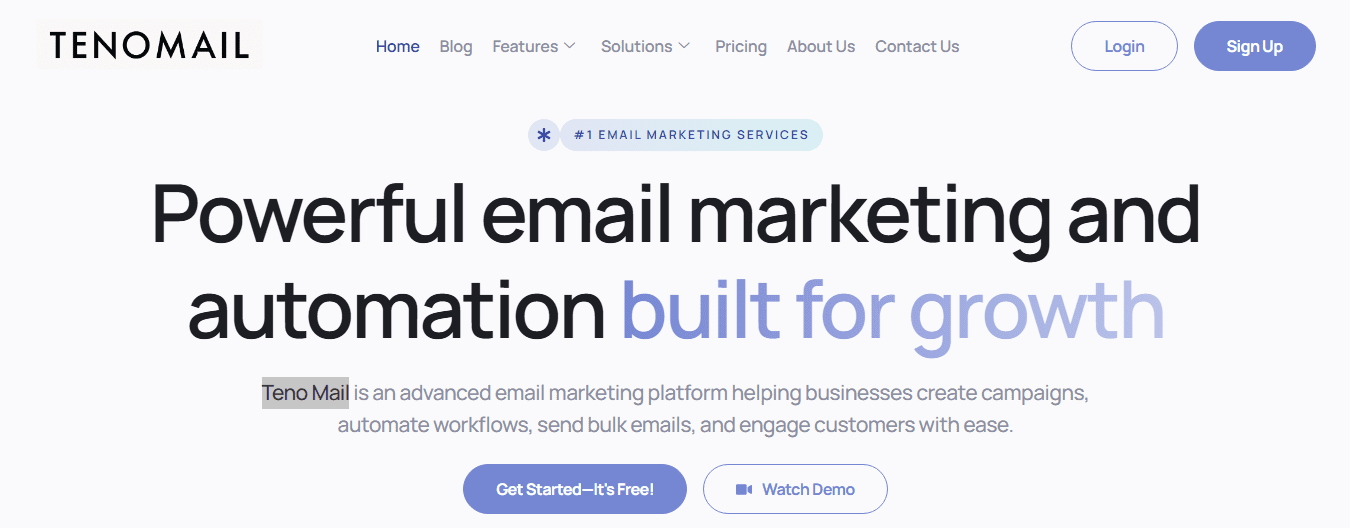
Teno Mail is an email marketing and automation platform designed for businesses that want to manage campaigns, newsletters, and transactional emails from a single dashboard. The platform includes features such as campaign creation tools, automation workflows, performance analytics, and SMTP integration.
It is often used by marketing teams that need scalable email delivery and detailed reporting. The platform also focuses on high-volume sending and advanced campaign management.
Free plan
-
Free plan price: $0/month
-
Email sending limit: 5,000 emails per month
-
Includes basic campaign tools and analytics.
Paid plans
-
Standard plan: $250/month
-
Premium plan: $895/month
Paid plans provide unlimited email sending credits, advanced analytics, priority delivery optimization, and enterprise-level campaign management tools.
This platform is usually chosen by organizations that need powerful email marketing capabilities and enterprise-level automation features.
2. Mailtrap
Mailtrap is widely used by developers and product teams for sending transactional emails and testing email systems. The platform includes tools for email testing, SMTP delivery, API integration, and email campaign management.
It helps teams test how emails will appear in different inboxes before sending them to real users. This reduces the risk of errors in production emails.
Free plan
-
Free plan price: $0/month
-
Email sending limit: 4,000 emails per month
-
Daily sending limit: 150 emails per day.
Paid plans
-
Basic: $15/month – 10,000 emails per month
-
Business: $85/month – 100,000 emails per month
-
Enterprise: $750/month – 1.5 million emails per month.
Mailtrap is commonly used for transactional messaging such as account verification, password resets, and system notifications.
3. SendGrid

SendGrid is a cloud-based email platform designed for both developers and marketers. It provides APIs and SMTP services that allow applications to send emails programmatically.
The platform is known for its high deliverability infrastructure and scalability. Many large websites and SaaS platforms use SendGrid to send millions of transactional emails.
Free plan
-
Free trial or limited free tier
-
Approximate limit: 100 emails per day.
Paid plans
-
Starting price: about $15/month for around 15,000 emails per month.
Paid plans unlock advanced features such as marketing automation, detailed analytics, and higher email sending limits.
SendGrid is often chosen by developers who need reliable email infrastructure and API-based email delivery.
4. Brevo

Brevo (formerly Sendinblue) is a popular marketing platform that combines email marketing, automation, CRM tools, and transactional email features. The platform is designed for businesses that want a complete marketing communication system.
Brevo allows users to manage unlimited contacts even on the free plan, which makes it attractive for growing businesses.
Free plan
-
Free plan price: $0/month
-
Email sending limit: 300 emails per day
-
Unlimited contacts.
Paid plans
-
Starter plan: from $9/month
-
Standard plan: from $18/month
-
Professional plan: from $499/month.
Brevo also offers marketing automation, SMS marketing, segmentation, and AI-powered email optimization tools.
5. Mailchimp

Mailchimp is one of the most widely known email marketing platforms. It offers tools for building email campaigns, managing subscriber lists, designing templates, and tracking marketing performance.
The platform also includes automation workflows, AI content generation, audience segmentation, and integration with many third-party tools.
Free plan
-
Free plan price: $0/month
-
Contact limit: 250 contacts
-
Email sending limit: 500 emails per month
-
Daily limit: 250 emails per day.
Paid plans
-
Essentials plan: starting at about $13/month
-
Standard plan: starting at about $20/month
-
Premium plan: starting at about $350/month.
Mailchimp is widely used by small businesses, bloggers, ecommerce stores, and marketing teams because of its easy interface and automation features.
6. Mailjet

Mailjet is a cloud-based email delivery platform designed for both marketing campaigns and transactional messaging. The service offers tools for email creation, collaboration, and real-time performance tracking.
One unique feature of Mailjet is its collaboration system, which allows teams to work together on email templates and campaigns.
Free plan
-
Free plan price: $0/month
-
Email sending limit: 6,000 emails per month
-
Daily sending limit: 200 emails per day.
Paid plans
-
Essential plan: starting at $17/month for 15,000 emails per month
-
Higher plans support larger sending volumes and advanced features.
Mailjet is commonly used by companies that need both transactional and marketing email capabilities with reliable delivery infrastructure.
Quick comparison of popular ESP platforms
| Email Service Provider | Free Plan Limit | Daily Limit | Starting Paid Price |
|---|---|---|---|
| Teno Mail | 5,000 emails/month | Not specified | $250/month |
| Mailtrap | 4,000 emails/month | 150/day | $15/month |
| SendGrid | ~100 emails/day | 100/day | $15/month |
| Brevo | 300 emails/day | 300/day | $9/month |
| Mailchimp | 500 emails/month | 250/day | $13/month |
| Mailjet | 6,000 emails/month | 200/day | $17/month |
These ESP platforms serve different use cases. Some focus on marketing automation, while others specialize in transactional email infrastructure for applications. Businesses often choose a provider based on sending volume, automation features, pricing, and ease of integration with their existing tools.
How to choose email service provider

Selecting the right Email Service Provider (ESP) is an important decision for any business that wants to run effective email marketing or transactional messaging. The platform you choose will affect how easily you can send campaigns, automate messages, manage subscribers, and analyze results.
Because many ESP platforms offer similar core features, choosing the best one requires careful evaluation of your goals, technical needs, and long-term growth plans. Businesses should look at factors such as deliverability, automation tools, integrations, analytics, pricing, and scalability before making a decision.
Define your business needs
The first step in choosing an ESP is understanding your own business requirements. Different companies use email for different purposes, so the ideal platform will depend on how you plan to use it.
For example, some businesses mainly use email marketing to send newsletters and promotional campaigns. Others rely on email for transactional communication such as password resets, order confirmations, and account notifications. Some companies need both marketing and transactional capabilities within one platform.
You should also consider the size of your audience and how frequently you plan to send emails. If your subscriber list is small and you only send occasional campaigns, a simple and affordable ESP may be enough. However, if your business sends thousands of emails every day, you will need a platform that can handle large volumes reliably.
Another important factor is your team’s technical expertise. Some ESP platforms are designed for marketers and provide easy drag-and-drop email builders, while others focus on developers and require API integration.
When defining your needs, ask yourself questions such as:
-
Do you need email marketing, transactional email, or both?
-
How large is your email list today?
-
How quickly will your list grow in the future?
-
Do you need automation and segmentation features?
-
Will your team require integrations with other tools such as CRM systems or ecommerce platforms?
Understanding these requirements helps narrow down your options and ensures the platform you choose will support your business operations effectively. Many ESPs also price their services based on subscriber count or email volume, so knowing your expected usage is critical before selecting a provider.
Explore and compare features
After identifying your needs, the next step is to compare the features offered by different ESP platforms. Although most providers include basic email sending capabilities, the available tools and advanced features can vary significantly.
One of the most important features to evaluate is deliverability. Deliverability refers to the ability of your emails to reach recipients’ inboxes rather than being blocked or marked as spam. A reliable ESP should maintain a strong sending reputation and support authentication technologies such as SPF, DKIM, and DMARC.
Automation capabilities are another critical feature. Modern email marketing relies heavily on automation workflows that trigger messages based on user actions or predefined conditions. For example, automated workflows can send welcome emails, onboarding sequences, abandoned cart reminders, and re-engagement campaigns.
You should also look for strong analytics and reporting tools. An effective ESP provides insights into key metrics such as open rates, click-through rates, bounce rates, and conversions. These metrics help you understand how your campaigns perform and identify opportunities for improvement.
Another feature to evaluate is email design and template tools. Many ESP platforms include drag-and-drop editors that allow users to create professional emails without coding knowledge. These tools often include responsive templates that automatically adapt to mobile devices.
Integration capabilities are equally important. Businesses often use multiple tools for marketing, customer management, and ecommerce operations. A good ESP should integrate easily with these systems so that data can flow smoothly between platforms. Common integrations include CRM systems, ecommerce platforms, analytics tools, and marketing automation software.
Additional features to consider may include:
-
Audience segmentation tools
-
A/B testing capabilities
-
Landing page and form builders
-
AI-powered email content tools
-
SMS or multichannel marketing options
By carefully comparing features across different platforms, you can identify which ESP provides the best combination of tools for your specific needs.
Research customer feedback
Another important step when selecting an ESP is researching real user experiences. Marketing materials and product pages often highlight the strengths of a platform, but customer feedback can provide a more balanced perspective.
Reading user reviews on software directories, forums, and review platforms can reveal valuable insights about a provider’s performance. Customers often share information about deliverability reliability, ease of use, customer support quality, and hidden limitations.
For example, some ESP platforms may appear affordable at first but become expensive as your subscriber list grows. Others may offer powerful features but have complex interfaces that require significant time to learn.
Customer feedback can also reveal common problems, such as poor deliverability, limited automation capabilities, or slow customer support responses. Understanding these issues beforehand can help you avoid choosing a platform that may create difficulties later.
Another area to evaluate through customer feedback is customer support quality. When sending large email campaigns, technical issues can sometimes occur. Having access to responsive support through channels such as live chat, email, or phone can make a significant difference when resolving problems quickly.
Community discussions and user reviews also highlight which platforms work best for certain types of businesses. For instance, some ESPs are better suited for ecommerce businesses, while others are optimized for content creators, SaaS companies, or developers.
By studying real user experiences, businesses can gain a clearer understanding of how each platform performs in real-world situations.
Test the platform
Even after researching features and reading reviews, the best way to evaluate an ESP is to test it yourself. Many providers offer free plans or trial periods that allow users to explore the platform before committing to a paid subscription.
Testing the platform helps you understand whether the interface is easy to use and whether the available features match your expectations. During the trial period, you can experiment with key functions such as:
-
Creating and sending email campaigns
-
Designing email templates
-
Setting up automation workflows
-
Importing subscriber lists
-
Tracking analytics and campaign performance
Testing also allows you to evaluate the platform’s user experience. Some tools may have advanced capabilities but complicated interfaces, while others focus on simplicity and ease of use.
You should also test the platform’s integration capabilities with other tools your business uses. For example, if you operate an ecommerce store, you may want to integrate your ESP with your shopping platform to automatically send order confirmations or promotional emails.
Another useful step during testing is sending small batches of emails to check deliverability and inbox placement. This helps ensure that the provider’s infrastructure is reliable and that your messages reach recipients successfully.
By testing the platform firsthand, businesses can gain practical experience and determine whether the ESP fits their workflow and operational needs.
Consider pricing and scalability
Pricing is another key factor when choosing an ESP. Different platforms use different pricing models, so it is important to understand how costs may change as your business grows.
Many ESPs charge based on the number of subscribers stored in your account, while others charge based on the number of emails sent each month. Some platforms offer hybrid pricing models that combine both approaches.
When evaluating pricing, businesses should look beyond the starting cost and consider the long-term expenses. For example, a platform that appears inexpensive at first may become costly when your subscriber list grows significantly.
Another important consideration is scalability. Your email service provider should be able to support your business as it expands. As your audience grows and your marketing campaigns become more complex, you will likely need higher sending limits, more advanced automation features, and additional integrations.
A scalable ESP should be able to handle increasing email volumes and larger subscriber lists without affecting performance or deliverability. The platform should also offer flexible pricing plans that allow you to upgrade gradually as your needs grow.
Scalability also applies to team collaboration. As your marketing team expands, you may need features such as multiple user accounts, permission controls, and workflow approval systems.
Choosing a scalable ESP ensures that you will not need to switch platforms frequently as your business evolves.
FAQs About ESP or Email Service Provider
What does ESP stand for in email marketing?
ESP stands for Email Service Provider. It refers to a platform or software that helps businesses send, manage, and track large volumes of emails. Companies use ESPs to run marketing campaigns, send newsletters, and deliver transactional emails such as order confirmations or password reset messages.
Unlike a regular email inbox, an ESP provides tools for automation, audience segmentation, campaign scheduling, and performance analytics. These features help businesses communicate with thousands or even millions of subscribers efficiently.
Why do businesses need an email service provider?
Businesses need an ESP because sending large numbers of emails through regular email accounts is not reliable or scalable. Standard email services are designed for personal communication and often restrict bulk sending.
An ESP solves this problem by providing dedicated email delivery infrastructure, campaign management tools, and analytics. It allows businesses to send marketing emails, automate customer communication, and track engagement metrics such as open rates and click-through rates.
ESPs help improve email deliverability by managing sender reputation and authentication protocols. This ensures that messages reach recipients’ inboxes instead of being filtered as spam.
What types of emails can you send with an ESP?
An ESP supports several types of business emails. The most common categories include marketing emails and transactional emails.
Marketing emails are used to promote products, share updates, and engage subscribers. These may include newsletters, promotional offers, product announcements, event invitations, or educational content.
Transactional emails are triggered by user actions or system events. Examples include welcome emails, password reset messages, order confirmations, shipping notifications, billing receipts, and account alerts.
Some ESP platforms also support additional communication channels such as SMS messages, push notifications, or marketing automation workflows.
How does an email service provider improve deliverability?
Deliverability refers to the ability of an email to reach a recipient’s inbox successfully. ESPs improve deliverability by providing reliable sending infrastructure and implementing industry-standard authentication methods.
Most platforms support authentication protocols that verify the identity of the sender and help prevent email spoofing. ESPs also monitor sending behavior, manage IP reputation, and apply best practices to reduce the risk of emails being marked as spam.
Many ESPs provide tools that help maintain clean subscriber lists by removing invalid addresses and managing unsubscribe requests automatically.
What features should you look for in an ESP?
The most important features depend on how your business uses email. However, most organizations look for several key capabilities when selecting an ESP.
Common features include:
-
Email campaign builders and customizable templates
-
Automation workflows for triggered emails
-
Contact list management and segmentation
-
Performance analytics and reporting
-
A/B testing tools
-
API or SMTP integration for applications
-
Compliance and unsubscribe management
Advanced ESP platforms may also include customer relationship management (CRM) integrations, landing page builders, and AI-powered content tools.
Is an ESP only used for email marketing?
No. While many businesses use ESPs primarily for marketing campaigns, these platforms also play a critical role in product and system communication.
Many applications rely on ESPs to send transactional emails that support normal operations. For example, user authentication systems, ecommerce platforms, and subscription services often use ESP infrastructure to send automated messages triggered by user actions.
Because of this, ESPs are widely used by marketing teams, developers, product managers, and customer support teams.
Are free email service provider plans enough for beginners?
Free ESP plans are often suitable for beginners or small businesses that are just starting with email marketing. These plans usually allow users to send a limited number of emails per day or per month while exploring the platform’s basic features.
However, free plans typically include restrictions such as limited automation features, lower sending limits, or branding in emails. As a business grows and its subscriber list expands, upgrading to a paid plan may become necessary.
Paid plans usually provide higher sending volumes, advanced analytics, improved automation, and better customer support.
How secure are email service providers?
Most modern ESP platforms implement strong security measures to protect both senders and recipients. These platforms use encrypted connections, authentication technologies, and monitoring systems to prevent unauthorized access or fraudulent activity.
Security features may include sender authentication protocols, spam protection systems, and infrastructure monitoring. Many ESPs also comply with international data protection standards and privacy regulations.
These security measures help ensure that email communication remains safe, reliable, and compliant with industry standards.
Can small businesses benefit from using an ESP?
Yes. ESPs are valuable tools for businesses of all sizes, including small startups and independent creators. Email marketing allows small businesses to communicate directly with their audience without relying on social media algorithms or expensive advertising campaigns.
With the help of an ESP, small businesses can build subscriber lists, automate welcome messages, promote products, and measure customer engagement. This makes email one of the most cost-effective marketing channels available.
As the business grows, the ESP can scale with it by offering higher sending limits and more advanced marketing automation tools.
Read More: 14 Best Cold Email Software Tools for 2026 (Features & Pricing Compared)