Missed appointments don’t just disrupt your schedule—they directly impact revenue, customer satisfaction, and operational efficiency. Whether you run a healthcare clinic, a salon, a consulting service, or any appointment-based business, ensuring that customers show up on time is critical.
That’s where appointment reminders come in.
A well-crafted appointment reminder does more than just notify—it engages, informs, and builds trust. It reduces no-shows, improves customer experience, and keeps your business running smoothly. But not all reminders are created equal. Generic messages often get ignored, while thoughtful, well-timed reminders can significantly increase attendance and even open doors for upselling and repeat bookings.
In this guide, you’ll discover 5 proven appointment reminder templates designed to boost engagement and improve attendance rates. You’ll also learn why appointment scheduling plays such a crucial role in modern business operations and how to make the most of it.
Why is appointment scheduling important?
Appointment scheduling is more than just a convenience—it’s a foundational system that directly impacts customer retention, productivity, and business growth. Here’s why it matters:
Booking made easy
When customers can book their appointments quickly and without confusion, the entire experience becomes frictionless. A streamlined scheduling process eliminates unnecessary back-and-forth communication, allowing users to select available time slots, confirm instantly, and receive clear details.
This ease of use has a direct effect on customer behavior:
- Customers are more likely to complete bookings
- They feel more confident about your service
- They are more inclined to return for future appointments
Additionally, modern scheduling systems often include options to reschedule or cancel with just a few clicks, which improves flexibility and reduces frustration. Instead of abandoning appointments altogether, customers can adjust them—helping you retain business.
Minimize no-shows
No-shows are one of the biggest challenges for appointment-based businesses. They lead to wasted time, lost revenue, and scheduling gaps that are difficult to fill at the last minute.
Studies consistently show that appointment reminders significantly improve attendance rates, with some reporting improvements of up to 97%. This makes reminders one of the simplest yet most effective tools for operational efficiency.
Here’s why reminders work:
- They keep the appointment top of mind
- They reduce forgetfulness, especially for bookings made days or weeks in advance
- They give customers time to reschedule instead of missing the appointment entirely
By implementing structured reminder systems (e.g., 24 hours before and same-day reminders), businesses can drastically cut down missed appointments.
Saves time on daily administration
Manual scheduling and follow-ups can quickly become overwhelming, especially as your customer base grows. Without an automated system, staff often spend hours:
- Confirming appointments
- Following up on missed bookings
- Rescheduling cancellations
- Managing communication across multiple channels
Appointment scheduling tools automate these repetitive tasks, freeing up valuable time.
Instead of handling logistics manually, your team can focus on:
- Delivering better customer service
- Improving the in-person experience
- Handling more strategic or revenue-generating activities
Automation also reduces human error—ensuring that appointments are accurately recorded and reminders are sent consistently.
Get insights from appointment data
Modern appointment scheduling systems don’t just manage bookings—they generate valuable data that can help you make smarter business decisions.
With the right system in place, you can track:
- Peak booking times (when demand is highest)
- Repeat booking rates (customer loyalty)
- Cancellation patterns
- No-show trends
- Service popularity
These insights allow you to:
- Optimize staff schedules during busy hours
- Adjust availability based on demand
- Identify gaps or inefficiencies in your booking process
- Create targeted marketing campaigns
For example, if you notice a high number of cancellations on certain days, you can introduce stricter policies or send earlier reminders. If repeat bookings are low, you can implement follow-up reminders or loyalty incentives.
Overall, appointment scheduling is not just about organizing time—it’s about enhancing customer experience, improving efficiency, and unlocking growth opportunities.
5 types of appointment reminder emails
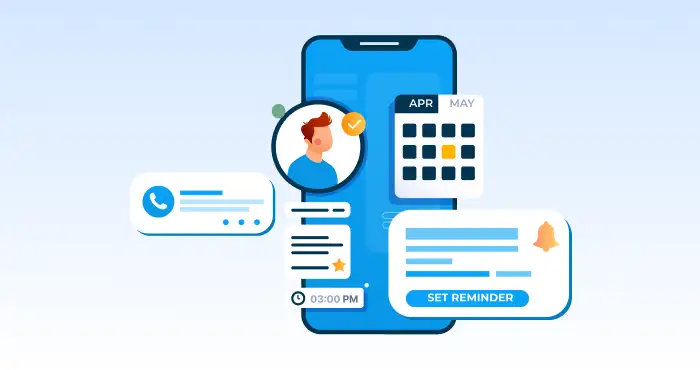
Not all appointment reminders serve the same purpose. To truly increase engagement and reduce no-shows, you need to use the right type of reminder at the right stage of the customer journey.
Below are five essential types of appointment reminder emails, each with a clear role, optimal timing, and a practical template you can customize for your business.
Appointment confirmation
What it is:
An appointment confirmation email is the first message a customer receives immediately after booking. Its primary purpose is to reassure the customer that their appointment has been successfully scheduled and provide all the essential details in one place.
This email sets the tone for your communication. A clear and professional confirmation builds trust and reduces confusion, ensuring the customer knows exactly what to expect.
It should always include:
- Date and time of the appointment
- Location or meeting link
- Service details
- Contact information
- Options to reschedule or cancel
Adding a calendar link (Google Calendar, Outlook, etc.) is also highly effective, as it helps customers remember their booking automatically.
When to send it:
Send this email immediately after the booking is completed. Any delay can create uncertainty and increase the chances of miscommunication or forgotten appointments.
Example template:
Subject: Your appointment is confirmed 🎉
Hi [First Name],
Thank you for booking with us! Your appointment has been successfully confirmed. Here are the details:
Service: [Service Name]
Date: [Day, Date]
Time: [Time]
Location: [Address or Online Link]
If you need to make any changes, you can easily reschedule or cancel your appointment using the link below:
[Manage Appointment Button/Link]
We recommend adding this appointment to your calendar so you don’t miss it.
If you have any questions, feel free to reply to this email or contact us at [Phone Number].
We look forward to seeing you!
Best regards,
[Your Business Name]
Information for first-time customers
What it is:
This email is designed specifically for new customers who are visiting for the first time. Unlike regular reminders, it goes beyond basic details and provides helpful instructions to ensure a smooth first experience.
First-time customers often feel uncertain about what to expect. This email removes that friction by offering clarity and guidance, which improves both attendance and satisfaction.
It may include:
- Directions or parking information
- Required documents or preparation steps
- Arrival time recommendations
- Policies (late arrival, cancellations, etc.)
- What the experience will look like
When to send it:
Send this email shortly after the confirmation email or within a few hours of booking, especially if the appointment is within the next few days.
Example template:
Subject: What to know before your first visit
Hi [First Name],
We’re excited to welcome you for your first appointment with us!
To help you prepare, here are a few important details:
Appointment Details:
Date: [Date]
Time: [Time]
Location: [Address/Link]
Before you arrive:
- Please arrive 10–15 minutes early
- Bring [any required documents/items]
- [Any preparation instructions]
Getting here:
[Directions, parking info, or map link]
If you need to reschedule or have any questions, you can do so here:
[Manage Appointment Link]
We’re here to make your experience as smooth as possible. Let us know if there’s anything you need before your visit.
Looking forward to meeting you!
Best regards,
[Your Business Name]
Appointment upsell opportunity
What it is:
This type of email combines a reminder with a subtle upsell or cross-sell opportunity. It encourages customers to enhance their upcoming appointment by adding extra services or upgrades.
The key here is relevance. The offer should feel helpful—not pushy. When done correctly, it increases revenue while improving the overall customer experience.
Examples include:
- Adding a premium service
- Upgrading a package
- Including an additional treatment or consultation
- Offering a limited-time discount on add-ons
When to send it:
Send this email 1–3 days before the appointment, giving customers enough time to consider and modify their booking.
Example template:
Subject: Make the most of your upcoming appointment
Hi [First Name],
Your appointment is coming up soon, and we’re looking forward to seeing you!
Appointment Details:
Date: [Date]
Time: [Time]
Want to enhance your experience?
You can upgrade your appointment with one of these popular add-ons:
- [Add-on Service 1]
- [Add-on Service 2]
- [Add-on Service 3]
For a limited time, enjoy [discount or special offer] when you add any service to your booking.
You can update your appointment here:
[Manage Appointment Link]
If you have any questions or need help choosing the right option, feel free to reach out.
See you soon!
Best regards,
[Your Business Name]
Same-day appointment reminder
What it is:
The same-day reminder is a short, direct message sent on the day of the appointment. Its goal is to ensure the appointment stays top of mind and reduce last-minute no-shows.
Unlike earlier emails, this one should be concise and action-oriented. It acts as a final nudge, especially useful for busy customers who may forget despite earlier reminders.
This email often includes:
- Time and location
- Quick confirmation
- Contact or support link
When to send it:
Send this email on the same day, typically:
- A few hours before the appointment, or
- In the morning for afternoon/evening bookings
Example template:
Subject: Reminder: Your appointment is today
Hi [First Name],
Just a quick reminder that you have an appointment with us today.
Time: [Time]
Location: [Address/Link]
If you’re running late or need assistance, please contact us at [Phone Number].
Need to make a last-minute change? Use the link below:
[Manage Appointment Link]
We look forward to seeing you shortly!
Best regards,
[Your Business Name]
Re-booking reminder post-appointment
What it is:
This email is sent after the appointment to encourage customers to book their next session. It plays a crucial role in improving retention and building long-term relationships.
Many businesses miss this opportunity. However, customers are most engaged right after receiving a service—making it the perfect time to suggest a follow-up appointment.
This email can also:
- Thank the customer
- Ask for feedback
- Recommend the next visit timeline
- Offer incentives for rebooking
When to send it:
Send this email within 24–72 hours after the appointment, while the experience is still fresh in the customer’s mind.
Example template:
Subject: Ready for your next appointment?
Hi [First Name],
Thank you for visiting us! We hope you had a great experience.
To keep the results going, we recommend booking your next appointment in advance.
You can schedule your next visit here:
[Book Appointment Link]
As a thank you, enjoy [discount or offer] on your next booking when you schedule within the next [timeframe].
We’d also love to hear your feedback—let us know how we did!
Looking forward to seeing you again soon.
Best regards,
[Your Business Name]
By using these five types of appointment reminder emails strategically, you create a complete communication flow—from booking to follow-up. This not only reduces no-shows but also improves customer experience, increases engagement, and drives repeat business.
How to write appointment reminder emails
Creating effective appointment reminder emails isn’t just about sending a quick notification—it’s about crafting messages that are clear, timely, and action-driven. A well-written reminder ensures your customers don’t forget, know exactly what to do next, and can easily interact with your business if plans change.
There are three practical approaches you can take when creating appointment reminder emails. Depending on your business size, tools, and level of customization needed, you can choose one—or combine all three.
1. Choose a website maker
The easiest way to start building appointment reminder emails is by using a website builder or scheduling platform that includes built-in email automation features. These tools allow you to create, manage, and send reminders without needing technical expertise.
Modern website makers and booking platforms often come with:
- Integrated appointment scheduling systems
- Automated email and SMS reminders
- Pre-designed templates
- Customer data management
- Calendar integrations
This means once a customer books an appointment, the system can automatically:
- Send confirmation emails
- Trigger reminders at specific times (e.g., 24 hours before, same day)
- Allow rescheduling or cancellation via links
Why this approach works
Using a website maker simplifies the entire process. Instead of manually tracking appointments and sending emails, everything is centralized and automated.
Key benefits include:
- Consistency: Every customer receives timely reminders
- Accuracy: Appointment details are automatically inserted
- Efficiency: No need for manual follow-ups
- Scalability: Works whether you have 10 or 10,000 customers
It also reduces the chances of human error, such as sending incorrect times or forgetting to follow up.
What to look for in a website maker
Not all platforms are equal. When choosing one, focus on features that directly improve your reminder emails:
- Customizable email templates – So your messages match your brand voice
- Automation rules – Ability to schedule multiple reminders (confirmation, follow-up, etc.)
- Dynamic fields – Automatically insert customer name, date, time, and service
- Mobile responsiveness – Emails should look good on phones
- Integration with calendars – Allow users to add appointments easily
- Analytics – Track open rates, clicks, and engagement
Best practices when using website builders
Even though these tools automate the process, you still need to ensure your emails are effective:
- Keep subject lines clear and specific (e.g., “Your appointment is tomorrow at 3 PM”)
- Avoid overly complex designs—clarity beats creativity
- Always include a call-to-action, such as “Reschedule” or “Confirm”
- Use friendly, human language instead of robotic wording
Automation handles delivery—but your content still determines engagement.
2. Customise pre-built templates
If you want a balance between speed and personalization, customizing pre-built templates is the most practical approach. Many email platforms and scheduling tools provide ready-made templates that you can tailor to your business needs.
These templates are designed based on proven structures, so you don’t have to start from scratch. Instead, you refine them to match your brand and audience.
Why templates are useful
Pre-built templates save time while ensuring your emails follow best practices. They already include essential elements such as:
- Clear structure
- Proper formatting
- Logical flow of information
- Call-to-action placement
This allows you to focus on customization and relevance, rather than design and layout.
How to effectively customize templates
Simply inserting your business name isn’t enough. To make templates truly effective, you need to tailor them thoughtfully.
Here’s how:
1. Personalize the message
Use customer-specific details such as:
- First name
- Appointment type
- Date and time
Personalization increases engagement and makes the email feel more relevant.
Example:
Instead of:
“Your appointment is scheduled.”
Use:
“Hi Sarah, your dental check-up is scheduled for Tuesday at 10 AM.”
2. Align with your brand voice
Your reminder emails should sound like your business—not like a generic system message.
- A healthcare provider may use a professional and reassuring tone
- A salon or fitness studio might use a friendly and conversational tone
Consistency in tone builds trust and strengthens your brand identity.
3. Keep it clear and scannable
Customers often skim emails, especially reminders. Make your content easy to read by:
- Using short paragraphs
- Highlighting key details (date, time, location)
- Adding spacing between sections
Avoid clutter. The goal is quick understanding.
4. Add actionable links
Every reminder email should include clear next steps:
- Confirm appointment
- Reschedule
- Cancel
- Contact support
These links reduce friction and give customers control over their booking.
5. Optimize for mobile devices
Most users check emails on their phones. Ensure your templates:
- Use readable font sizes
- Have clickable buttons
- Avoid large, slow-loading images
A poor mobile experience can lead to missed appointments.
Test and improve
Don’t rely on assumptions. Monitor how your templates perform:
- Are customers opening your emails?
- Are they clicking the links?
- Are no-shows decreasing?
Use this data to refine subject lines, timing, and content.
Common mistakes to avoid
- Sending overly long emails with unnecessary details
- Using vague subject lines like “Reminder”
- Forgetting to include rescheduling options
- Making the email look like a promotional message instead of a reminder
Remember, the goal is clarity and action—not distraction.
3. Write your own email from scratch
For businesses that want full control over messaging, writing appointment reminder emails from scratch is the most flexible option. This approach allows you to create highly tailored communication that aligns perfectly with your audience and services.
However, it requires a deeper understanding of what makes reminder emails effective.
When to choose this approach
Writing from scratch is ideal when:
- You have unique services or workflows
- You want highly personalized communication
- Your brand voice is very specific
- You’re running targeted or segmented campaigns
Core elements of a high-performing reminder email
No matter how creative you get, every appointment reminder email should include these essential components:
1. A clear subject line
Your subject line determines whether the email gets opened. It should be:
- Direct
- Specific
- Time-focused
Examples:
- “Reminder: Your appointment is tomorrow at 2 PM”
- “Don’t forget your session today”
Avoid vague or overly promotional subject lines.
2. A personalized greeting
Start with the customer’s name whenever possible. This immediately makes the message feel relevant and human.
Example:
“Hi John,” instead of “Dear customer,”
3. Appointment details
This is the most important section. Present it clearly and prominently:
- Service name
- Date
- Time
- Location or meeting link
Use formatting (bold text or spacing) to make it easy to scan.
4. Clear instructions
Tell the customer exactly what to do next:
- Confirm their attendance
- Arrive early if needed
- Prepare anything in advance
Clarity reduces confusion and improves compliance.
5. Rescheduling and cancellation options
Life happens, and customers need flexibility. Providing easy options to change appointments:
- Reduces no-shows
- Improves customer satisfaction
- Keeps your schedule organized
Always include a link or clear instructions.
6. Contact information
Make it easy for customers to reach you if they have questions or issues. Include:
- Phone number
- Email address
This builds trust and reduces last-minute uncertainty.
7. A friendly closing
End on a positive note. Reinforce that you’re looking forward to seeing them.
Example:
“We look forward to seeing you!”
Writing tips for better engagement
- Use a conversational tone—write like a human, not a system
- Keep sentences short and simple
- Avoid jargon or overly technical language
- Focus on benefits, not just information
Timing matters as much as content
Even the best-written email won’t work if sent at the wrong time. A strong reminder strategy typically includes:
- Immediate confirmation
- Reminder 24–48 hours before
- Same-day reminder
Spacing your emails ensures the appointment stays top of mind without overwhelming the customer.
Consistency across all reminders
If you’re writing emails from scratch, make sure all your reminders:
- Follow a similar structure
- Maintain a consistent tone
- Include the same essential elements
Consistency builds familiarity and trust.
Writing effective appointment reminder emails is a combination of strategy, timing, and clarity. Whether you use a website maker, customize templates, or write from scratch, the goal remains the same:
- Reduce no-shows
- Improve customer experience
- Increase engagement and retention
By focusing on clear communication, personalization, and actionable content, your reminder emails can become a powerful tool for growing your business—not just a simple notification system.
Read More: HTML vs Plain Text Email: What to Choose For Your Next Email Campaign?