Modern businesses rely heavily on email to connect with customers. At the same time, they use CRM tools to store and manage customer data. When these two systems work separately, teams waste time switching between tools and updating records manually.
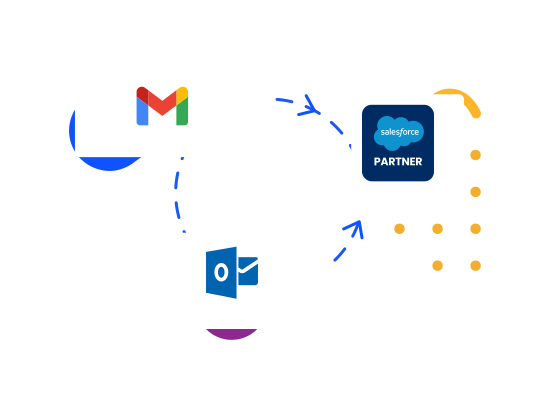
Salesforce email integration solves this problem by connecting your email platform with your CRM. It allows users to access customer data, send emails, and track interactions from one place. This creates a smooth and connected workflow.
With this setup, teams can manage emails directly inside Salesforce or work from tools like Gmail and Outlook while still using CRM data. It also helps reduce manual work, improve accuracy, and speed up communication.
As a result, businesses can focus more on building relationships and closing deals instead of handling repetitive tasks. This makes Salesforce email integration an essential part of modern sales and marketing systems.
The Benefits of Salesforce Email Integration
Salesforce email integration offers many practical benefits. It helps teams save time, reduce errors, and work more efficiently. Below are the key advantages explained in detail.
Streamlining of Workflows
One of the biggest benefits is smoother workflows. Without integration, users often switch between their email and CRM system. This wastes time and breaks focus.
With integration, everything works in one place. Users can read emails, view customer details, and update records without leaving their inbox. This removes the need to jump between tools and speeds up daily tasks.
It also allows teams to send emails using templates and quickly link them to customer records. As a result, work becomes faster, simpler, and more organized.
Real-Time Customer Data Management
Salesforce email integration keeps customer data updated in real time. When emails are synced with the CRM, all interactions are recorded automatically.
This means every team member can see the latest communication history. Sales, marketing, and support teams can all access the same updated information.
Real-time data helps teams make better decisions. It also improves customer experience because everyone has full context during interactions. This reduces confusion and ensures consistent communication across the business.
Automation of Data Entry
Manual data entry is one of the most time-consuming tasks for teams. It also increases the risk of errors.
Email integration solves this by automating many tasks. Emails, contacts, and calendar events can be logged into Salesforce automatically. Users do not need to copy and paste information anymore.
Automation tools like activity capture can handle routine work in the background. This allows employees to focus on important tasks like selling and customer engagement instead of admin work.
Tracking Email Performance
Another major benefit is the ability to track email performance. Teams can see when emails are opened, whether links are clicked, and how recipients interact with messages.
This data helps users understand what works and what does not. They can improve email strategies based on real insights.
Tracking also helps sales teams follow up at the right time. For example, if a customer opens an email but does not reply, the sales rep can take action quickly.
With these insights, businesses can improve communication, increase engagement, and boost overall results.
Integration of Salesforce with Outlook
Salesforce and Microsoft Outlook integration helps teams connect their email communication with customer data. Many businesses already use Outlook for daily communication. When it connects with Salesforce, users can manage emails and CRM data in one place.
This integration allows users to link emails directly to Salesforce records. For example, a sales rep can send an email from Outlook and attach it to a lead or contact inside Salesforce. This keeps all communication organized and easy to track.
One common method is using Salesforce Outlook Integration. It works through an add-in that appears inside Outlook. Users can open this panel while reading or writing emails. From there, they can search Salesforce records, create new leads, and log emails with just a few clicks.
Another important feature is email tracking. Users can see when a recipient opens an email or clicks a link. This helps sales teams understand customer interest and decide when to follow up.
Calendar syncing is also a useful part of this integration. Meetings created in Outlook can sync with Salesforce. This ensures that all scheduled events are visible to the team. It helps avoid missed meetings and improves planning.
Salesforce also offers tools like Einstein Activity Capture. This feature automatically logs emails and events to Salesforce. It reduces manual work and ensures that data stays up to date without extra effort.
Templates are another benefit. Users can create email templates in Salesforce and use them directly in Outlook. This saves time and keeps messaging consistent across the team.
The integration also supports attachments. Files shared in emails can be linked to Salesforce records. This makes it easy to store and find important documents later.
Security is also strong. The integration follows strict rules to protect data. Emails and customer details stay safe while moving between systems.
Overall, Salesforce and Outlook integration improves productivity. It helps teams work faster, stay organized, and keep all customer data in one place.
Limitations of Salesforce Outlook Integration
While the integration offers many benefits, it also has some limitations that users should understand.
One common issue is feature differences across versions. Older tools like Salesforce for Outlook are being retired. Newer integrations work differently and may not support all previous features. This can create confusion for teams during the transition.
Another limitation is dependency on internet connection. The integration works best when users are online. Offline access is limited, which can be a problem for users who travel or work in low-connectivity areas.
Sync delays can also happen. Sometimes emails or calendar events do not appear in Salesforce right away. This delay can affect real-time data tracking and cause temporary gaps in information.
Customization options may also be limited. While basic features are easy to use, advanced customization can be complex. Businesses with unique workflows may need extra setup or third-party tools.
There can also be compatibility issues. The integration may behave differently depending on the Outlook version or operating system. This can lead to inconsistent user experience across devices.
Another challenge is user adoption. Some users may find the add-in interface confusing at first. Training is often needed to help teams use the integration properly.
Storage limits can also affect performance. Features like automatic activity capture may store data for a limited time, depending on the plan. This means older data might not always be available.
Security settings and admin controls can restrict certain features. If not configured correctly, users may not be able to access all functions.
Despite these limitations, most issues can be managed with proper setup and training. Businesses should review their needs and choose the right configuration for best results.
Integration of Salesforce with Gmail
Salesforce integration with Gmail is another popular option. Many businesses use Gmail for communication, and this integration helps connect it with Salesforce data.
The integration works through a Chrome extension or add-on. It adds a Salesforce panel inside the Gmail interface. Users can access CRM data without leaving their inbox.
One key feature is email logging. Users can link emails to leads, contacts, or opportunities in Salesforce. This ensures that all communication is recorded and easy to find later.
The integration also allows users to create new records directly from Gmail. For example, if a new email comes from a potential customer, the user can quickly create a lead in Salesforce without switching tabs.
Email tracking is also available. Users can see when emails are opened or links are clicked. This helps improve follow-up timing and increases chances of closing deals.
Another helpful feature is template usage. Users can insert pre-written email templates from Salesforce into Gmail. This saves time and keeps communication consistent.
Calendar syncing is also included. Google Calendar events can sync with Salesforce. This ensures that meetings and schedules stay aligned across platforms.
Salesforce Inbox is an advanced feature that adds more tools. It includes smart reminders, scheduling links, and deeper tracking options. These features help improve productivity and communication.
Mobile support is another advantage. Gmail integration works well on mobile devices. Users can access Salesforce data while on the go, which is useful for sales teams working outside the office.
Attachments can also be managed easily. Files shared through Gmail can be linked to Salesforce records. This helps keep documents organized and accessible.
Overall, Salesforce and Gmail integration provides a flexible and user-friendly experience. It allows teams to work from their inbox while still using the full power of Salesforce.
Limitations of Salesforce Gmail Integration
Even though Gmail integration is powerful, it also has some drawbacks that users should consider.
One limitation is browser dependency. The integration works best with specific browsers like Chrome. Users who prefer other browsers may face issues or limited functionality.
Another challenge is feature availability. Some advanced features, like Salesforce Inbox, require paid plans. This can increase costs for businesses that need full functionality.
Sync reliability can also be a concern. In some cases, emails or events may not sync correctly. This can lead to missing data or duplicate records.
User permissions can also create issues. If access is not set correctly, users may not be able to log emails or view certain records. Proper setup is important to avoid these problems.
There may also be performance issues with large inboxes. If users handle many emails daily, the integration may slow down or take time to load data.
Customization is another limitation. While basic features are easy to use, advanced customization may require technical knowledge or additional tools.
Security concerns can also arise. Businesses must ensure that data sharing between Gmail and Salesforce follows proper security policies. Misconfiguration can expose sensitive data.
Training is often needed as well. New users may need time to understand how to use the integration effectively. Without proper guidance, they may not use all available features.
Lastly, mobile experience, while useful, may not offer all desktop features. Some tools work better on a computer than on a phone.
Despite these limitations, Gmail integration remains a strong choice for many teams. With proper setup, it can deliver great results.
Conclusion
Salesforce email integration plays a key role in modern business operations. It connects communication tools with customer data and creates a smooth workflow. This helps teams save time, reduce errors, and improve productivity.
Both Outlook and Gmail integrations offer strong features. They allow users to manage emails, track interactions, and update records without leaving their inbox. This makes daily tasks faster and more efficient.
Outlook integration works well for businesses using Microsoft tools. It offers strong calendar syncing, email tracking, and seamless connection with CRM data. On the other hand, Gmail integration provides a flexible and simple experience. It is easy to use and works well across devices.
However, both integrations have limitations. Issues like sync delays, feature restrictions, and setup challenges can affect performance. Businesses must understand these factors before choosing the right option.
Proper setup, training, and planning can reduce most problems. When used correctly, these integrations can improve team collaboration and customer experience.
Salesforce email integration is not just a tool. It is a smart way to connect communication and data. It helps businesses work better, respond faster, and build stronger relationships with customers.
Read More: HTML Character Entities: NBSP and HTML Spaces Explained