Email automation has become one of the most powerful tools in a marketer’s arsenal. In an era where consumers expect timely, relevant, and helpful communication, manually sending every email simply can’t keep up with demand. Automation allows businesses to deliver the right message to the right person at the right time — without requiring human intervention for every step. When done well, it increases engagement, grows revenue, and deepens relationships over the long term.
At its core, email automation is a system of interconnected messages that are triggered by specific user behaviors or conditions. These triggers might include subscribing to a list, making a purchase, abandoning a cart, or even hitting a milestone like a birthday. Once a trigger fires, your automation platform sends a series of emails designed to guide recipients toward a desired outcome — whether that’s onboarding, conversion, repeat purchases, or loyalty.
In 2026, email automation is more advanced and more essential than ever. With the rise of data-driven personalization, behavioral triggers, and AI-enhanced send-time optimization, marketers can craft sequences that feel deeply personal and timely — all while scaling effortlessly. But powerful automation doesn’t happen by accident. Before you flip the switch on any workflow, it’s critical to build a strong foundation and understand the anatomy of high-performing sequences.
This section will walk you through what you should do before activating an automation workflow and break down the key components that make up a successful email automation. By mastering these fundamentals, you’ll set yourself up for higher engagement, better user experiences, and more measurable impact across all industries.
What to Do Before Activating an Email Automation Workflow
Most automation failures don’t occur because the idea was bad — they happen because the groundwork wasn’t laid properly before deployment. Think of starting an email workflow like launching a rocket: without pre-flight checks, even the best design can fail to reach orbit.
Here’s how to prepare before you activate your automation:
1. Clean and Structure Your Data
Your data is the fuel that powers automation. If your subscriber database has duplicates, outdated contact information, or inconsistent fields, your workflows will misfire — sending emails at the wrong time, to the wrong people, or with incorrect personalization. Before activating any workflow:
-
Remove invalid or inactive email addresses.
-
Standardize key data fields (e.g., first name, purchase history, subscription date).
-
Ensure subscription preferences and consent fields are up-to-date and compliant with data-privacy laws.
Clean, accurate data ensures that your automation rules fire correctly and that personalization tokens populate as expected.
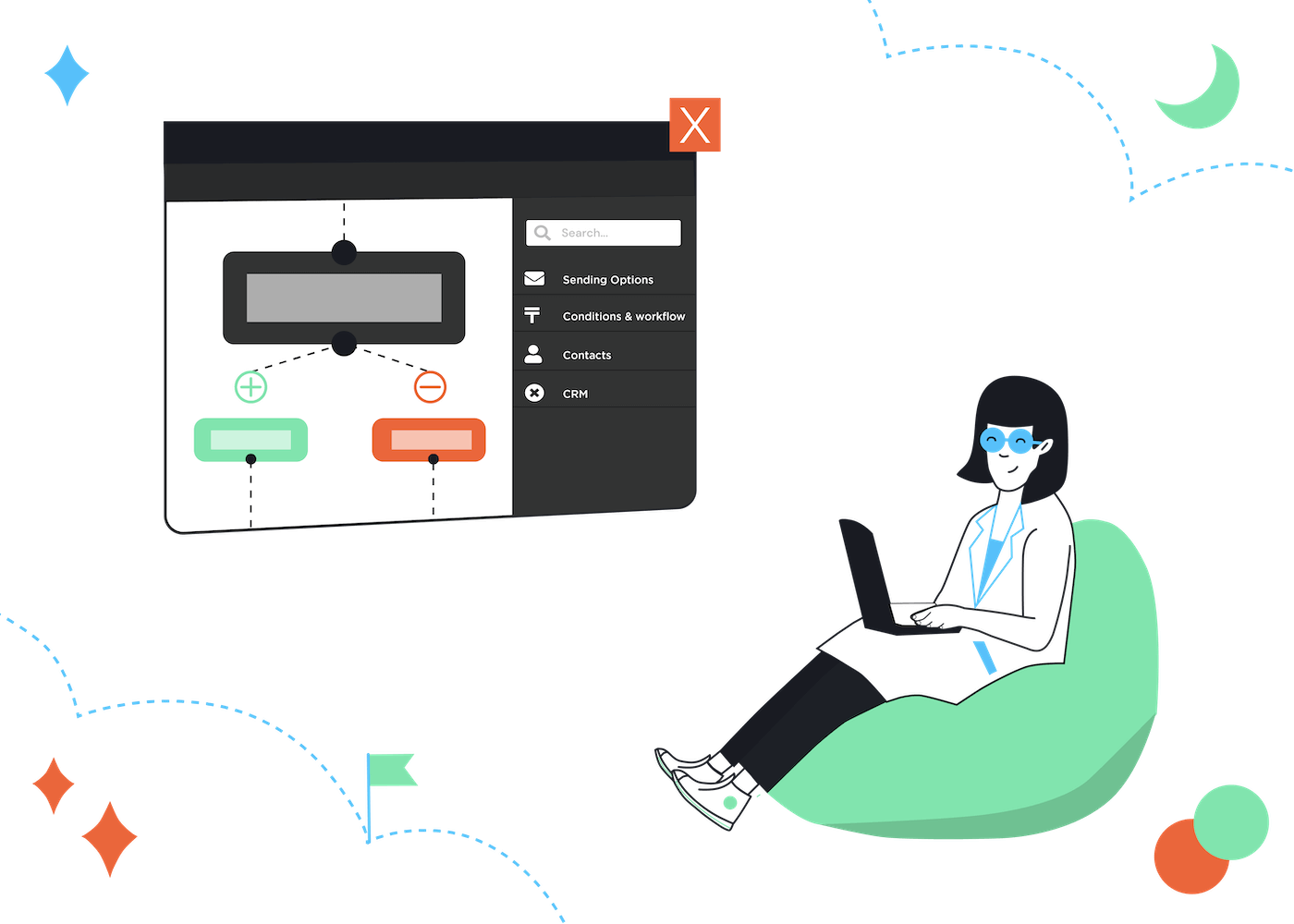
2. Verify System and CRM Integrations
Email automation rarely exists in isolation. It needs accurate, real-time data from your CRM, ecommerce platform, booking systems, or other customer databases. Make sure:
-
Your email platform and CRM are connected and syncing data without delays.
-
Triggers such as purchase status, subscription updates, or appointment changes reflect instantly in your automation system.
Incomplete or delayed data syncs result in workflows that send emails too late, too soon, or not at all — leading to confusion and lost opportunities.
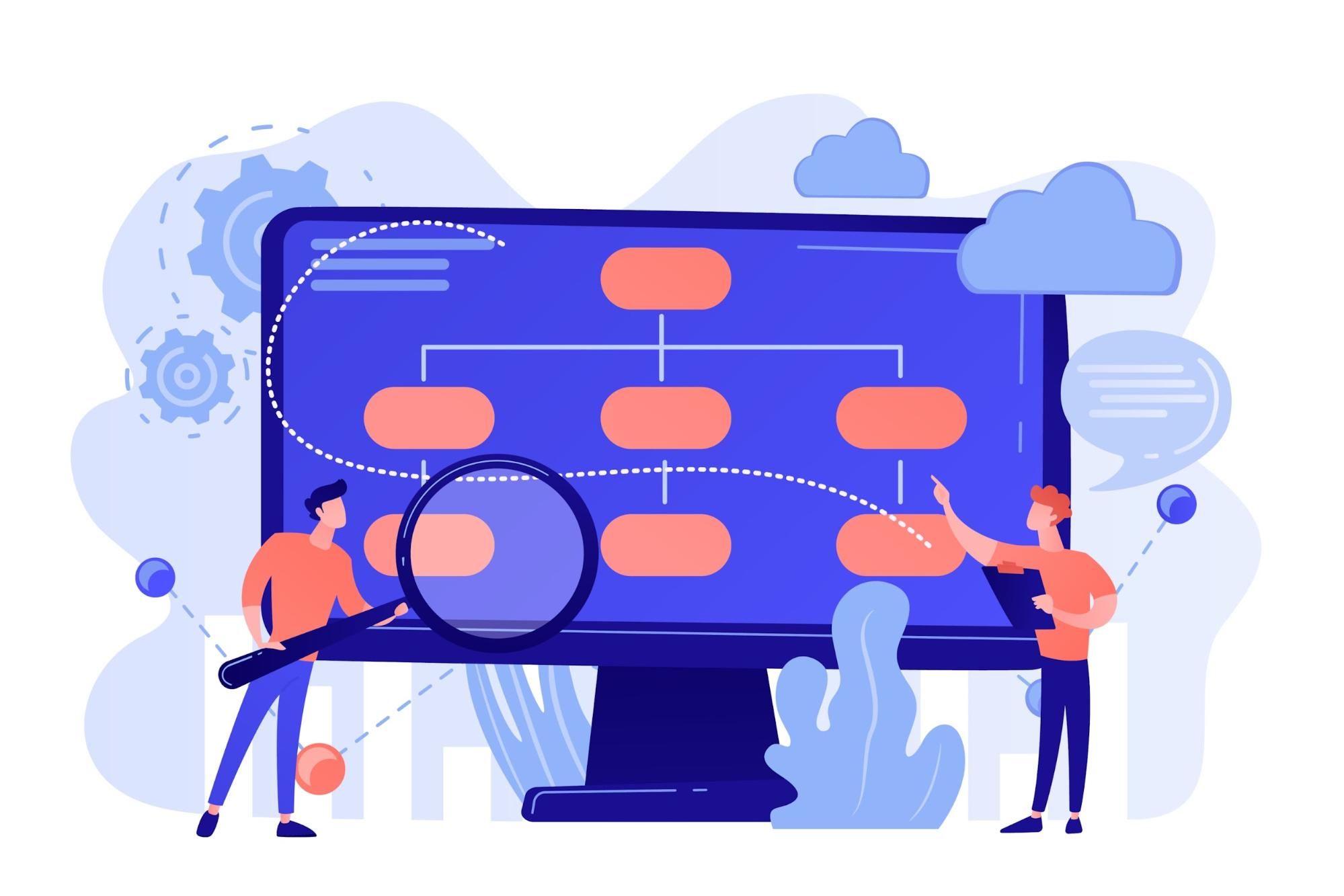
3. Map Out Your Workflow Logic
Before you start building inside the automation tool, plan the sequence visually. A flowchart helps you think through:
-
What action triggers entry into the workflow?
-
What delays and conditions should influence the sequence?
-
Where should subscribers exit the workflow?
-
What happens if someone completes an action or doesn’t respond?
Sketching your automation logic helps you catch mistakes early — such as loops that never exit, conflicting triggers, or gaps where no message is sent.
4. Define Clear Objectives and KPIs
Every automated workflow should have a measurable goal. Is this sequence designed to:
-
Welcome new subscribers?
-
Reduce cart abandonment?
-
Increase product usage?
-
Re-engage dormant contacts?
Once you know the goal, define the key performance indicators (KPIs) you will track — such as open rates, click-through rates, conversions, revenue per recipient, or list retention. These metrics will guide your optimization efforts post-launch.
5. Create and Proof Your Email Content
Automated emails should feel intentional and professional — not rushed. Write and proof all email content before activation, paying attention to:
-
Compelling subject lines that encourage opens.
-
Clear, action-oriented calls to action (CTAs).
-
Personalization where appropriate.
-
Brand consistency in tone and visuals.
Test all personalization tokens (like first name or product suggestions) to make sure they resolve correctly when the email is sent.
6. Run Internal Tests
Before activating your workflow, simulate real subscriber journeys. Most automation tools let you:
-
Preview email sequences.
-
Test delivery to internal addresses.
-
Validate triggers and delays.
-
Examine how different branches behave.
Testing helps you catch logic flaws, timing issues, or broken links — saving embarrassment and lost engagement once the workflow is live.
By taking these pre-activation steps, you’ll launch automation sequences that perform consistently and deliver real value — instead of confusing or alienating your audience.
Anatomy of a High-Performing Automation Workflow
Now that you’re ready to activate a workflow, let’s explore what makes automation effective, engaging, and impactful. Successful email automation is more than just a series of messages — it’s a strategic path designed to guide each subscriber based on where they are in their journey.
Here are the essential components that make up a high-performing automation workflow:
1. Trigger: The Starting Point
Every workflow begins with a trigger — the event or condition that tells your system to begin sending messages. Common triggers include:
-
A user subscribing to a newsletter.
-
A first purchase.
-
Cart abandonment.
-
Inactivity for a certain period.
-
Reaching a key milestone (e.g., anniversary, birthday).
The trigger must align with your business logic and data structure so that it fires accurately without delay.
2. Delays and Timing Logic
A sequence isn’t just a list of emails — it’s a carefully timed conversation. Delays control:
-
How long after the trigger each email is sent.
-
Whether the journey accelerates for engaged users or slows for unresponsive ones.
-
How long recipients remain in the workflow before moving on or exiting.
Smart timing respects your audience’s inbox and attention, preventing email fatigue while maintaining momentum.
3. Branching Conditions and Decision Paths
High-performing workflows don’t treat every subscriber the same. Instead, they use conditional logic to customize paths based on behavior:
-
“If opened email #1, send email #2 now; if not, send a reminder later.”
-
“If a purchase was made, exit the sequence and tag as a customer.”
-
“If a link was clicked, add to VIP segment and deliver tailored offers.”
These branches make your automation feel more personal and responsive.
4. Email Content and Personalization
Each message in the sequence needs a clear purpose and useful content. Best practices include:
-
Personalization beyond names — use behavioral and transactional data where possible.
-
Strong subject lines and engaging body copy.
-
Clear CTAs that align with the workflow goal.
-
Mobile-friendly design.
When content feels relevant, recipients are more likely to engage and follow the desired path.
5. Exit Criteria
A workflow needs well-defined exit points so subscribers don’t receive irrelevant emails forever. Examples of exit criteria include:
-
Completing a purchase.
-
Responding to a CTA.
-
Re-engaging after inactivity.
-
Reaching the end of the sequence.
Exit logic ensures your automation remains respectful, efficient, and performance-focused.
6. Tracking and Analytics
High-performing workflows are measured. By monitoring engagement, conversion, and retention metrics, you can see which parts of your sequence are working and which need refinement. Typical KPIs include:
-
Open rates.
-
Click-through rates.
-
Conversion rates.
-
Revenue attributed to the sequence.
Performance data drives A/B testing and ongoing optimization.
7. Optimization and Iteration
Workflows are never truly “finished.” Regular analysis allows you to:
-
Adjust timing between messages.
-
Refresh content for relevance.
-
Add smarter segmentation rules.
Automations that evolve with your audience perform better over time.
Key Email Workflows by Industry
Email automation becomes truly powerful when it’s tailored to how each industry operates and how customers move through its buying or engagement journey. While the core mechanics of automation—triggers, delays, conditions, and actions—remain the same, the intent, timing, and messaging vary significantly by industry. Below is a detailed breakdown of the most effective email workflows by industry, based on modern automation strategies and evolving customer expectations in 2026.
1. SaaS Industry
In the SaaS space, email automation is closely tied to user behavior, product adoption, and lifecycle stages. The goal isn’t just conversion—it’s long-term usage, retention, and expansion.
Onboarding workflows are foundational. When a user signs up for a free trial or creates an account, automation should guide them step by step through initial setup, core features, and first success moments. These emails typically include:
-
A welcome and account confirmation
-
Setup guidance and quick-start instructions
-
Feature highlights triggered by in-app behavior
-
Educational resources based on usage patterns
Beyond onboarding, activation and engagement workflows play a critical role. These workflows are triggered when users stall or fail to complete key actions, such as not creating a project, not inviting team members, or not integrating tools. The emails focus on removing friction, offering tips, or demonstrating value through use cases.
Retention and re-engagement workflows are equally important. SaaS platforms rely on automation to detect inactivity and respond with timely nudges. These emails may include reminders, new feature announcements, or content that re-anchors users to the product’s core value.
Finally, upgrade and expansion workflows target users who show strong engagement or reach usage thresholds. Automation can deliver personalized upgrade prompts, plan comparisons, or case studies that support decision-making without feeling aggressive.
2. Ecommerce Industry
Ecommerce automation is driven by purchase behavior, browsing activity, and lifecycle events. The objective is to increase conversions, boost average order value, and encourage repeat purchases.
Browse and cart abandonment workflows remain among the highest-converting automations. These workflows trigger when a shopper views products or adds items to their cart but doesn’t complete checkout. A typical sequence may include:
-
A reminder email with product visuals
-
A follow-up highlighting benefits or reviews
-
A final nudge with urgency or limited-time incentives
Post-purchase workflows are just as important. Instead of stopping at order confirmation, ecommerce brands use automation to:
-
Share shipping and delivery updates
-
Provide product care or usage tips
-
Recommend complementary or replenishable products
-
Encourage reviews or social sharing
Replenishment and repeat purchase workflows are especially effective for consumable goods. These workflows calculate expected usage time and send reminders before customers run out, making reordering effortless.
Additionally, customer win-back workflows target shoppers who haven’t purchased in a defined period. These emails focus on rediscovery—showcasing new arrivals, personalized recommendations, or exclusive incentives to re-ignite interest.
3. Agencies and Publishers
Agencies and publishers rely heavily on email automation for relationship nurturing, content distribution, and lead qualification rather than immediate transactions.
For agencies, lead nurturing workflows are essential. When someone downloads a resource, requests a consultation, or subscribes to insights, automation delivers a sequence that:
-
Introduces the agency’s expertise
-
Shares relevant case studies or success stories
-
Educates leads on industry challenges
-
Gradually invites them to engage further
These workflows are often long-term and value-driven, focusing on trust rather than urgency.
Publishers and media brands depend on content delivery workflows. These include:
-
Automated newsletter sequences
-
Topic-based content streams triggered by user preferences
-
Digest emails summarizing recent or trending content
Another key automation is engagement-based segmentation workflows. Subscribers who frequently open or click may receive premium content, while less active readers may enter re-engagement sequences designed to rekindle interest or refine preferences.
For both agencies and publishers, automation helps maintain consistency at scale without overwhelming internal teams.
4. Healthcare
In healthcare, email automation must balance timeliness, clarity, and sensitivity while supporting patient engagement and operational efficiency. Compliance and consent are critical, but well-designed workflows can significantly improve experiences.
Appointment and reminder workflows are among the most common. These automations reduce no-shows and improve adherence by sending:
-
Appointment confirmations
-
Timely reminders
-
Pre-visit instructions
-
Follow-up care guidance
Patient education workflows are another high-value use case. After a consultation, procedure, or diagnosis, automation can deliver educational content over time, helping patients better understand treatment plans, recovery steps, or preventive care.
Healthcare providers also use preventive care and check-in workflows. These are triggered by time-based conditions, such as annual checkups, vaccinations, or follow-up assessments. The tone here is supportive, informative, and non-promotional.
Lastly, feedback and satisfaction workflows allow organizations to gather patient insights after visits. These emails focus on service improvement and trust-building rather than marketing.
5. Hospitality
Hospitality automation revolves around timing, personalization, and experience enhancement. Guests expect communication that adds value before, during, and after their stay.
Pre-arrival workflows begin once a booking is confirmed. These emails may include:
-
Booking confirmation details
-
Arrival instructions
-
Upsell options like room upgrades or add-on services
-
Local recommendations tailored to guest preferences
During the stay, in-stay workflows can provide helpful information such as dining options, amenities, or event schedules. These emails are typically triggered by check-in time or length of stay.
After departure, post-stay workflows focus on relationship building. These include:
-
Thank-you messages
-
Feedback or review requests
-
Loyalty program invitations
-
Personalized offers for future visits
Hospitality brands also rely on re-engagement workflows to bring past guests back, often tied to seasonality, travel patterns, or previous booking behavior.
6. All Industries: Welcome, Say Thanks, and Boost Loyalty
While industry-specific workflows matter, some email automations are universal and should exist in almost every organization.
Welcome Email Automation
Welcome workflows set the tone for the entire relationship. When someone joins your list, creates an account, or makes their first interaction, automation should immediately:
-
Acknowledge the action
-
Set expectations about future communication
-
Introduce your brand’s value
-
Guide users toward a meaningful next step
Effective welcome sequences often span multiple emails, gradually educating and engaging rather than overwhelming subscribers in a single message.
“Thank-You” Email Automation
Thank-you emails go beyond simple confirmations. These workflows are triggered after actions such as purchases, downloads, event registrations, or form submissions. A strong thank-you sequence:
-
Reinforces the value of the action taken
-
Provides next steps or related resources
-
Builds goodwill and trust
-
Opens the door for continued engagement
By automating gratitude, brands ensure consistency while still sounding human and thoughtful.
Loyalty Email Sequence
Loyalty workflows focus on long-term relationship building rather than immediate conversions. These sequences reward ongoing engagement through:
-
Exclusive content or offers
-
Early access to new features or products
-
Recognition of milestones or anniversaries
-
Personalized recommendations based on history
Rather than relying on one-off promotions, loyalty automation nurtures emotional connection and encourages repeat engagement over time.
Best Practices to Keep Every Email Workflow Sharp
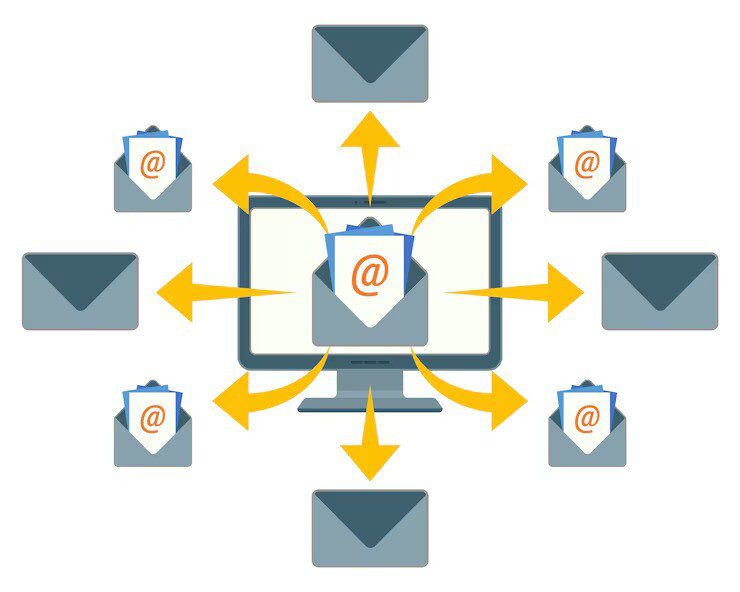
Launching an email automation workflow is only the beginning. What separates average automation from high-performing automation is ongoing refinement. Subscriber behavior changes, inbox competition increases, and what worked six months ago may no longer deliver the same results. To keep your workflows effective in 2026 and beyond, you need to continuously test, clean, optimize, and measure.
Below are the most important best practices to ensure every email workflow stays relevant, efficient, and conversion-focused.
Test Timing, Tone, and CTA Placement
Even the most thoughtfully designed workflow can underperform if the timing, language, or call-to-action isn’t aligned with audience expectations.
Timing tests help you understand when your audience is most responsive. This includes:
-
The delay between emails within a sequence
-
The time of day an email is sent
-
The number of emails sent before a pause or exit
Some audiences respond well to quick follow-ups, while others need more breathing room. Testing different delays allows you to balance urgency with respect for inbox fatigue.
Tone testing is equally important. Automation emails shouldn’t sound robotic or overly generic. Depending on your audience, you may find that:
-
A conversational tone drives higher engagement
-
A more professional tone builds trust
-
Educational messaging outperforms promotional language
Running controlled tests on tone helps ensure your messages feel natural and relevant.
CTA placement and structure can significantly impact conversions. Experiment with:
-
Single vs. multiple CTAs
-
CTA placement above the fold vs. later in the email
-
Action-oriented language vs. curiosity-driven phrasing
Small adjustments to CTA design and positioning often result in measurable performance gains over time.
Keep Lists Clean and Suppress Inactive Contacts
List hygiene is a foundational element of successful email automation. Sending automated emails to unengaged or invalid contacts can hurt deliverability, reduce engagement rates, and skew performance data.
To keep workflows sharp:
-
Regularly identify subscribers who haven’t opened or clicked in a defined period
-
Suppress or pause automation for chronically inactive contacts
-
Remove invalid or bouncing email addresses promptly
Automation works best when it targets people who actually want to hear from you. Clean lists lead to higher open rates, better sender reputation, and more reliable metrics.
Many high-performing teams also use re-engagement workflows before fully suppressing inactive users. These workflows attempt to rekindle interest with refreshed messaging or preference updates. If there’s no response, the contact is gracefully removed from active automation paths.
Refresh Content Every Few Months
Automated doesn’t mean “set it and forget it.” Over time, even the best content can become stale or misaligned with audience needs.
Refreshing workflow content every few months helps ensure:
-
Messaging reflects current offerings, features, or services
-
Examples and use cases remain relevant
-
Language stays aligned with brand voice evolution
-
Emails don’t feel repetitive to long-term subscribers
Content refreshes don’t always require full rewrites. Sometimes, small updates—such as a new subject line, updated CTA, or improved personalization—are enough to lift performance.
Regular reviews also allow you to identify emails that consistently underperform and rework them based on actual engagement data rather than assumptions.
Segment Beyond Demographics
Basic demographic segmentation is no longer enough. Modern email automation performs best when segmentation is based on behavior, intent, and lifecycle stage.
Advanced segmentation strategies include:
-
Actions taken (or not taken) within previous emails
-
Product usage or browsing behavior
-
Purchase frequency or recency
-
Content preferences or topic interest
-
Engagement level over time
By segmenting beyond surface-level data, you can tailor workflows that feel deeply personal. This leads to higher relevance, stronger engagement, and better long-term results.
For example, two subscribers may share the same job title, but their behaviors may signal completely different needs. Automation that responds to behavior rather than assumptions consistently outperforms generic messaging.
Track and Analyze Your Metrics
Data is what keeps automation honest. Without measurement, it’s impossible to know whether a workflow is helping or hurting your goals.
Key performance indicators should be tracked at both the email level and the workflow level. This includes:
-
Open rates to evaluate subject lines and timing
-
Click-through rates to measure content relevance
-
Conversion rates tied to the workflow’s primary goal
-
Drop-off points where users disengage
-
Completion or exit rates for entire sequences
Analyzing these metrics helps you identify friction points and opportunities for improvement. Over time, insights from performance data should directly inform testing, content updates, and segmentation adjustments.
The most effective teams treat automation as a living system—constantly learning, adapting, and improving based on real user behavior.
Ready to Automate Your Email Marketing Campaigns?
A well-designed email automation workflow has the power to transform your entire customer journey. When each message reaches the right audience at the right moment, engagement becomes intentional—not incidental. That’s where automation truly shines, delivering consistency, scalability, and momentum that manual campaigns simply can’t replicate.
If you’ve applied the strategies outlined above, you’re already set to begin. Choose a single workflow and build it using Teno Mail’s no-code automation builder. From triggers and conditions to actions, the setup process is intuitive and fast, allowing you to launch without friction.
Turn on your first workflow, track how it performs, and continue refining your approach as your results grow.
FAQs
1. How often should I update my workflows?
Most workflows benefit from a review every three to six months. This doesn’t mean rebuilding everything from scratch, but it does mean evaluating performance, content relevance, and audience behavior. High-impact workflows—such as onboarding or revenue-driving sequences—should be reviewed more frequently, especially if products, pricing, or messaging have changed.
2. What’s the ideal delay between emails?
There is no universal “perfect” delay. The ideal timing depends on the workflow’s goal and the audience’s expectations. Transactional or onboarding workflows often require shorter delays, while nurturing or educational sequences perform better with more spacing. The best approach is to test different intervals and let engagement data guide your decisions.
3. What KPIs should I track for automation?
The most important KPIs depend on your workflow’s objective, but commonly tracked metrics include open rates, click-through rates, conversion rates, unsubscribe rates, and completion rates. For revenue-focused workflows, tracking downstream outcomes such as purchases or upgrades provides the clearest picture of success.
4. What if someone enters multiple workflows at once?
Without proper controls, subscribers can become overwhelmed. To prevent this, use prioritization rules, suppression logic, or entry conditions that limit how many workflows a contact can be in at the same time. Well-designed automation ensures messages complement each other rather than compete for attention.
5. Do I need a huge list to start using automation?
Not at all. Email automation is just as valuable for small lists as it is for large ones. In fact, automation often delivers better results for smaller audiences because messaging can be more targeted and personal. The key is relevance and timing—not list size.
Read More: Insurance Email Marketing Examples And Best Practices For 2026