In today’s digital world, businesses need smarter ways to communicate with audiences — and email automation is one of the most effective strategies available. It empowers marketing teams to deliver the right message, to the right person, at the right time — all without having to send each email manually. With automation, repetitive tasks like welcome emails, follow-ups, reminders, and promotional sequences run on their own, saving time and boosting engagement with customers across their journey.
This beginner’s guide will walk you through what email automation is, why it matters, and how it works — setting you up to build your own automated email strategy confidently.
What is email automation?
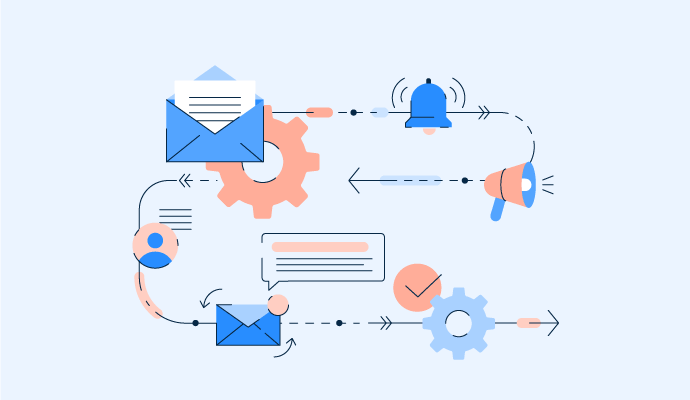
Email automation is a marketing approach that uses software to automatically send emails based on predefined rules, triggers, and timing — without human intervention for each individual message. Instead of manually crafting and sending every email, you set up workflows (or sequences) that tell the system when and what to send depending on user behavior or other criteria.
At its core, email automation works by:
-
Defining triggers — specific actions or conditions (e.g., sign-ups, purchases, abandonment, dates) that signal when an email should be sent.
-
Creating workflows — a sequence of emails and rules that determine the order, timing, and conditions for each message.
-
Deploying automation software — systems that manage the sending, personalization, tracking, and optimization without manual effort.
Unlike basic bulk email campaigns where every subscriber gets the same message at the same time, email automation ensures that emails are relevant and timely for each recipient — often resulting in better engagement and conversions.
Email automation lets your marketing communication work for you around the clock, delivering personalized experiences that nurture prospects, retain customers, and support your overall business goals — all while reducing manual workload.
What are the benefits of email automation?
Email automation has become a cornerstone of effective digital marketing — especially for businesses looking to communicate smarter, not harder. Below are five major benefits that explain why so many companies invest in automated email workflows and why you should consider it too.
1. Save Time & Increase Productivity
One of the most immediate and impactful benefits of email automation is saving time on repetitive tasks that would otherwise require manual effort. Instead of manually segmenting lists, crafting individual messages, and scheduling each email, you set up workflows once and let them run automatically. This means your team no longer has to repeatedly perform routine actions like sending welcome messages, follow-ups, or reminders — the system takes care of it on your behalf.
By removing repetitive tasks from your team’s daily workflow, you free up valuable time to focus on strategic projects, creative campaign planning, and refining your overall marketing approach. Over weeks and months, this efficiency boost translates into significant productivity gains, enabling your team to accomplish more with less effort.
2. Personalize the Customer Experience
Customers today expect interactions that feel relevant and tailored to their needs. Email automation allows you to deliver highly personalized experiences at scale by using data such as user behavior, purchase history, engagement patterns, and demographic information to customize messaging. Rather than sending identical emails to your entire list, automation lets you send messages that resonate with specific segments of your audience.
For example, you can personalize emails with a user’s name, recommend products based on past purchases, or send content related to actions they’ve taken on your website. This level of personalization deepens engagement, increases open and click rates, and strengthens the emotional connection between your brand and your customers.
3. Help with Brand Building
Consistent, timely communication is a powerful form of brand building. Automated emails allow your business to establish a strong and recognizable presence in your customers’ inboxes without overwhelming your team. Whether it’s onboarding emails, newsletters, special promotions, or educational content, automation ensures your audience receives the right message at the right time.
This consistency reinforces your brand voice and messaging, helping recipients remember and trust your business. Over time, regular valuable communication nurtures familiarity, builds authority in your niche, and shapes how your audience perceives your brand — all without requiring manual effort for each email.
4. Increase Your Customer Retention Rate
Keeping existing customers engaged and loyal is often more cost-effective than constantly acquiring new ones. Email automation helps you stay top-of-mind with customers by delivering regular, relevant communications such as re-engagement campaigns, post-purchase follow-ups, loyalty offers, and behavior-triggered messages.
By reminding customers of your brand and rewarding them with timely offers or useful content, these automated touchpoints encourage repeat business and strengthen long-term relationships. With fewer customers slipping through the cracks, your retention rates improve, and the lifetime value of each customer increases — a major win for your bottom line.
5. Scale Your Marketing Efforts
As your business grows, so does the complexity of your email marketing needs. Email automation tools are built to scale with your audience. Whether you’re sending messages to hundreds of subscribers or hundreds of thousands, automation keeps your campaigns running smoothly without increasing your workload.
You can manage large mailing lists, run multiple workflows simultaneously, and tailor communications across different segments — all without proportionally increasing manual labor. This makes email automation an ideal solution for businesses of all sizes that want to grow their reach and impact without sacrificing quality or overburdening their team.
Email automation does far more than send messages on your behalf — it streamlines processes, deepens customer relationships, strengthens your brand, enhances engagement, and supports scalable growth. These benefits make it an indispensable tool in any modern marketing strategy.
How to Build an Effective Email Automation Strategy
Creating a successful email automation strategy is not just about using software — it’s about aligning technology with your business goals, audience behavior, and long-term growth plans. Below is a step-by-step approach to building an email automation strategy that delivers real results.
1. Choose the Right Email Automation Software
The foundation of your email automation strategy starts with selecting the right software. Not all tools are built the same, so it’s important to choose a platform that matches your business size, goals, and technical capabilities. A good email automation tool should allow you to create workflows easily, segment audiences, personalize content, and track performance in real time.
When evaluating software, look for features such as visual workflow builders, behavior-based triggers, audience segmentation, email personalization, analytics dashboards, and integrations with your existing tools like CRM systems, eCommerce platforms, or customer support software. Scalability is also crucial — the tool should be able to grow with your business without forcing you to migrate later.
Choosing the right software ensures your automation efforts remain efficient, flexible, and sustainable as your email marketing matures.
2. Decide on the Automation Workflows
Once you have the right tool in place, the next step is to decide which workflows to automate. This step requires a clear understanding of your customer journey — from the moment someone discovers your brand to becoming a loyal customer.
Start by identifying repetitive and high-impact communication points, such as welcome emails, lead nurturing sequences, abandoned cart reminders, post-purchase follow-ups, or re-engagement campaigns. Each workflow should serve a clear purpose, whether it’s educating new subscribers, encouraging conversions, or strengthening customer relationships.
By prioritizing workflows based on business impact, you avoid over-automation and ensure each sequence delivers meaningful value to your audience.
3. Build Your Automation Workflow
After defining your workflows, it’s time to build them strategically. This involves mapping out triggers, actions, timing, and conditions that guide how emails are sent. A trigger could be a user action like signing up, making a purchase, clicking a link, or even remaining inactive for a certain period.
Each workflow should follow a logical sequence with clear goals. For example, a welcome workflow might begin with an introductory email, followed by educational content, and then a soft promotional message. Timing also plays a critical role — spacing emails appropriately prevents overwhelming subscribers while keeping your brand top-of-mind.
Personalization should be integrated wherever possible, using dynamic content, subscriber data, and behavior signals to make each message feel relevant and intentional.
4. Track Performance and Optimize
An email automation strategy is never “set and forget.” Continuous improvement depends on tracking performance and optimizing workflows based on real data. Key metrics such as open rates, click-through rates, conversion rates, unsubscribe rates, and engagement trends reveal how well your automation is performing.
Analyze where subscribers engage most — and where they drop off. If a specific email underperforms, test different subject lines, content formats, timing, or calls to action. Over time, these incremental improvements can significantly boost overall performance.
Regular optimization ensures your automation workflows remain aligned with audience expectations, business goals, and changing market behavior — making your email strategy more effective and future-ready.
9 Email Automation Workflows & Examples for eCommerce
Email automation plays a critical role in modern eCommerce by helping brands communicate consistently, personally, and at scale. Below are nine essential email automation workflows, along with practical examples, that successful eCommerce businesses use to drive engagement, conversions, and long-term customer loyalty.
1. Welcome Emails
Welcome emails are often the first direct interaction a customer has with your brand after signing up. This makes them one of the most important automation workflows in eCommerce. A strong welcome sequence sets expectations, introduces your brand personality, and encourages early engagement.
Instead of sending just one email, many eCommerce brands use a multi-step welcome series. The first email typically thanks the subscriber for joining and confirms their subscription. Follow-up emails can highlight best-selling products, explain your brand story, share social proof, or offer a first-purchase incentive.
A well-crafted welcome workflow helps new subscribers feel valued, builds trust quickly, and increases the likelihood of converting them into first-time customers.
Subject line: Welcome: Your 15% Off Awaits

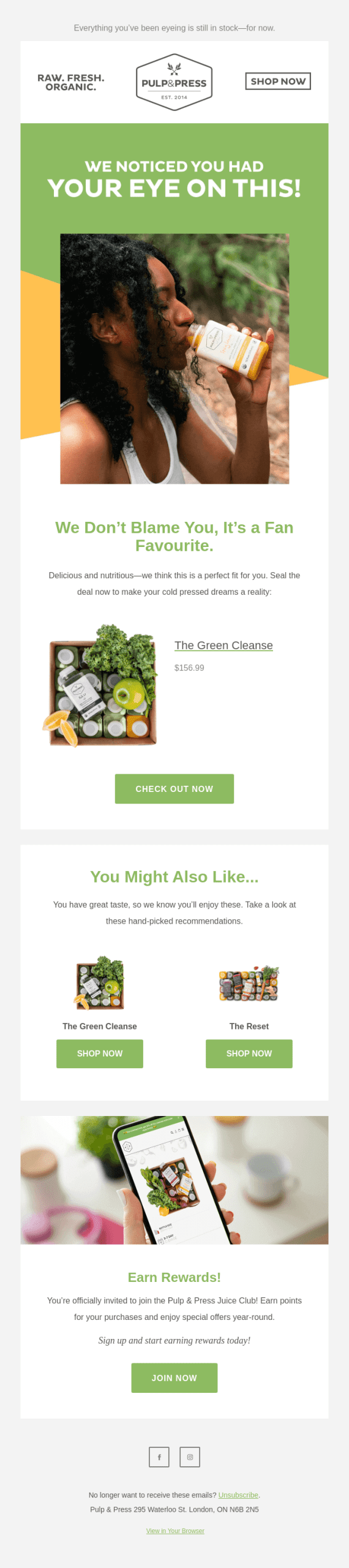
2. Cart Abandonment Emails
Cart abandonment emails are designed to recover revenue from shoppers who add items to their cart but leave without completing the purchase. This workflow is especially powerful in eCommerce, where a large percentage of potential buyers abandon carts due to distractions, comparison shopping, or hesitation.
A typical cart abandonment workflow includes one to three emails. The first email serves as a gentle reminder that the items are still waiting. The second may reinforce product benefits or highlight limited availability, while the final email can include an incentive such as free shipping or a small discount.
By addressing objections and reminding customers of their intent, cart abandonment emails often result in high conversion rates and immediate revenue recovery.
Subject line: We noticed you checking us out… 👀
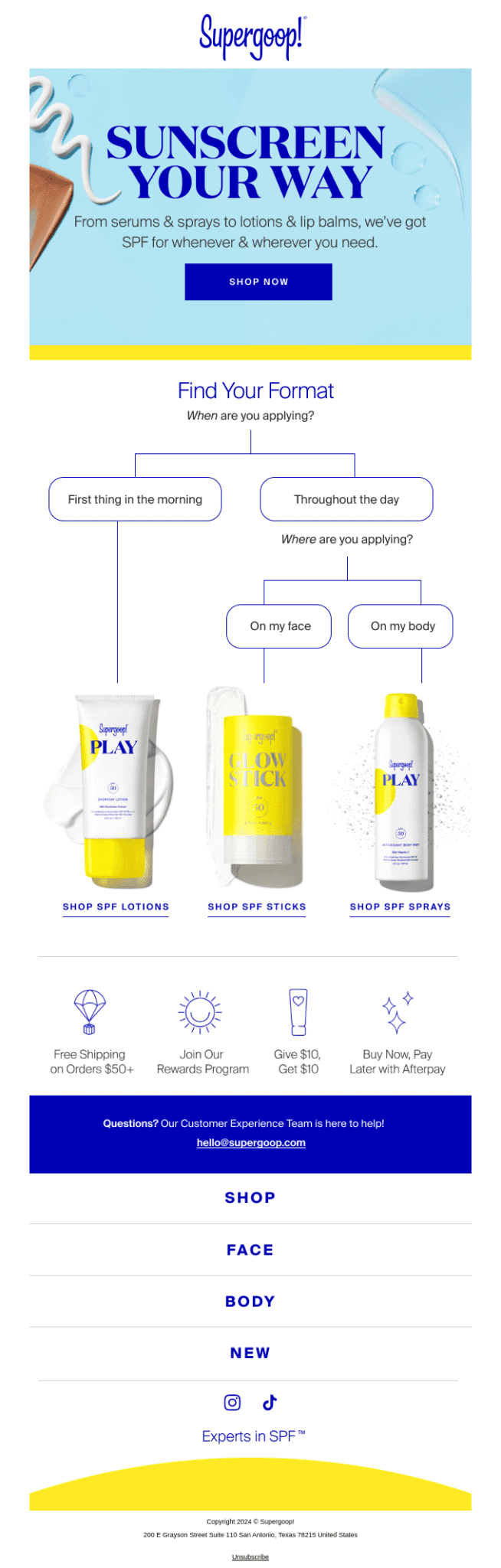
3. Product Recommendation Emails
Product recommendation emails use customer data to suggest products that are relevant to individual shoppers. These recommendations are based on browsing history, past purchases, wishlists, or popular items within a category.
For example, a customer who purchased running shoes may receive recommendations for socks, fitness trackers, or athletic apparel. Returning customers might see complementary or upgraded products aligned with their previous orders.
This workflow enhances the shopping experience by reducing decision fatigue and showcasing products customers are more likely to buy. When executed correctly, product recommendation emails increase average order value and encourage repeat purchases.
Subject line: Looking for a lotion? Searching for a spray?
4. Lead Nurturing Emails
Not every visitor is ready to buy immediately. Lead nurturing emails help guide potential customers through the decision-making process by delivering valuable and educational content over time.
In eCommerce, lead nurturing workflows may include product guides, buying tips, comparison content, usage ideas, or customer success stories. The goal is to build confidence and answer questions before pushing for a sale.
These emails are especially effective for higher-priced or more complex products where customers need more information before committing. By staying helpful rather than sales-focused, lead nurturing emails gently move prospects closer to conversion.
Subject line: Ingredients with a purpose.

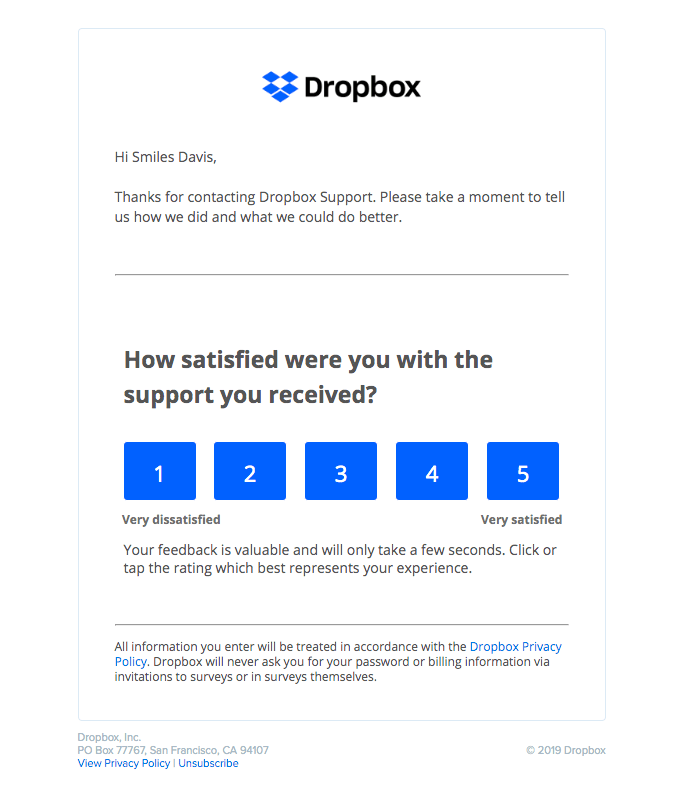
5. Customer Feedback Emails
Customer feedback emails are triggered after a purchase or delivery and aim to gather insights about the shopping experience. These emails typically ask customers to rate their experience, leave a review, or answer a short survey.
Feedback workflows serve multiple purposes. They help you understand customer satisfaction, identify areas for improvement, and collect reviews that can be used as social proof. Customers who feel heard are also more likely to develop a positive emotional connection with your brand.
In addition, feedback emails can be paired with follow-ups that respond to negative experiences or thank customers for positive reviews, further strengthening trust and credibility.
Subject line: Dropbox Support: tell us how we did
6. Birthday & Anniversary Emails
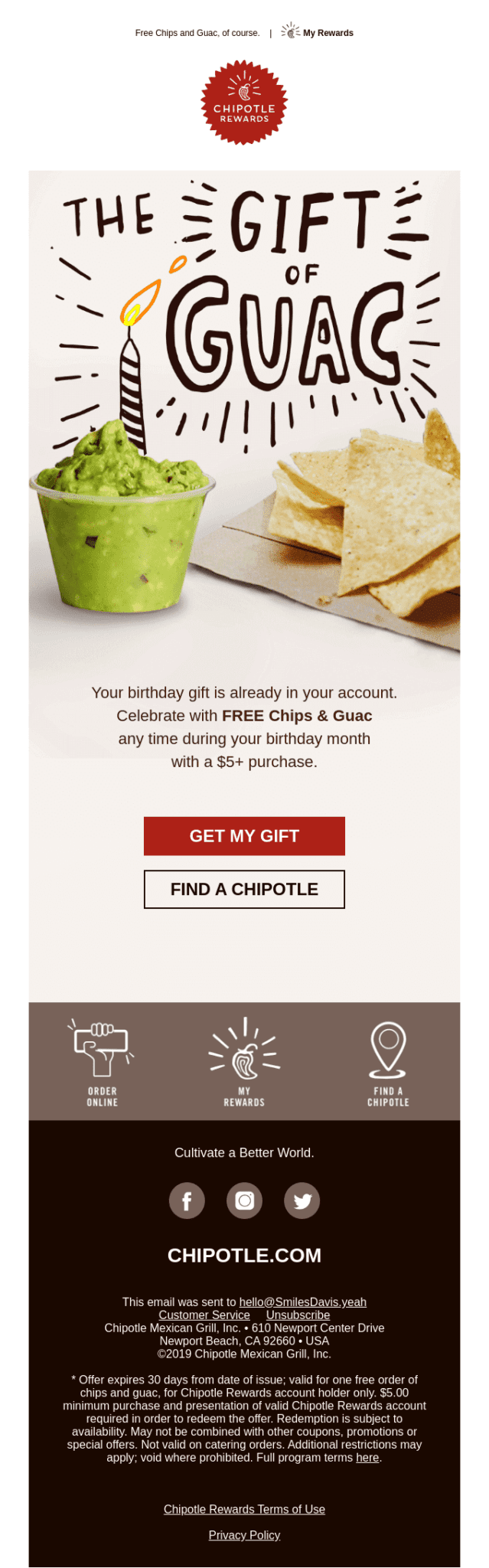
Birthday and anniversary emails add a personal and emotional touch to your eCommerce communication. These messages are triggered by specific dates, such as a customer’s birthday, account anniversary, or first purchase milestone.
Rather than pushing aggressive sales messaging, these emails often focus on appreciation and celebration. Many brands include special offers, exclusive discounts, or free gifts as a way to reward loyalty.
Because these emails feel personal and thoughtful, they tend to generate high engagement and reinforce long-term customer relationships.
Subject line: What’s better than birthday cake?
7. Content & Brand Promotion Emails
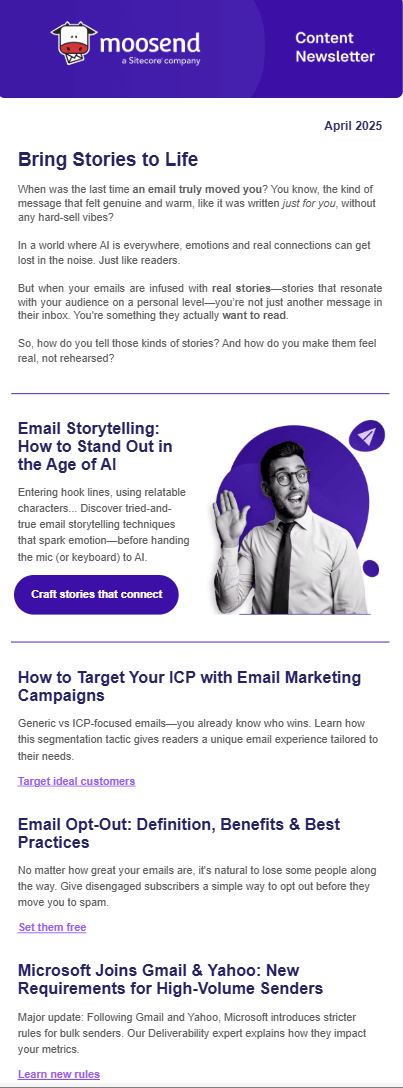
Content and brand promotion emails help eCommerce businesses stay connected with their audience beyond direct selling. This workflow focuses on sharing valuable content such as blog posts, product tutorials, styling tips, seasonal guides, or brand updates.
For example, a fashion retailer might send styling inspiration, while a skincare brand could share usage routines and educational content. These emails position your brand as a helpful resource rather than just a seller.
Over time, content-driven automation builds brand authority, nurtures trust, and keeps your audience engaged even when they’re not actively shopping.
Subject line: Engage Subscribers with Inspiring Stories
8. Behavior Triggered Emails
Behavior-triggered emails are sent based on specific actions or inactions taken by users. These triggers can include browsing a category, viewing a product multiple times, clicking certain links, or remaining inactive for a defined period.
For instance, if a customer repeatedly views a product but doesn’t purchase, a behavior-triggered email can provide additional details, customer reviews, or a limited-time incentive. If a customer hasn’t engaged in a while, a re-engagement email can remind them of your value or showcase new arrivals.
This workflow ensures your messaging remains timely and relevant, increasing the chances of conversion while avoiding generic mass emails.
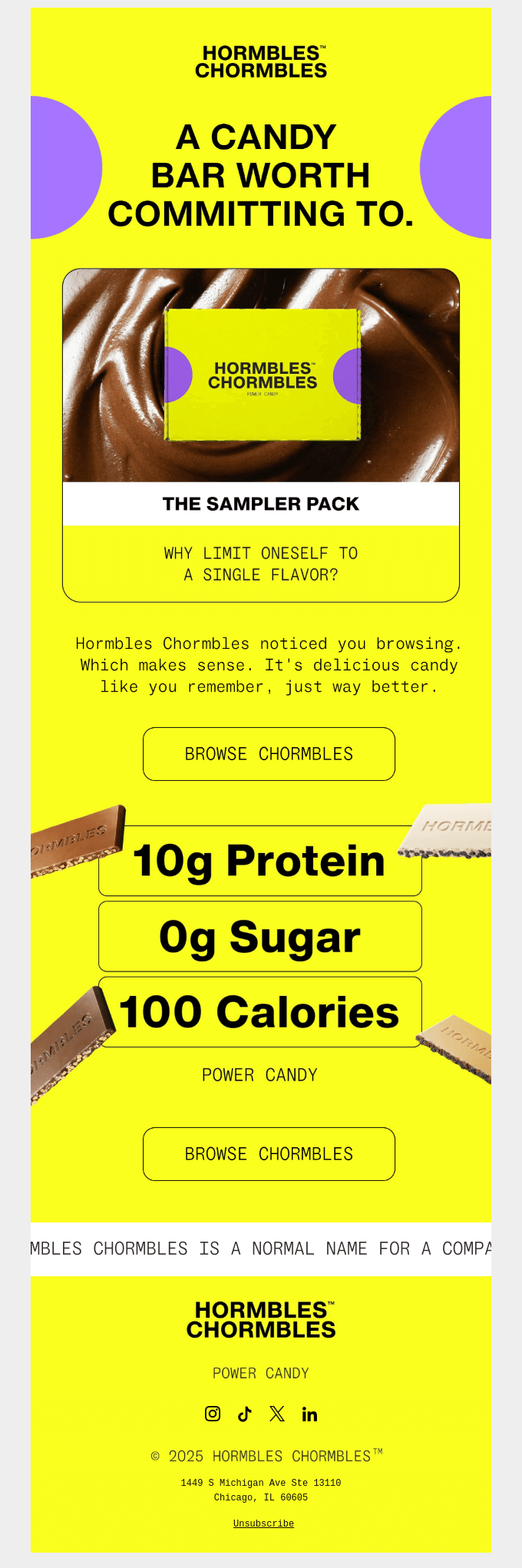
Subject line: This could be the start of something sweet
9. Order & Shipping Status Emails
Order and shipping status emails are transactional in nature but play a crucial role in the overall customer experience. These emails keep customers informed about order confirmation, shipping updates, delivery progress, and successful delivery.
While the primary purpose is informational, these emails also present branding opportunities. Many eCommerce businesses include helpful content such as product usage tips, return instructions, or cross-sell recommendations within these messages.
Clear and timely order updates reduce customer anxiety, lower support inquiries, and reinforce trust in your brand — making this workflow essential for customer satisfaction and retention.
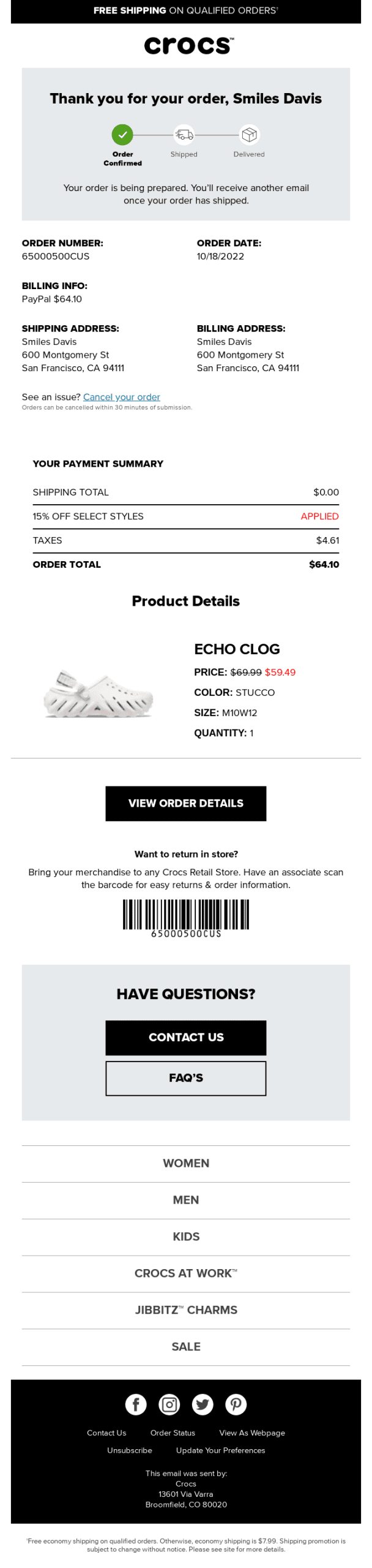
Below you can see a great order confirmation email example from Crocs:
3 Key Email Automation Workflows for SaaS Businesses
Email automation is especially valuable for SaaS businesses because the customer journey is ongoing and product-driven. From free trials to long-term subscriptions, automated email workflows help guide users, improve product adoption, and reduce churn. Below are three essential email automation workflows every SaaS business should implement.
1. Reminder Emails
Reminder emails are critical in SaaS environments where user actions, deadlines, and ongoing engagement directly impact conversions and retention. These emails are triggered based on time-sensitive events or user behavior and are designed to prompt users to take action before it’s too late.
Common reminder email use cases include free trial expiration alerts, incomplete account setup reminders, unpaid invoices, upcoming renewals, or scheduled tasks within the platform. For example, a user nearing the end of a trial may receive a sequence of reminder emails highlighting remaining time, key features they haven’t explored, and the value of upgrading to a paid plan.
Effective reminder emails strike a balance between urgency and helpfulness. Rather than pressuring users, they provide clarity, reinforce benefits, and remove friction by including clear calls to action. When used correctly, reminder workflows significantly improve trial-to-paid conversions and reduce missed opportunities.
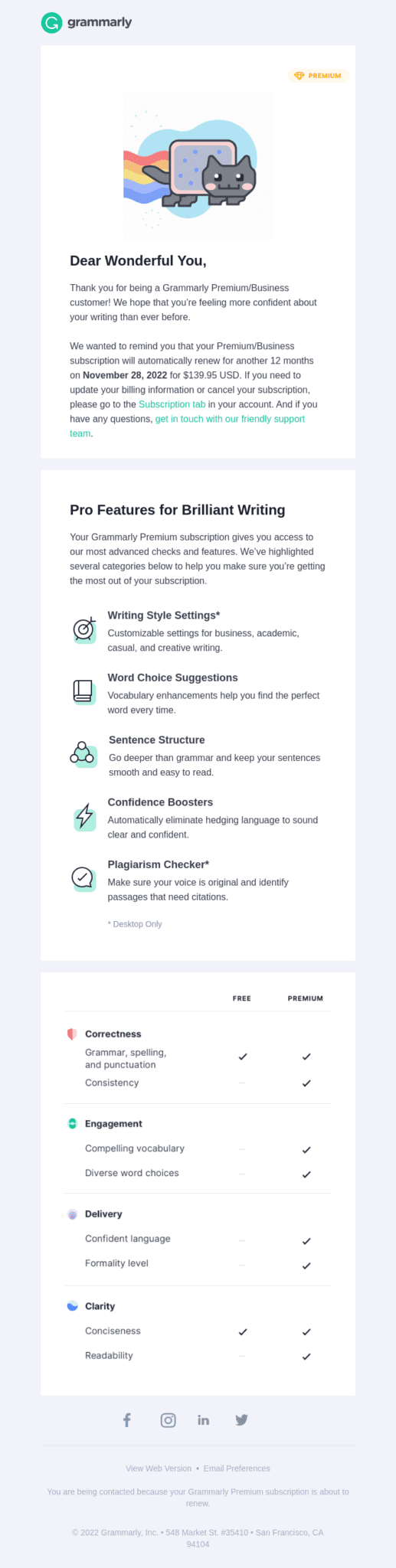
Subject line: Friendly Reminder: Your Subscription Will Renew in 60 days
2. User Onboarding Emails
User onboarding emails are one of the most impactful automation workflows for SaaS businesses. Their primary goal is to help new users understand, adopt, and experience value from the product as quickly as possible.
A typical onboarding workflow begins immediately after sign-up and guides users through essential steps such as setting up their account, configuring key features, and completing initial actions that demonstrate product value. These emails may include step-by-step instructions, short tutorials, best practices, or links to helpful resources.
Onboarding emails are most effective when they are behavior-driven. For instance, if a user hasn’t completed a key setup step, the workflow can automatically send a targeted message addressing that specific gap. By reducing confusion and shortening the learning curve, onboarding workflows increase activation rates and lay the foundation for long-term user retention.
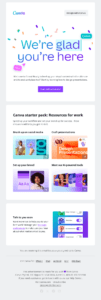
Subject line: New to using Canva for work? Start here 👉
3. Feature Announcement Emails
Feature announcement emails keep users informed about product updates, improvements, and new capabilities. In SaaS, continuous product development is a major selling point, and automated feature announcement workflows ensure users are always aware of what’s new.
Instead of sending generic updates to all users, advanced automation allows you to tailor announcements based on user roles, usage patterns, or subscription plans. For example, power users may receive detailed explanations of advanced features, while new users get simplified overviews focused on benefits.
Well-executed feature announcement emails not only increase feature adoption but also reinforce the value of your product over time. By clearly explaining how new features solve problems or improve workflows, these emails help users get more value from the platform — strengthening engagement and reducing churn.
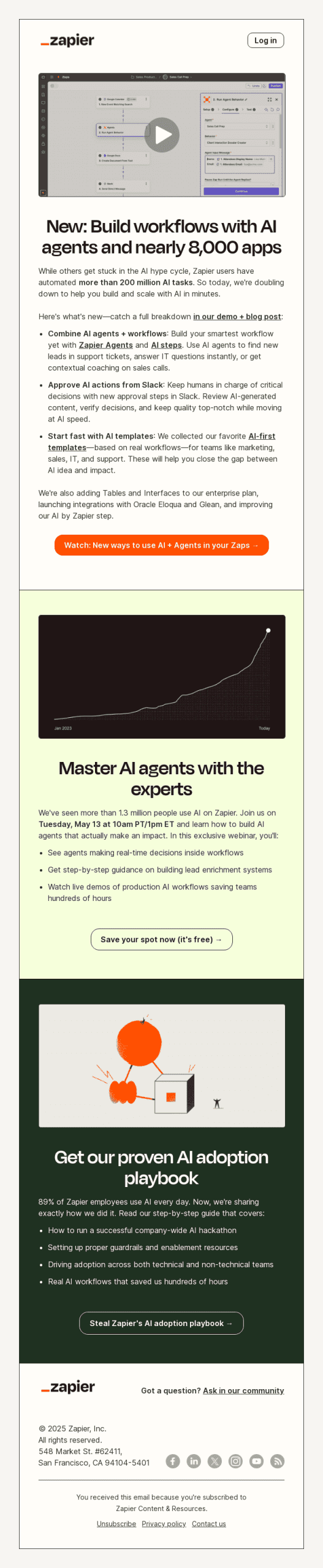
Subject line: New: AI agents are here. Make your Zaps smarter.
Top 3 Email Automation Tools
Here’s an in-depth look at three leading email automation platforms — Teno Mail, Moosend, and Constant Contact — including their best features, limitations, and pricing, so you can choose the one that aligns with your business goals.
1. Teno Mail
Best features
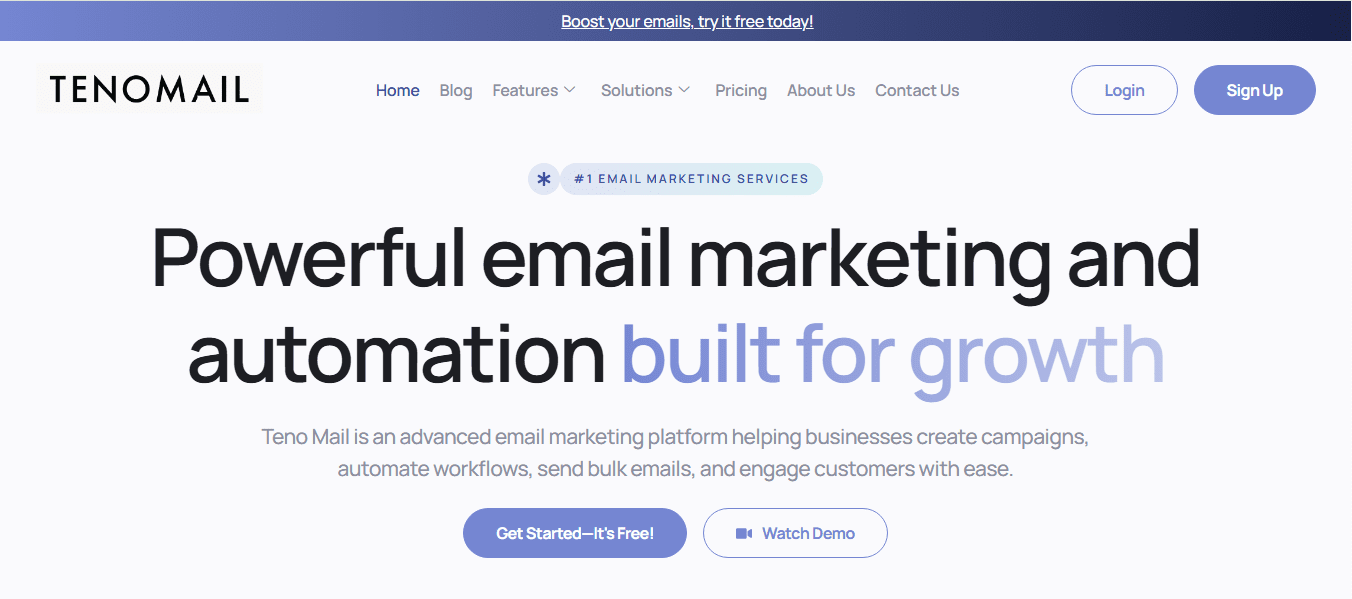
Teno Mail is an email marketing and automation platform designed to help businesses streamline their email communication and grow their audience with ease. Its most powerful capabilities include:
-
Advanced Email Automation: You can create automated workflows that send targeted messages based on triggers like subscriber actions, timing, or segmentation. This makes nurturing leads, onboarding subscribers, and scaling campaigns far easier.
-
Campaign Builder & Newsletter Tools: The platform offers intuitive drag-and-drop builders to create professional email campaigns and newsletters without any coding. These tools help you engage your audience with visually appealing content.
-
Bulk Email Sending & SMTP Integration: Teno Mail lets you send high volumes of email reliably while integrating with SMTP providers to ensure better inbox delivery and control over sending infrastructure.
-
Analytics & Reporting: You can track key campaign metrics like opens and clicks in real time, helping you optimize future outreach and improve engagement.
-
Contact Management: Import contacts easily, segment lists for targeted messaging, and maintain clean, organized audiences to improve deliverability and personalization.
Limitations
While Teno Mail offers a solid mix of tools, there are a few things to consider:
-
Feature Depth for Beginners: Some new users might find the range of options overwhelming if they’re just getting started with automation.
-
Enterprise Focused Plans: The higher-tier plans can be relatively expensive for small businesses that don’t need advanced features or large sending volumes.
-
No Publicly Detailed Feature Roadmap: Unlike some competitors, Teno Mail doesn’t publicly list detailed automation templates or use-case guides, which can make planning your workflows a bit harder if you rely on preset recipes.
Pricing
Teno Mail offers a range of pricing tiers, including:
-
Free Plan ($0/month): Includes basic email sending credits (up to 5,000 emails), core campaign tools, and basic analytics — suitable for individuals and small businesses just starting out.
-
Standard Plan ($250/month): Provides unlimited email sending credits, advanced analytics, and the ability to manage multiple campaigns — ideal for growing teams that need more control.
-
Premium Plan ($895/month): Includes built-in SMTP and priority delivery optimization — perfect for high-volume senders or advanced marketers.
-
Custom Enterprise Plan: Tailored features, dedicated account manager, and adjustable sending limits for large-scale operations.
2. Moosend
Best features
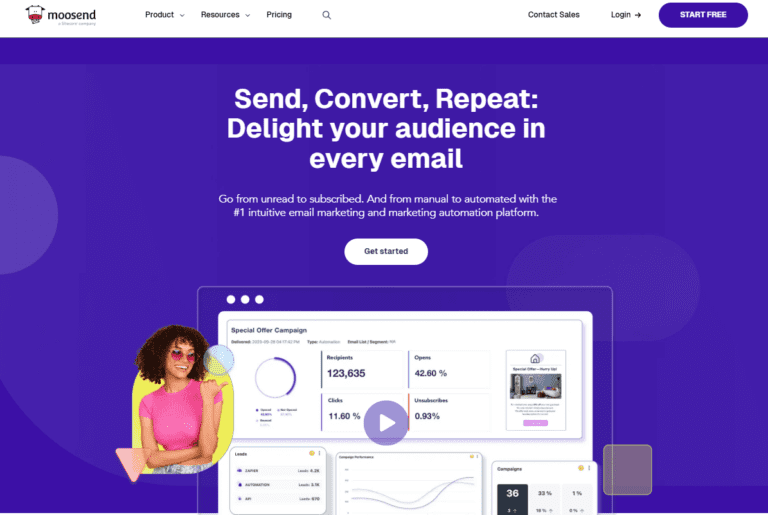
Moosend is a flexible email automation platform that balances powerful automation tools with user-friendly design, making it a solid choice for both beginners and experienced marketers. Its key strengths include:
-
Unlimited Email Sends: All paid plans include unlimited email sending, which is especially beneficial for businesses with large lists.
-
Advanced Automation Workflows: You can build complex automation sequences with triggers based on behavior, timing, and user activity without needing technical expertise.
-
Drag-and-Drop Editor: Intuitive email and landing page builders let you design high-quality campaigns quickly and visually.
-
Landing Pages & Subscription Forms: These tools help grow your email list and capture leads seamlessly through integrated signup forms and customizable landing pages.
-
Real-Time Analytics: Detailed reporting on opens, clicks, and conversions gives valuable insights into campaign performance and audience behavior.
-
Transactional Emails & SMTP: From order receipts to password resets, Moosend supports sending transactional messages via SMTP or API triggers.
Limitations
-
Form Customization Limitations: While Moosend provides form builders, customization options may be more limited compared with dedicated form design tools.
-
No Native SMS Marketing: Moosend focuses mainly on email, so if you want SMS marketing bundled in a single platform, you’ll need a third-party tool or integration.
-
Complex Enterprise Add-Ons: Some advanced features, such as dedicated IPs, custom reporting, or enhanced security (SSO & SAML), are only available through add-ons or higher-tier plans.
Pricing
Moosend’s pricing is flexible and scales based on your contact list size:
-
30-Day Free Trial: Try all core features without a credit card.
-
Pro Plan (Starts from ~$9/month): Includes unlimited email sends, automation builders, landing pages, and basic analytics for small lists.
-
Extended Plans: As your list grows (e.g., 2,000 contacts, 5,000 contacts, etc.), pricing increases accordingly, but all include full feature access.
-
Moosend+ & Enterprise: Custom pricing that adds advanced capabilities such as transactional emails, audience discovery, dedicated IPs, and team management features.
Overall, Moosend offers one of the most affordable pricing structures among email automation tools, especially for businesses that value unlimited sends and robust automation without extra hidden costs.
3. Constant Contact
Best features
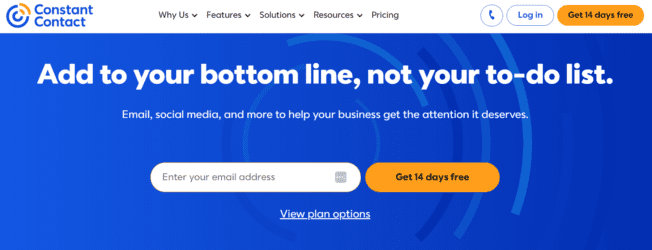
Constant Contact is a long-standing email marketing platform favored by small and medium-sized businesses for its ease of use and comprehensive toolset. Its notable features include:
-
User-Friendly Interface: Designed for simplicity, Constant Contact’s editor and dashboard make it easy to create email campaigns and monitor results.
-
Customizable Templates: A wide range of email templates lets you launch campaigns quickly with professional designs.
-
List Building Tools: Built-in tools for managing contacts, segmenting audiences, and growing lists help maintain organization and relevance.
-
Event Management & CRM Integration: Beyond email, the platform includes features like event promotion and CRM capabilities to support broader marketing needs.
-
Triggered Automation: You can set up automated emails such as welcome sequences, anniversary messages, and autoresponders.
Limitations
-
Basic Automation Compared to Competitors: While Constant Contact offers automation, it’s generally less advanced than tools like Moosend or other modern platforms, especially for complex workflows.
-
Higher Costs at Scale: Pricing rises quickly as your contact list grows, and accessing advanced automation features may require upgrading to higher tiers.
-
Template Quality Variances: Some users find that certain email templates feel less modern or need more customization flexibility.
Pricing
Constant Contact offers tiered plans based on your subscriber count and feature needs:
-
Lite/Basic Plan (Starts around ~$12/month): Suitable for beginners with essential email tools, basic automation, and simple campaign building.=
-
Standard Plan (Starts around ~$35/month): Adds features like A/B testing, contact segmentation, automated workflows, and social media integrations.
-
Premium Plan (Starts around ~$80/month): Includes advanced automation, dynamic content, enhanced analytics, and strategic support features.
No free plan is available, but Constant Contact typically offers a free trial period which lets you test features before committing.
At a Glance
| Tool | Best For | Strengths | Considerations |
|---|---|---|---|
| Teno Mail | Growing businesses & high-volume senders | Strong automation + SMTP control | Advanced features may be complex for beginners |
| Moosend | Cost-conscious teams & automation focus | Unlimited sends, powerful workflows | Limited SMS and form-customization |
| Constant Contact | Small businesses & beginners | Easy setup, templates, event tools | Less advanced automation, costs rise with list size |
Each of these tools has its own strengths and fits different business scenarios, so consider your audience size, automation needs, and budget when choosing the one that’s right for your email marketing strategy.
Tackle Email Automation with Less Effort
Email marketing continues to be one of the most reliable and budget-friendly ways to reach, engage, and convert your audience. With email automation, you can deliver timely, personalized messages at scale while reducing manual work.
Getting started with automated campaigns begins by choosing the right platform for your business needs. If you’re searching for a solution that balances simplicity with powerful automation features, exploring Teno Mail can help you see how effective email automation can be in practice.
FAQs
1. Where do I start with email automation?
The best place to start with email automation is by clearly defining your goals and understanding your audience. First, identify what you want to achieve — for example, welcoming new subscribers, converting leads, increasing repeat purchases, or improving user onboarding. Once your goals are clear, map out your customer journey and pinpoint moments where automated emails can add value.
From there, choose an email automation tool that fits your needs and begin with simple workflows such as welcome emails or basic follow-ups. These are easy to implement and deliver quick results. As you gain confidence and data, you can gradually expand into more advanced workflows like behavior-triggered emails, lead nurturing sequences, or re-engagement campaigns.
Starting small and building strategically helps ensure your automation efforts remain effective and manageable.
2. What’s the difference between automated emails and drip campaigns?
While the terms are often used interchangeably, there is a practical difference between automated emails and drip campaigns.
Automated emails are triggered by specific actions or events, such as a user signing up, making a purchase, abandoning a cart, or completing a task. These emails are highly responsive and behavior-based, meaning the timing depends on what the user does.
Drip campaigns, on the other hand, are usually time-based sequences. They send a pre-planned series of emails at fixed intervals, regardless of how the recipient interacts with previous messages. Drip campaigns are commonly used for onboarding, education, or long-term nurturing.
In short, drip campaigns are a structured subset of email automation, while email automation as a whole includes both time-based and behavior-driven messaging.
3. How can I refine my email automation strategy?
Refining your email automation strategy requires ongoing analysis, testing, and optimization. Start by reviewing performance metrics such as open rates, click-through rates, conversions, and unsubscribe behavior to understand how users are interacting with your emails.
Look for patterns — where users engage the most, where they drop off, and which messages drive the strongest results. Based on these insights, experiment with improvements such as adjusting email timing, refining subject lines, improving personalization, or simplifying workflows.
It’s also important to regularly revisit your automation flows as customer behavior, products, and business goals evolve. Continuous optimization ensures your email automation remains relevant, effective, and aligned with both user expectations and long-term growth objectives.
Read More: Cold Email Strategy 2026: What Works & What Doesn’t