Email remains one of the most effective digital marketing channels for building customer relationships, generating leads, and driving revenue. However, even the most well-designed email campaign can fail if messages never reach subscribers’ inboxes. This is where email spam filters come into play.
Spam filters are sophisticated systems used by mailbox providers and email clients to identify and block unwanted, suspicious, or potentially harmful emails. Their primary purpose is to protect users from phishing attempts, malware, scams, and unsolicited messages. While these filters help create a safer email experience, they can also prevent legitimate marketing emails from reaching recipients if senders fail to follow email deliverability best practices.
Modern spam filters no longer rely on a single factor when evaluating emails. Instead, they analyze a wide range of signals, including email content, sender reputation, authentication records, subscriber engagement, sending patterns, and domain trustworthiness. As mailbox providers continue to improve their filtering technology, marketers must understand how these systems work and adapt their strategies accordingly.
By learning the rules that spam filters use to evaluate emails, businesses can create more relevant, trustworthy, and engaging campaigns that consistently land in subscribers’ inboxes rather than their spam folders. Understanding these filtering mechanisms is one of the most important steps toward improving email deliverability and maximizing the return on every email campaign.
How Email Spam Filters Work
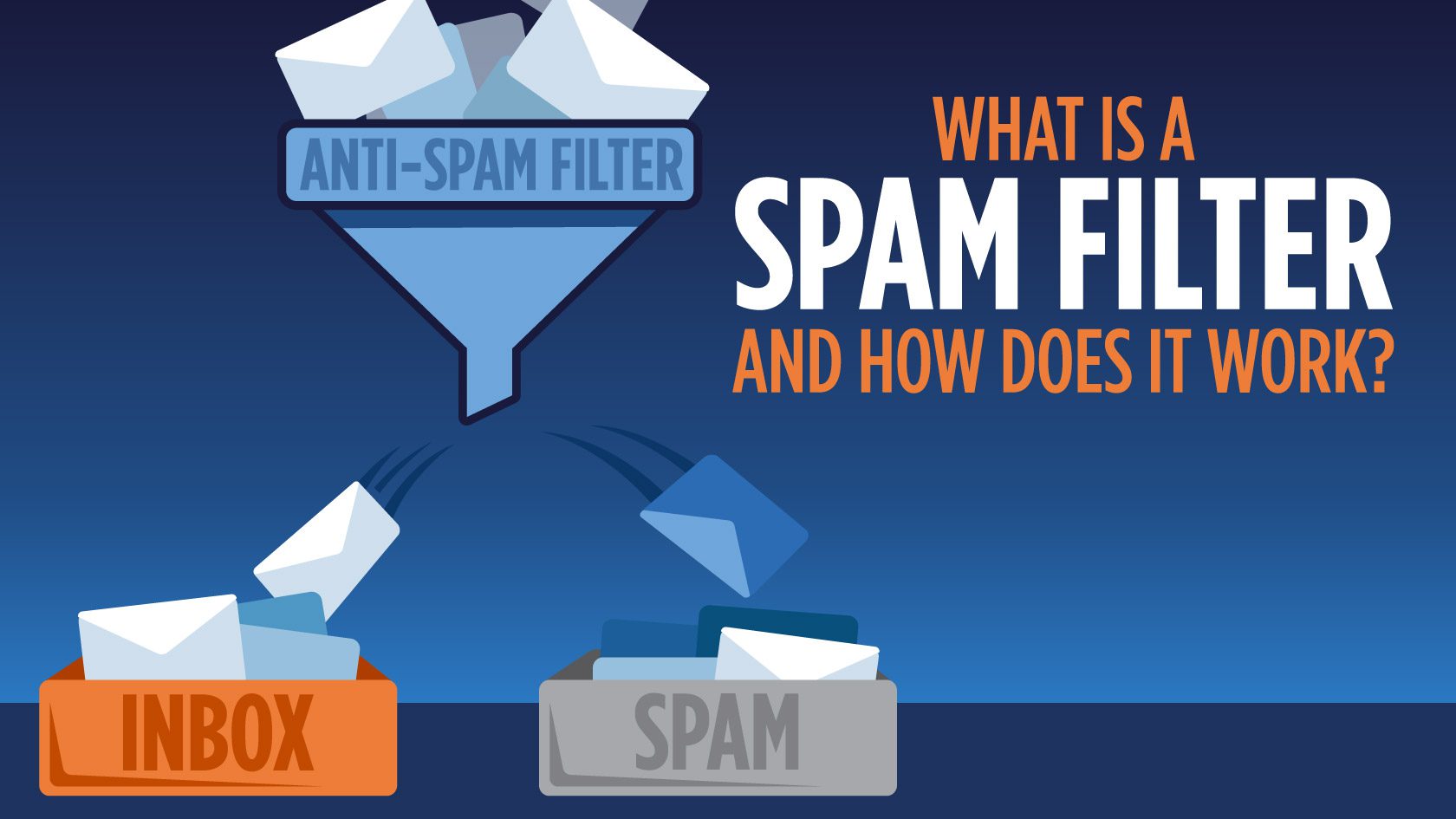
Email spam filters use a combination of algorithms, rules, reputation systems, and behavioral analysis to determine whether an email belongs in the inbox, promotions tab, or spam folder. Rather than relying on a single indicator, modern filtering systems evaluate multiple factors before making a decision.
The most common types of spam filters for email include:
Content Filtering
Content filtering is one of the oldest and most widely used spam detection methods. These filters analyze the contents of an email to identify characteristics commonly associated with spam.
The filtering system examines elements such as:
- Subject lines
- Email copy
- HTML code
- Links
- Images
- Attachments
- Formatting patterns
Certain practices can trigger content-based filters, including excessive use of promotional language, misleading subject lines, all-capital text, excessive punctuation, poor grammar, and suspicious URLs.
For example, subject lines such as “ACT NOW!!!”, “100% FREE MONEY,” or “LIMITED TIME GUARANTEED OFFER” may raise red flags because they resemble tactics frequently used by spammers.
Modern content filters are increasingly context-aware and use machine learning to evaluate the overall quality and relevance of an email rather than relying solely on specific keywords. This means marketers should focus on creating valuable, natural, and reader-friendly content rather than trying to avoid a predefined list of spam words.
Rule-Based Filtering
Rule-based filtering uses predefined conditions to determine whether an email should be accepted, flagged, or blocked.
Mailbox providers, organizations, and individual users can create custom filtering rules based on factors such as:
- Sender address
- Domain name
- Subject line keywords
- Email size
- Attachments
- Recipient preferences
For example, a company may automatically filter emails containing certain file types, while individual users may create rules that move messages from specific senders directly into designated folders.
Enterprise email systems often combine hundreds of filtering rules to identify suspicious patterns and reduce unwanted email traffic. If an email matches multiple negative criteria, it becomes more likely to be routed to spam or rejected entirely.
Blocklist Filtering
Blocklist filtering focuses on sender reputation. Before accepting an email, mailbox providers often check whether the sender’s IP address or domain appears on known blocklists.
These blocklists are maintained by organizations that track:
- Spam activity
- Malware distribution
- Phishing attempts
- High complaint rates
- Suspicious sending behavior
If a sender repeatedly generates spam complaints, sends emails to invalid addresses, or engages in poor list management practices, their IP or domain may be added to one or more blocklists.
Once listed, deliverability can decline dramatically, causing emails to be filtered or rejected by multiple mailbox providers. This is why maintaining a strong sender reputation through responsible email practices is critical for long-term inbox placement.
Engagement Signals
In recent years, engagement-based filtering has become one of the most influential factors in email deliverability.
Mailbox providers closely monitor how recipients interact with incoming messages. Positive engagement signals indicate that subscribers value the content, while negative signals suggest the email may be unwanted.
Common engagement signals include:
- Opens
- Clicks
- Replies
- Email forwards
- Moving emails from spam to inbox
- Adding senders to contacts
Negative signals include:
- Spam complaints
- Immediate deletions
- Ignoring emails consistently
- Unsubscribes
If recipients regularly engage with a sender’s emails, mailbox providers become more confident that future messages belong in the inbox. Conversely, poor engagement can gradually reduce inbox placement rates, even if the sender follows technical best practices.
This shift toward engagement-focused filtering makes audience targeting, segmentation, and content relevance more important than ever.
Authentication Protocols
Authentication protocols help mailbox providers verify that emails are genuinely sent by the domain they claim to represent.
These security standards protect recipients from spoofing, phishing, and domain impersonation attacks while helping legitimate senders establish trust.
The three primary email authentication protocols are:
SPF (Sender Policy Framework)
SPF specifies which mail servers are authorized to send emails on behalf of a domain.
DKIM (DomainKeys Identified Mail)
DKIM uses cryptographic signatures to verify that an email has not been altered during transmission.
DMARC (Domain-based Message Authentication, Reporting, and Conformance)
DMARC builds upon SPF and DKIM by defining how mailbox providers should handle messages that fail authentication checks.
Together, these protocols help prove sender legitimacy and significantly improve deliverability. Many major mailbox providers now expect proper authentication as a baseline requirement for trusted email communication.
Language and Country Filtering
Some spam filters use language and geographic data as additional evaluation factors.
These filters may analyze:
- The language used in the email
- The sender’s location
- Recipient preferences
- Regional sending patterns
- Historical reputation data from specific countries
For example, if a subscriber primarily receives emails in English but suddenly receives multiple messages in an unfamiliar language, the filtering system may treat those emails with greater scrutiny.
Similarly, unusual sending activity from regions associated with high volumes of spam can trigger additional filtering checks.
While language and country filtering rarely determine deliverability on their own, they contribute to the overall trust score that mailbox providers assign to incoming messages.
As email filtering technology continues to evolve, successful email marketers must recognize that deliverability depends on much more than avoiding spam trigger words. Today’s spam filters evaluate sender reputation, subscriber engagement, authentication records, sending consistency, and content quality together. Understanding these factors allows businesses to craft emails that not only bypass spam filters but also provide genuine value to subscribers and consistently reach the inbox.
Spam Filter Best Practices to Get Emails into Inboxes
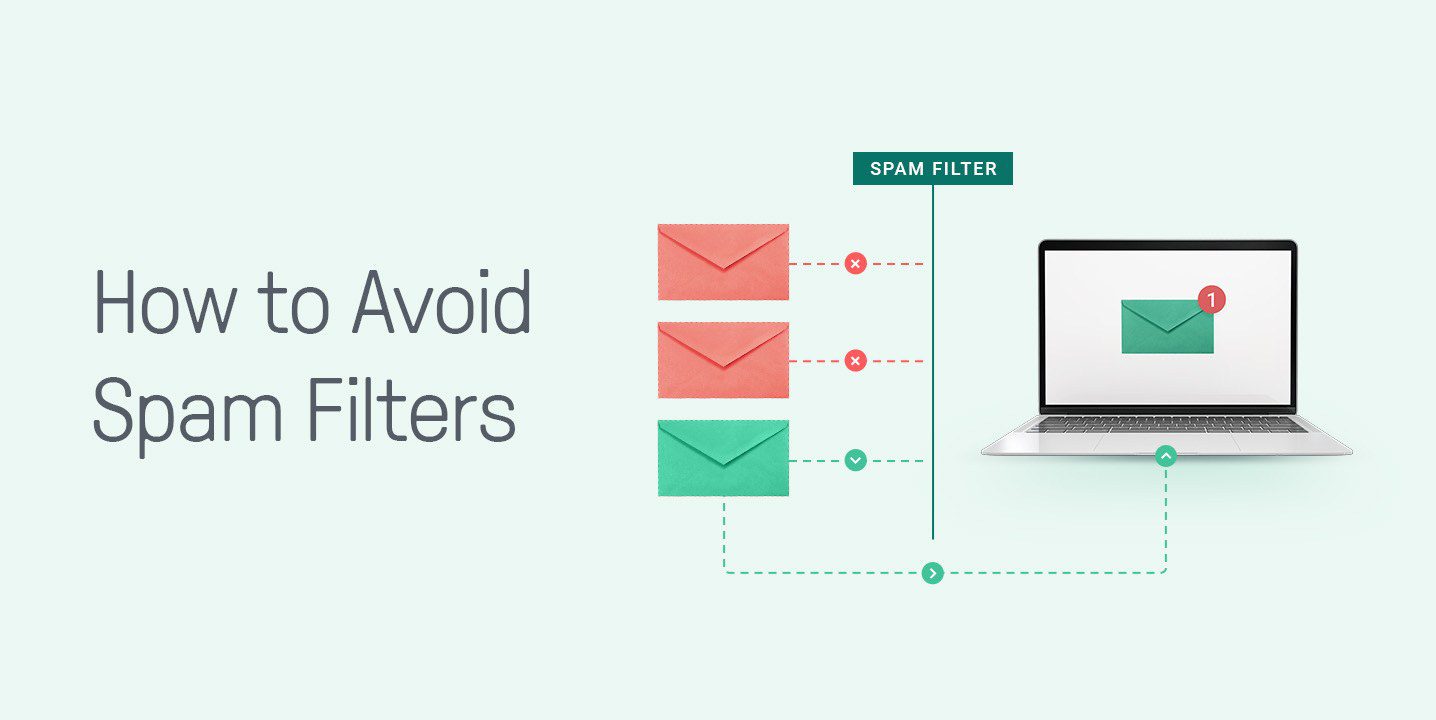
Getting past email spam filters isn’t about finding loopholes or tricks—it’s about proving to mailbox providers that your emails are trustworthy, relevant, and wanted by recipients. Modern email services such as Gmail, Outlook, Yahoo, and Apple Mail use sophisticated filtering systems that evaluate sender reputation, subscriber engagement, authentication records, and content quality before deciding whether an email belongs in the inbox.
The good news is that most deliverability issues can be avoided by following a set of proven best practices. By building trust with both mailbox providers and subscribers, you can significantly improve inbox placement and maximize the performance of your email campaigns.
1. Invest in a Trustworthy Email Platform
The email platform you choose plays a major role in your deliverability success. Reputable email service providers (ESPs) invest heavily in maintaining healthy sending infrastructures, monitoring sender reputation, complying with industry standards, and helping customers follow best practices.
A quality email platform provides:
- Built-in email authentication support
- Deliverability monitoring tools
- Spam testing features
- Bounce management
- Unsubscribe management
- List cleaning capabilities
- Compliance with anti-spam regulations
Reliable providers also maintain strong relationships with major mailbox providers, helping ensure that legitimate emails are delivered successfully.
Low-quality or poorly managed email services may have a history of spam activity associated with their servers. If you send emails through a platform with a poor reputation, your campaigns may face deliverability challenges regardless of the quality of your content.
When evaluating an email platform, consider factors such as deliverability rates, authentication support, analytics, automation capabilities, and compliance features. Choosing the right platform creates a strong foundation for every email campaign you send.
2. Authenticate Your Domain
Email authentication has become one of the most important requirements for inbox placement. Mailbox providers want proof that emails are actually being sent by the domain they claim to represent.
Authentication helps protect recipients from:
- Phishing attacks
- Email spoofing
- Domain impersonation
- Fraudulent email campaigns
The three essential authentication protocols are:
SPF (Sender Policy Framework)
SPF identifies which mail servers are authorized to send emails on behalf of your domain. This prevents unauthorized servers from impersonating your brand.
DKIM (DomainKeys Identified Mail)
DKIM adds a digital signature to outgoing emails, allowing receiving servers to verify that the message has not been altered during transmission.
DMARC (Domain-based Message Authentication, Reporting, and Conformance)
DMARC works alongside SPF and DKIM to provide instructions for handling emails that fail authentication checks. It also gives domain owners valuable reports about authentication activity.
Today, many mailbox providers expect these protocols to be properly configured. In fact, missing authentication records can significantly reduce inbox placement and increase the likelihood of emails being filtered as spam.
Proper authentication not only improves deliverability but also strengthens brand credibility and protects customers from cyber threats that misuse your domain.
3. Send to People Who’ve Given You Consent

One of the fastest ways to damage your sender reputation is to email people who never asked to hear from you.
Permission-based email marketing remains one of the strongest signals of trustworthiness. When subscribers voluntarily join your email list, they are far more likely to:
- Open emails
- Click links
- Reply to messages
- Make purchases
- Engage positively with your content
On the other hand, sending unsolicited emails often leads to:
- Spam complaints
- Low engagement rates
- Higher unsubscribe rates
- Reputation damage
- Deliverability issues
Avoid purchasing email lists, scraping addresses from websites, or adding contacts without explicit permission. While these tactics may temporarily increase list size, they almost always hurt long-term performance.
Instead, focus on attracting subscribers through:
- Website signup forms
- Content downloads
- Newsletters
- Webinars
- Events
- Customer account registrations
A smaller list of engaged subscribers is far more valuable than a large list filled with uninterested recipients.
4. Make Your Opt-In Confirmation Email Count
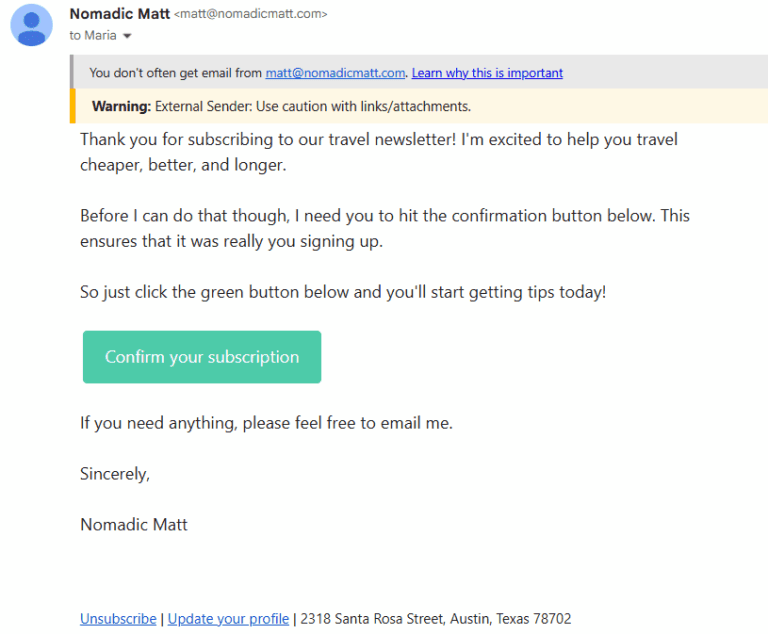
The subscription process doesn’t end when someone enters their email address. The confirmation email is often the first direct interaction subscribers have with your brand, making it a critical step in establishing trust and engagement.
Many marketers use double opt-in, which requires subscribers to confirm their email address before being added to the list. This process offers several benefits:
- Verifies email ownership
- Prevents fake signups
- Reduces spam complaints
- Improves list quality
- Increases engagement rates
Your confirmation email should be simple, clear, and action-oriented.
Best practices include:
- Clearly explaining why the recipient is receiving the email
- Using a visible confirmation button
- Setting expectations for future emails
- Reinforcing the value of subscribing
- Maintaining consistent branding
A well-crafted confirmation email helps establish a positive relationship from the beginning while ensuring that only genuinely interested subscribers join your list.
5. Segment Your Audience to Send Personalized Emails

Modern spam filters pay close attention to recipient engagement. One of the most effective ways to increase engagement is through audience segmentation and personalization.
Segmentation involves dividing subscribers into smaller groups based on specific characteristics such as:
- Demographics
- Purchase history
- Geographic location
- Interests
- Website activity
- Email engagement
- Customer lifecycle stage
Instead of sending identical messages to every subscriber, segmentation allows you to deliver more relevant content to each audience group.
For example:
- New subscribers may receive onboarding emails.
- Existing customers may receive product recommendations.
- Inactive subscribers may receive re-engagement campaigns.
- Frequent buyers may receive loyalty rewards.
Personalized emails typically generate:
- Higher open rates
- More clicks
- Better conversions
- Lower unsubscribe rates
- Stronger customer relationships
Mailbox providers recognize positive engagement patterns. As subscribers interact more frequently with your emails, future messages become more likely to reach the inbox.
In today’s competitive inbox environment, relevance is no longer optional. Personalized communication has become a core component of successful email deliverability strategies.
6. Keep Your Email List Healthy
List hygiene is essential for maintaining a positive sender reputation. Even legitimate email lists can accumulate outdated, inactive, or invalid addresses over time.
Poor list quality creates several problems:
- Higher bounce rates
- Lower engagement rates
- Increased spam complaints
- Reduced sender reputation
- Greater risk of spam filtering
To keep your list healthy, regularly remove:
Invalid Email Addresses
Hard bounces occur when emails are sent to addresses that no longer exist or were entered incorrectly. These addresses should be removed promptly.
Inactive Subscribers
Subscribers who haven’t opened or clicked emails for extended periods may negatively impact engagement metrics.
Consider running re-engagement campaigns before removing inactive contacts from your list.
Duplicate Contacts
Duplicate entries can distort reporting and create a poor subscriber experience.
Spam Traps
Spam traps are email addresses used by organizations to identify senders with poor list management practices. Sending emails to these addresses can severely damage your reputation.
Regular list maintenance helps ensure that your campaigns reach people who genuinely want to receive your emails. This improves both deliverability and overall marketing performance.
7. Write Informative and Clear Subject Lines
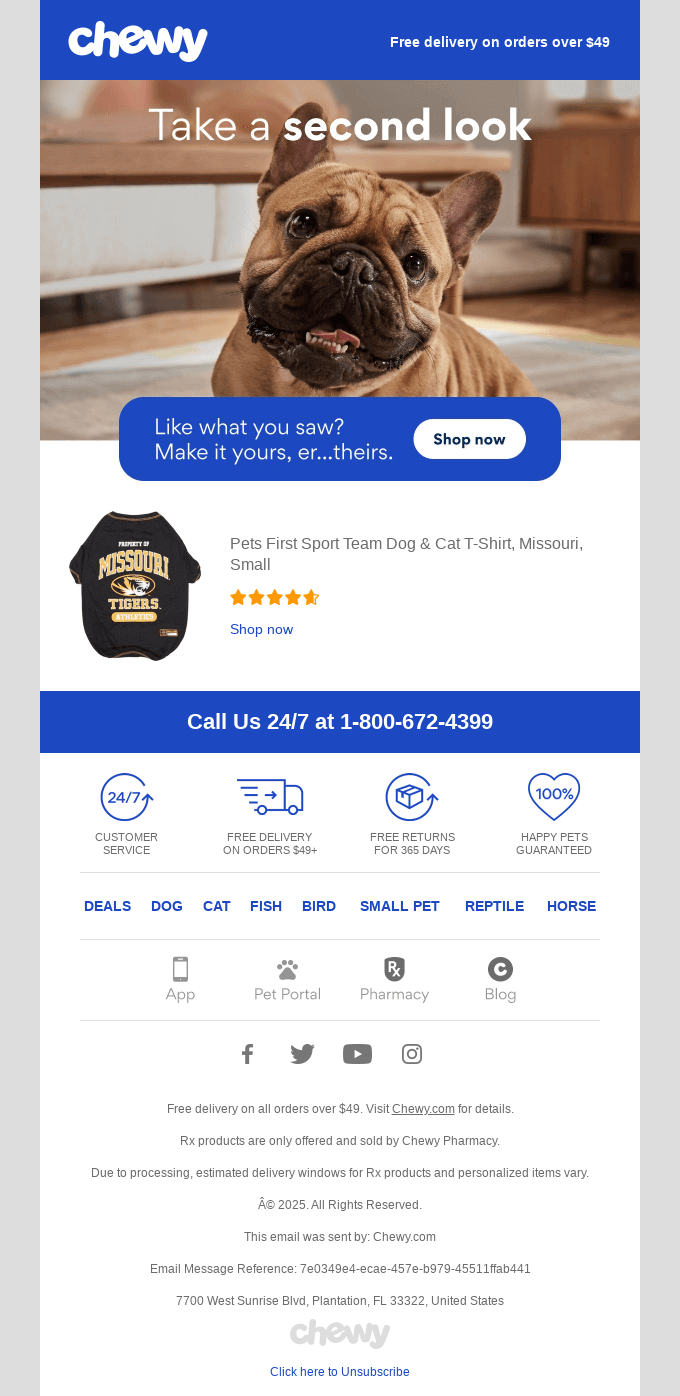
Your subject line is one of the first elements evaluated by both recipients and spam filters. A poorly written subject line can reduce engagement and increase the chances of spam filtering.
The goal is to create subject lines that are:
- Honest
- Relevant
- Specific
- Informative
- Consistent with email content
Strong subject lines set accurate expectations and encourage opens without resorting to manipulative tactics.
Examples of effective subject lines include:
- Your June Account Summary
- New Features Added to Your Dashboard
- 5 Ways to Improve Team Productivity
- Complete Your Registration in One Click
Avoid practices that commonly trigger spam concerns, such as:
- Excessive capitalization
- Multiple exclamation marks
- Misleading claims
- False urgency
- Clickbait language
- Overuse of promotional phrases
For example, subject lines like:
- OPEN NOW!!!
- CLAIM YOUR FREE CASH TODAY
- ACT IMMEDIATELY OR LOSE OUT
may appear suspicious to both recipients and filtering systems.
Additionally, ensure that your subject line accurately reflects the content inside the email. Misleading recipients may generate opens initially, but it often results in complaints, unsubscribes, and long-term reputation damage.
Clear, transparent communication builds trust and contributes to stronger inbox placement over time.
Building Long-Term Deliverability Success
Email deliverability is no longer determined by a single factor. Mailbox providers evaluate your overall sending behavior, reputation, subscriber engagement, authentication setup, and content quality when deciding where your emails belong.
Following these best practices helps establish trust with both recipients and mailbox providers. By using a reputable email platform, authenticating your domain, collecting permission-based subscribers, maintaining a healthy email list, and sending relevant, personalized content, you can consistently improve inbox placement and reduce the risk of spam filtering.
The most successful email marketers focus on creating value for subscribers first. When recipients actively engage with your emails, spam filters receive the strongest possible signal that your messages deserve a place in the inbox.
Other Common Pitfalls to Avoid
Even if you’ve implemented email authentication, maintain a healthy subscriber list, and follow general deliverability best practices, certain mistakes can still trigger spam filters and reduce inbox placement rates. Many of these issues are subtle and often overlooked, but they can have a significant impact on your sender reputation over time.
Understanding and avoiding these common pitfalls can help ensure your emails consistently reach subscribers and generate stronger engagement.
Warm Up Your IP
If you’re sending email from a new dedicated IP address, mailbox providers have little or no history to evaluate. Suddenly sending a large volume of emails from a new IP can appear suspicious and may trigger spam filtering.
IP warming is the process of gradually increasing email volume over time to build trust with mailbox providers.
A typical IP warm-up strategy involves:
- Sending to your most engaged subscribers first
- Starting with small daily volumes
- Increasing volume gradually over several weeks
- Monitoring bounce rates and complaints
- Tracking engagement metrics throughout the process
Mailbox providers want to see consistent and responsible sending behavior. A properly warmed-up IP helps establish a positive reputation and improves long-term deliverability.
Even businesses migrating to a new email service provider should follow a structured warm-up process to avoid sudden reputation issues.
Keep a Consistent Sending Schedule
Consistency is a major factor in email deliverability.
Mailbox providers monitor sending patterns and become familiar with your normal email behavior. If your volume suddenly spikes or drops without explanation, filtering systems may view the activity as unusual.
For example:
- Sending 5,000 emails every week and suddenly sending 500,000 emails overnight can trigger scrutiny.
- Going silent for months and then launching a massive campaign may produce similar concerns.
A consistent sending schedule helps mailbox providers recognize your brand as a legitimate sender.
Best practices include:
- Maintaining predictable sending frequencies
- Avoiding large volume spikes
- Gradually scaling campaigns
- Establishing regular communication patterns
- Creating email calendars for ongoing campaigns
Subscribers also benefit from consistency because they know when to expect your messages, which can improve engagement and reduce spam complaints.
Consider Text-to-Image Ratio
While images can enhance visual appeal, relying too heavily on them can create deliverability challenges.
Historically, spammers often used image-only emails to hide suspicious content from text-based spam filters. As a result, mailbox providers still pay attention to the balance between text and images.
Emails with very little text may:
- Appear less trustworthy
- Be difficult for spam filters to evaluate
- Create accessibility challenges
- Load poorly on some devices
A healthy text-to-image ratio helps mailbox providers understand the purpose and relevance of your email.
To maintain balance:
- Include meaningful text alongside images
- Use descriptive image alt text
- Avoid image-only promotional emails
- Ensure key messages remain readable even if images fail to load
- Prioritize valuable content over excessive graphics
Well-balanced emails not only improve deliverability but also create a better experience for recipients.
Sound Confident
The language you use can influence how both subscribers and spam filters perceive your emails.
Overly aggressive sales language, exaggerated promises, and misleading claims often resemble tactics commonly used by spammers.
Examples of problematic phrases include:
- Guaranteed results
- Risk-free profits
- Instant wealth
- Act immediately
- Once-in-a-lifetime offer
- 100% free with no strings attached
While individual words rarely trigger spam filters on their own, excessive use of promotional language can contribute to a negative assessment when combined with other risk factors.
Instead, focus on writing clear, professional, and informative copy.
Confident communication means:
- Being honest about your offer
- Setting realistic expectations
- Providing accurate information
- Demonstrating expertise
- Prioritizing value over hype
Trustworthy messaging encourages engagement and helps strengthen your sender reputation over time.
Keep Formatting Clean
Poor formatting can negatively affect both deliverability and user experience.
Emails filled with excessive styling, inconsistent fonts, cluttered layouts, and broken design elements may appear suspicious or unprofessional.
Clean formatting improves readability and helps mailbox providers properly analyze your content.
To maintain professional formatting:
- Use a logical content structure
- Break text into short paragraphs
- Utilize headings and subheadings
- Maintain consistent font styles
- Ensure mobile responsiveness
- Leave adequate white space
- Avoid excessive capitalization and punctuation
Well-organized emails are easier for recipients to read and more likely to generate positive engagement signals.
Use Links Wisely
Links are essential for email marketing, but excessive or suspicious linking practices can harm deliverability.
Spam filters carefully evaluate:
- Number of links
- Destination domains
- URL reputation
- Link consistency
- Redirect behavior
Common mistakes include:
- Including too many links
- Using shortened URLs excessively
- Linking to low-quality websites
- Mixing multiple unrelated domains
- Using misleading anchor text
Instead, focus on quality over quantity.
Best practices include:
- Linking only to trusted destinations
- Using branded domains whenever possible
- Ensuring all links function properly
- Keeping calls-to-action relevant
- Limiting unnecessary hyperlinks
Every link should support the purpose of the email and provide value to the recipient.
Send From a Reply-To Address
Many legitimate businesses overlook the importance of two-way communication.
Using a “no-reply” email address can create a negative user experience because subscribers cannot respond directly to your messages.
Examples include:
Mailbox providers increasingly value engagement signals such as replies because they indicate recipients are interacting with the sender.
Using a monitored reply-to address offers several advantages:
- Encourages customer communication
- Increases trust
- Supports positive engagement signals
- Provides valuable feedback opportunities
- Creates a more human brand experience
Whenever possible, use a reply-to address that is actively monitored by your team.
This simple adjustment can contribute to stronger subscriber relationships and improved deliverability.
Avoid Attachments
Attachments can trigger additional scrutiny from spam filters because they are commonly used to distribute malware, phishing content, and malicious software.
While attachments are not automatically blocked, they can increase risk—particularly when:
- Sending to new subscribers
- Using unfamiliar domains
- Delivering large files
- Sending high volumes of email
Instead of attaching files directly, consider:
- Hosting files on your website
- Using secure download links
- Linking to cloud storage resources
- Directing users to landing pages
This approach reduces email size, improves deliverability, and creates a smoother user experience.
When attachments are absolutely necessary, ensure they come from trusted domains and clearly explain their purpose within the email.
Test and Preview Your Content
Even well-designed campaigns can contain errors that affect deliverability.
Before launching any campaign, thoroughly test your email across different devices, browsers, and email clients.
Testing helps identify:
- Broken links
- Formatting issues
- Rendering problems
- Mobile display errors
- Missing images
- Authentication issues
- Spam filter warnings
Many email marketing platforms offer inbox previews and spam testing tools that help detect potential deliverability concerns before sending.
A comprehensive testing process should include:
- Reviewing subject lines
- Checking personalization fields
- Verifying links
- Testing mobile responsiveness
- Previewing across major email clients
- Sending internal test emails
Taking a few extra minutes to test every campaign can prevent costly mistakes and improve overall performance.
Turn Spam Filters Into Your Inbox Advantage
Email spam filters aren’t designed to work against legitimate senders—they exist to protect users from unwanted, deceptive, and harmful messages. Their purpose is to create a safer email environment where businesses can build genuine relationships with subscribers through relevant and trustworthy communication.
Instead of looking for ways to outsmart spam filters, focus on aligning your email strategy with the standards they promote. While some deliverability best practices may seem technical or time-intensive at first, they ultimately help you create better email experiences and stronger subscriber engagement.
One of the easiest ways to stay on the right track is by using a reliable email marketing platform that supports high deliverability, proper authentication, list management, and compliance with industry best practices. These tools simplify many of the processes required to build and maintain a positive sender reputation.
At its core, successful email deliverability comes down to following proven email marketing principles: sending relevant content, respecting subscriber preferences, maintaining a healthy list, and communicating consistently. Mailbox providers reward senders who prioritize these practices because they reflect what recipients want.
When you put your audience first and focus on delivering value with every message, spam filters become less of an obstacle and more of an ally. Create emails that inform, engage, and help your subscribers, and you’ll be far more likely to earn a place in the inbox—and build lasting customer relationships along the way.
FAQs
1. What are email spam filters?
Email spam filters are automated systems that analyze incoming emails and determine whether they should be delivered to the inbox, sent to a promotions tab, or placed in the spam folder. These filters evaluate factors such as sender reputation, email content, authentication records, engagement history, links, attachments, and sending behavior to protect users from unwanted or malicious messages.
Modern spam filters use advanced algorithms and machine learning technologies to identify suspicious activity while allowing legitimate emails to reach recipients safely.
2. Why are spam filters important?
Spam filters play a critical role in protecting users from phishing attacks, malware, scams, and unsolicited emails. Without them, inboxes would be overwhelmed with harmful and irrelevant messages.
For businesses, understanding how spam filters work is equally important because it directly affects email deliverability. Following spam filter best practices helps legitimate senders build trust with mailbox providers, improve inbox placement, increase engagement, and maximize the effectiveness of email marketing campaigns.
3. Is using shared email addresses a potential spam risk?
Using shared email infrastructure is not inherently risky, but it can affect deliverability if other senders sharing the same environment engage in poor sending practices.
With shared IP addresses, your reputation may be influenced by the behavior of other users on the platform. This is why choosing a reputable email service provider is essential.
Many established email platforms actively monitor their shared sending environments and enforce strict anti-spam policies to protect overall reputation. Businesses with large sending volumes may also consider dedicated IP addresses, which provide greater control over sender reputation and deliverability performance.
Regardless of whether you use a shared or dedicated IP, maintaining good list hygiene, strong authentication, and high engagement levels remains the most important factor for long-term inbox success.
Read More: Outlook vs Office 365 Deliverability: How Microsoft Filters Your Emails [2026]