In 2026, ecommerce email marketing automation is no longer a “nice-to-have” tactic — it’s a core revenue driver for online stores of all sizes. Unlike traditional email campaigns, which are broadcast to a broad audience at set dates and times, automated emails are triggered by specific customer behaviors and lifecycle moments. This makes them far more relevant, timely, and impactful — driving engagement, conversions, and long-term loyalty without manual effort on every message.
Today’s leading ecommerce brands rely on automation to send the right message at the right moment, using intelligence from first-party customer data, browsing patterns, purchase history, and even predictive behavior. With the help of modern tools — many of which incorporate AI for dynamic personalization and optimization — automated flows can outperform traditional campaigns by significant margins in open rates, click-throughs, and revenue contribution.
This trend isn’t just theory — data from industry benchmarks shows that automated emails often generate a disproportionately large share of email-driven revenue, despite representing a small fraction of total sends. That’s because automation captures high-intent moments in the customer journey when people are most likely to engage and buy.
What is Email Marketing Automation for Ecommerce?
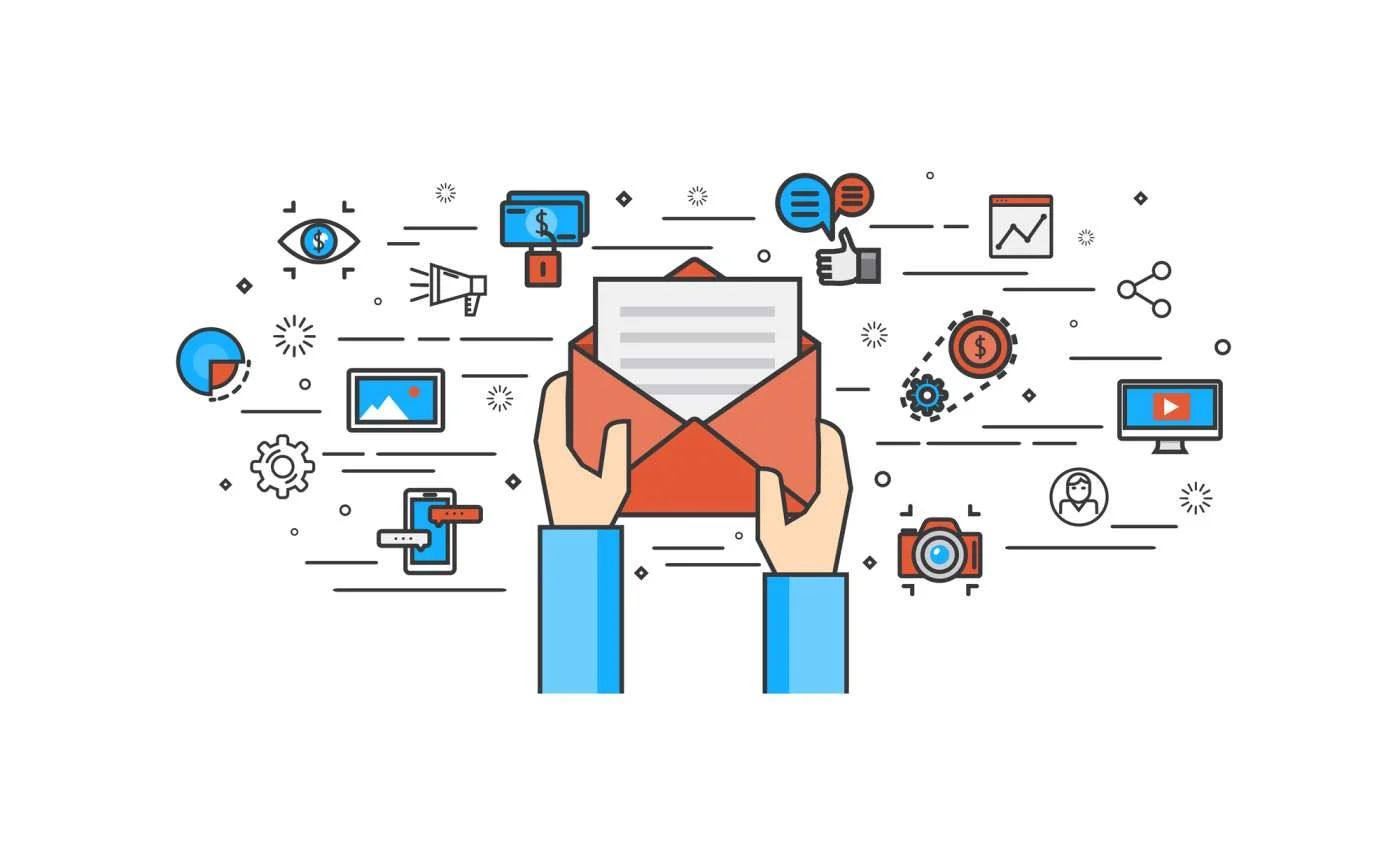
Email marketing automation for ecommerce refers to using software to send targeted email messages automatically based on predefined triggers, customer actions, or behavior patterns — without manually crafting and sending each email.
While a traditional email campaign might involve scheduling a promotional newsletter once a week, automated flows are built around customer interactions and life cycle events. For example:
-
A shopper signs up for a newsletter → receives a welcome email.
-
A visitor adds items to cart but doesn’t buy → receives a cart recovery message.
-
A customer completes a purchase → gets shipping details and follow-up offers.
Each of these interactions can be mapped to a trigger — an action or condition that tells your automation system when and what to send. Once set up, these workflows run 24/7 without ongoing manual effort.
How Email Automation Works
At its core, ecommerce email automation involves three key components:
-
Triggers
These are specific events that start an automated workflow — like signing up, browsing products, abandoning carts, making purchases, or even reaching a special date like a birthday. -
Rules and Logic
Automation tools use if/then logic and segmentation to decide which emails to send, to whom, and when. For example, if a customer hasn’t opened emails in 60 days, they might receive a re-engagement sequence. -
Dynamic Content & Personalization
Modern tools can insert personalized product recommendations, customer names, browsing history, or even predicted interests directly into the email content, making every message feel tailored to the recipient.
Why It’s Different from Traditional Email Campaigns
Traditional email campaigns are usually one-off messages sent to a large list at a scheduled time (e.g., “Summer Sale Now On!”). In contrast, email automation:
-
Responds to individual customer behavior in real time.
-
Delivers messages when they’re most relevant — like right after a cart is abandoned.
-
Creates ongoing journeys, not isolated blasts.
-
Scales automatically — handling thousands of customized messages without extra work.
The Role of AI and Data in 2026
In 2026, email automation is smarter than ever. Advanced platforms leverage AI and machine learning to:
-
Predict the optimal time to send each email for maximum engagement.
-
Personalize both subject lines and email content based on behavioral data.
-
Adjust the frequency and tone of messaging for different segments or individual customers.
-
Combine real-time signals like purchase intent, browsing patterns, and even weather or location data to refine message relevance.
As a result, today’s automated emails don’t just react to what a customer did — they anticipate what a customer might do next, making your messaging smarter and more effective.
What Are the Benefits of Ecommerce Email Automation?
Ecommerce email automation delivers far more than convenience. When implemented correctly, it becomes a scalable growth engine that improves customer experience, increases revenue, and reduces operational workload. Below are the key benefits that make email automation essential for modern ecommerce businesses in 2026.
More Personalized Content
One of the biggest advantages of ecommerce email automation is the ability to deliver highly personalized content at scale. Instead of sending the same message to every subscriber, automation allows brands to tailor emails based on individual customer data such as browsing behavior, purchase history, location, engagement level, and lifecycle stage.
For example, a first-time visitor might receive educational welcome emails, while a returning customer sees product recommendations based on previous purchases. Automation tools can dynamically insert product images, prices, and recommendations that align with each recipient’s interests, making emails feel relevant rather than generic.
In 2026, personalization goes beyond using a customer’s name. Advanced automation enables:
-
Behavior-based recommendations (recently viewed or similar products)
-
Personalized timing based on when a user is most likely to open emails
-
Contextual messaging aligned with where the customer is in the buying journey
This level of personalization increases open rates, click-through rates, and conversions because customers receive messages that genuinely match their needs and intent.
Fewer Repetitive Tasks
Email automation significantly reduces the need for manual, repetitive work that often slows down ecommerce teams. Instead of repeatedly creating and sending routine emails—such as welcome messages, order confirmations, or follow-ups—these processes are automated once and run continuously in the background.
Once workflows are set up, emails are triggered automatically by customer actions, saving hours of manual effort each week. This allows marketing teams to:
-
Focus on strategy, creative optimization, and growth initiatives
-
Maintain consistent communication without constant oversight
-
Scale email marketing without increasing team size
Automation also reduces the risk of human error, such as missed follow-ups or delayed messages. Customers receive timely, consistent communication whether your store processes 10 orders a day or 10,000.
Improved Customer Insights for Upselling and Cross-Selling
Ecommerce email automation tools provide deep insights into customer behavior, which can be used to drive smarter upselling and cross-selling strategies. By tracking how customers interact with emails, products, and your website, automation platforms help identify buying patterns and preferences.
These insights allow businesses to:
-
Recommend complementary or higher-value products after a purchase
-
Trigger follow-up emails based on specific product interactions
-
Identify high-value customers and tailor premium offers accordingly
For instance, if a customer purchases a skincare product, automation can trigger a follow-up email suggesting related items like refills, accessories, or premium upgrades. Similarly, repeat buyers can be segmented into loyalty or VIP flows that promote exclusive products or bundles.
Over time, this data-driven approach improves average order value and customer lifetime value—without relying on aggressive or intrusive sales tactics. Instead, recommendations feel natural and helpful, strengthening customer trust and long-term engagement.
Best Ecommerce Email Marketing Workflows
In ecommerce email marketing, automation workflows are the backbone of a high-performing strategy. These flows don’t just deliver messages — they respond to customer behaviors and lifecycle triggers, turning passive subscribers into active buyers and long-term loyal customers. An effectively built set of email workflows can drive higher engagement, increased conversions, greater average order value, and improved customer retention — all without continual manual effort.
Below, we dive into the 11 most impactful ecommerce email automation workflows you should consider implementing in 2026, how they work, and why they matter.
1. Welcome Series
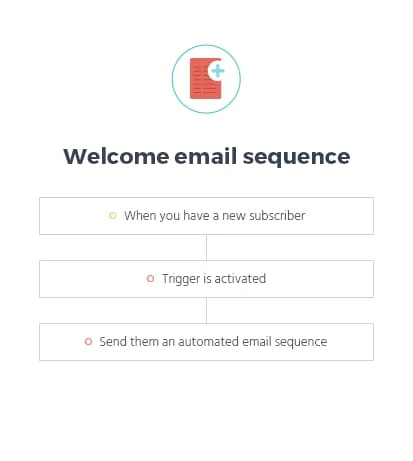
A welcome email series is the first automated email sequence that new subscribers receive after signing up. This flow sets the tone for your brand and establishes expectations for what subscribers will receive from you. It’s one of the most valuable email automations because it engages customers while their interest is at its highest.
A typical welcome series will:
-
Say hello and thank the subscriber for joining.
-
Introduce your brand mission and highlight your unique value.
-
Share best-selling products or popular categories.
-
Offer a first-purchase incentive (e.g., discount or free shipping).
-
Optionally present social proof like testimonials or reviews.
The key is to welcome without overwhelming. Send the first email immediately (or within minutes) and follow up with 1–2 additional emails spaced over the next few days to build rapport and begin driving action.
Check out the example below of an automated welcome email sequence:
2. Abandoned Cart Reminders
Abandoned cart emails are among the most revenue-generating automation flows for ecommerce brands because they rescue sales that were very close to completing. Research shows upwards of 70% of shopping carts are abandoned before purchase.
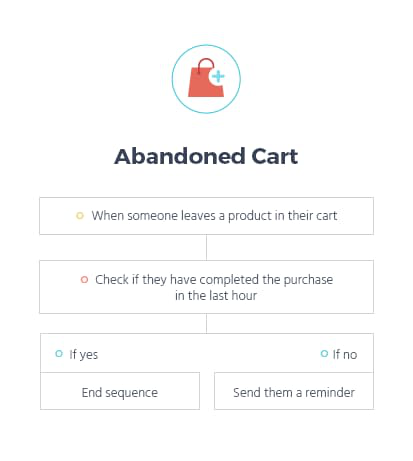
A well-structured abandoned cart sequence typically includes:
-
Email 1 (within a few hours): A friendly reminder showing the product(s) left behind.
-
Email 2 (24 hours later): Adds a sense of urgency or highlights benefits.
-
Email 3 (48–72 hours): Optionally offers an incentive like a discount or free shipping.
Personalizing these emails with images of the specific products left behind and a direct link back to checkout reduces friction and significantly improves conversion chances.
Here’s an example of an abandoned cart email sequence:
3. Order & Shipping Confirmations
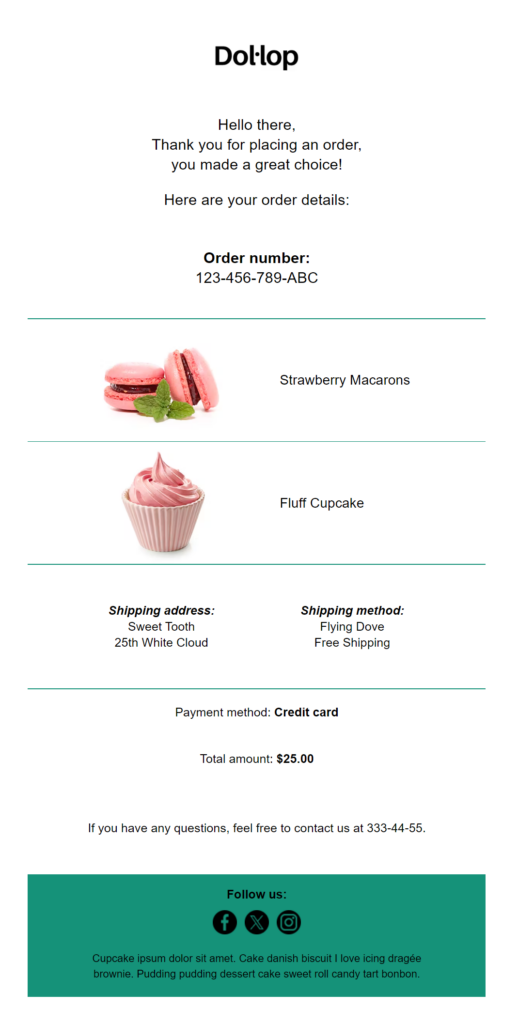
Transactional emails like order confirmations and shipping updates may not seem glamorous, but they are critical touchpoints for building trust. These are triggered automatically when a purchase is made and when the order’s status changes — such as “order confirmed” and “your order has shipped.”
These messages:
-
Confirm the customer’s purchase was successful.
-
Provide delivery details and tracking information.
-
Reduce post-purchase anxiety and decrease support inquiries.
-
Offer opportunities to include product care tips or upsell complementary products.
Because these emails contain essential information, they typically see much higher open rates than newsletters or promotional emails.
Here’s a pre-made template you can use to save time:
4. Win-Back Emails
A win-back email sequence targets customers who have purchased before but haven’t engaged or bought again in a specified period (often 60–90 days). These flows aim to reignite interest, remind customers why they loved your brand, and encourage them to return.
A win-back campaign might include:
-
A friendly “We miss you!” message.
-
Personalized product recommendations based on past purchases.
-
An exclusive offer or incentive to encourage the next purchase.
Because re-engaging existing customers is typically cheaper than acquiring new ones, win-back flows are a cost-efficient revenue driver and a key component of lifecycle marketing.
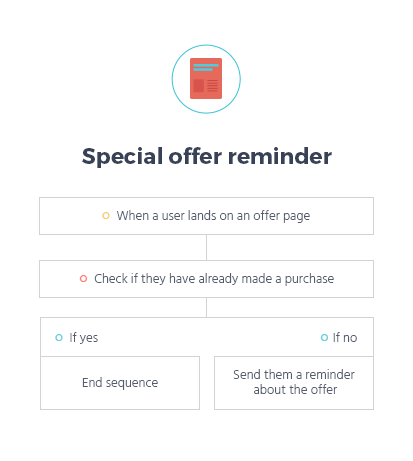
Here’s a special offer reminder recipe example:
5. Post-Purchase Feedback Requests
Once a customer receives their order, a post-purchase feedback email goes out to gather product reviews and user-generated content (UGC). This workflow usually triggers a few days after the product is delivered, giving the customer time to use it.
These emails ask customers to:
-
Leave a product rating or written review.
-
Upload a photo or video of the product.
-
Share feedback directly with your brand.
Reviews and UGC are powerful social proof tools that can boost future conversions. By automating review requests, you ensure consistent review generation without manual follow-ups.
6. Replenishment Reminders
For products that are consumable or have a predictable buying cycle — like beauty supplies, pet food, supplements, or household essentials — replenishment reminders are incredibly effective.
This workflow sends an automated reminder around the time a customer is likely running low on a product based on historical purchase data. For example:
-
“Your shampoo supply might be low — restock now!”
-
“Time to reorder your favorite pet treats!”
These timely reminders can increase repeat purchases and improve customer retention by meeting your buyers’ needs before they even think to reorder.
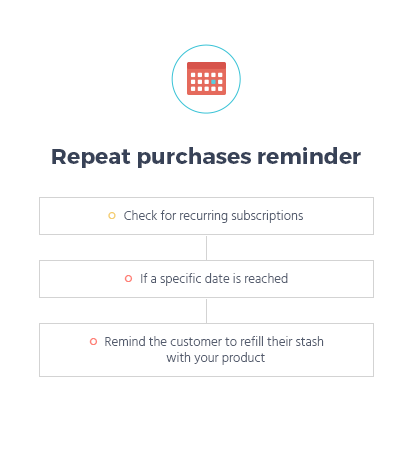
Check out this example of a repeat purchase reminder sequence:
7. Personalized Product Recommendations
One of the most advanced email automation strategies is sending personalized product recommendation emails. These use customer behavior, browsing patterns, and purchase history to propose highly relevant products.
Examples include:
-
“People who bought X also loved…”
-
“Recommended just for you based on your browsing.”
-
“Complete the set with these matching items.”
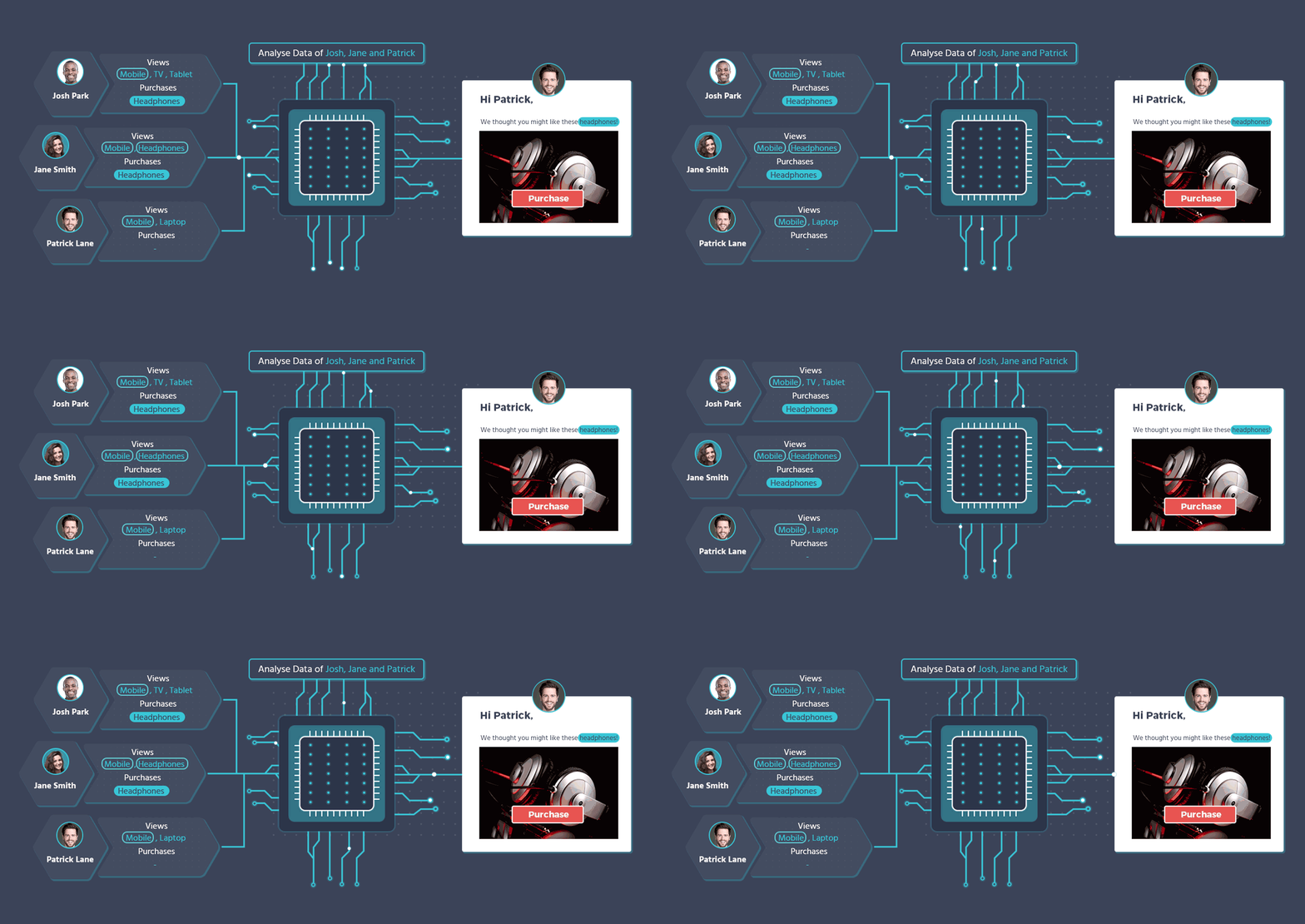
Automation platforms in 2026 use machine learning to pick products that a specific customer is most likely to buy, resulting in higher click-through rates and increased average order values.
8. Birthday & Anniversary Emails
Birthday and anniversary emails build emotional connection and reward loyalty. These are simple to set up but highly effective because they target special life moments.
Typical elements of these emails include:
-
A celebratory message.
-
A personalized discount or offer.
-
Suggestions for products that feel like gifts.
Sending these messages makes customers feel appreciated and valued, encouraging them to make a purchase tied to a personal occasion — often with higher lifetime value potential.
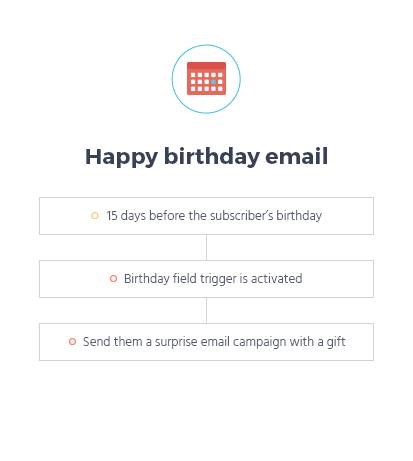
Here’s a simple birthday email sequence to do so:
9. Price Drop & Inventory Alerts
Customers often hesitate to buy a product they want because they’re unsure if a better price is coming or the item will stay in stock. Price drop and inventory alert emails capitalize on this by notifying interested subscribers when:
-
An item they viewed or wish-listed drops in price.
-
A previously sold-out item is back in stock.
Because these messages are triggered by high-intent behaviors, they enjoy superior engagement and conversion rates compared to general promotional emails. It’s a strategic way to capture buyers when their interest peaks.
10. Website Abandonment Emails
Website abandonment emails are similar to abandoned cart messages but target visitors who browsed your site or specific product pages without adding anything to their cart. This “browse abandonment” flow captures early-stage interest and nudges curious shoppers toward conversion.
A typical browse abandonment sequence:
-
Sends within hours after a user leaves.
-
Highlights the product(s) they viewed.
-
Includes helpful content or related product suggestions.
Because these shoppers showed interest but didn’t move toward checkout, this workflow helps pull them further down the purchase funnel — often at a lower cost than acquisition ads.
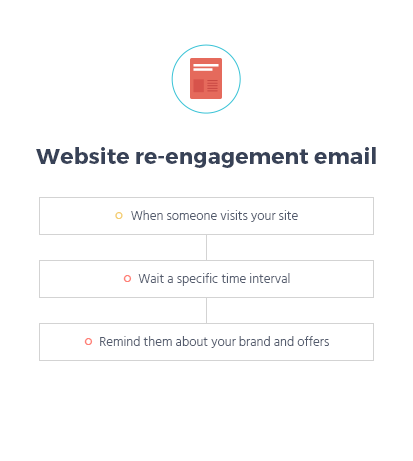
Here’s a simple website re-engagement series:
11. Weather-Based Recommendations
An emerging trend in personalized ecommerce workflows is weather-based recommendation emails. These use location-specific weather data to suggest products that match current conditions.
Examples include:
-
Suggesting rain gear when it’s forecasted to rain.
-
Promoting summer accessories during heat waves.
-
Recommending cozy winter apparel when temperatures drop.
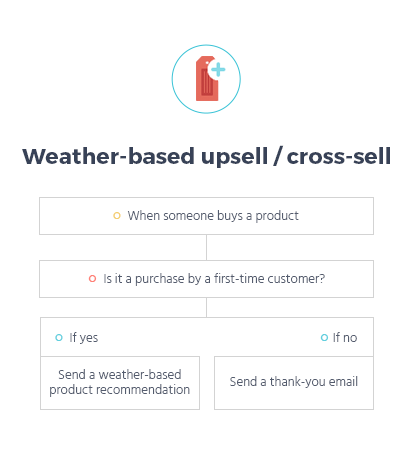
Integrating real-time data into emails increases relevance and offers value that feels intuitively helpful rather than purely promotional. This cutting-edge automation adds a contextual layer of personalization that resonates with subscriber lifestyles.
Ecommerce email automation workflows help you meet customers where they are in their journey — from the first interaction to repeat purchases and loyalty. When thoughtfully planned and implemented, each workflow works in harmony to capture more revenue, deepen engagement, and reduce manual effort.
How to Set Up Email Marketing Automation Flows for Your Ecommerce Business
Setting up email marketing automation for an ecommerce business is not just about turning on a few prebuilt workflows. To get real, measurable results in 2026, automation needs to be strategic, customer-centric, and continuously optimized. Below is a step-by-step breakdown of how to build effective automation flows that align with your business goals and customer journey.
1. Define Your Goals and Target Audience
Every successful email automation strategy starts with clarity. Before building any flow, you need to define what you want to achieve and who you are trying to reach.
Define Clear Business Goals
Your automation goals should directly support your ecommerce objectives. Common goals include:
-
Increasing first-time purchases
-
Reducing cart abandonment
-
Boosting repeat purchases
-
Improving customer retention
-
Increasing average order value
-
Re-engaging inactive subscribers
Each automation flow should focus on one primary goal. For example, a welcome series aims to convert new subscribers, while a win-back flow focuses on reactivating inactive customers.
Identify and Segment Your Audience
Once goals are defined, segment your audience based on meaningful data points such as:
-
New subscribers vs. returning customers
-
First-time buyers vs. repeat buyers
-
High-value customers vs. occasional shoppers
-
Active vs. disengaged subscribers
-
Product interest or browsing behavior
Segmentation ensures that your automation messages are relevant and timely. Sending the same message to everyone weakens impact, while targeted messaging improves engagement and conversion rates.
2. Choose Your Email Marketing Automation Platform
Your automation strategy is only as strong as the platform supporting it. The right email marketing automation tool should match your business size, technical needs, and growth plans.
Key Capabilities to Look For
When choosing a platform, prioritize features that support ecommerce-specific automation, such as:
-
Native ecommerce integrations (store, checkout, product catalog)
-
Behavior-based triggers (cart abandonment, browsing activity, purchases)
-
Visual automation workflow builder
-
Advanced segmentation and tagging
-
Dynamic content and personalization
-
Real-time analytics and reporting
-
Scalability as your list and revenue grow
In 2026, leading platforms also offer AI-powered recommendations, predictive send-time optimization, and automated product suggestions, which significantly improve automation performance.
Consider Ease of Use and Support
Automation should save time, not create complexity. Look for a platform that:
-
Is intuitive to set up and manage
-
Offers prebuilt ecommerce workflows
-
Provides documentation, tutorials, and responsive support
A tool that fits your workflow will help you launch faster and optimize more effectively.
3. Build Your First Automation Flow
Once your goals and platform are in place, it’s time to build your first automation flow. Start simple, then expand as you gain confidence and data.
Start with High-Impact Flows
For most ecommerce businesses, the best first automation flows are:
-
Welcome series
-
Abandoned cart reminders
-
Order and shipping confirmations
These flows target customers at high-intent moments and typically deliver quick results.
Define Triggers and Conditions
Each automation flow starts with a trigger, such as:
-
Email signup
-
Product added to cart
-
Purchase completed
-
No activity for a defined period
Next, apply conditions and logic to control who receives what. For example:
-
Only send a discount if the cart value exceeds a certain amount
-
Exclude customers who already purchased
-
Change messaging based on product category or customer status
This logic ensures messages remain relevant and avoids over-communication.
Create Personalized Email Content
Automation emails should feel human, not robotic. Use personalization techniques such as:
-
Customer names
-
Product images and details
-
Purchase or browsing history
-
Location or lifecycle stage
Each email should have one clear purpose and a strong call to action, guiding customers naturally toward the next step in their journey.
4. Track and Analyze Your Results
Email automation is not a “set it and forget it” strategy. Ongoing performance tracking is essential to understand what’s working and where improvements are needed.
Key Metrics to Monitor
Focus on metrics that align with your automation goals, including:
-
Open rate (email relevance and subject line effectiveness)
-
Click-through rate (content and CTA performance)
-
Conversion rate (actual revenue impact)
-
Revenue per email
-
Unsubscribe and spam complaint rates
-
Flow-level performance (not just campaign-level)
Automation flows often outperform one-off campaigns, but only when they’re closely monitored and adjusted based on real data.
Analyze Behavior Across the Customer Journey
Go beyond individual email performance and analyze how customers move through your automation flows:
-
Where do users drop off?
-
Which emails drive the most conversions?
-
How long does it take customers to convert after entering a flow?
These insights help refine timing, messaging, and sequencing to improve results over time.
5. Test and Refine Your Flows
The most successful ecommerce brands treat email automation as an evolving system. Continuous testing and refinement are what turn good workflows into high-performing revenue engines.
Run A/B Tests Regularly
Test different elements within your automation flows, such as:
-
Subject lines
-
Send timing and delays
-
Email copy and tone
-
CTA placement and wording
-
Incentives (discount vs. free shipping)
Even small changes can lead to meaningful performance improvements when scaled across thousands of automated sends.
Optimize Timing and Frequency
Sending too many emails can cause fatigue, while sending too few can leave revenue on the table. Use performance data to:
-
Adjust delays between emails
-
Limit how often subscribers enter multiple flows
-
Suppress disengaged users from certain automations
Smart frequency management keeps your brand helpful rather than intrusive.
Refine Based on Customer Behavior
As your business grows, customer behavior evolves. Regularly review segmentation rules and triggers to ensure they still reflect real-world buying patterns. Update product recommendations, messaging, and offers to stay aligned with customer expectations.
Top Ecommerce Email Marketing Automation Tools to Consider
When choosing an email marketing automation tool for your ecommerce business in 2026, you want solutions that balance functionality, ease of use, and pricing. Below is a detailed breakdown of three powerful options — Teno Mail, Klaviyo, and Moosend — including what they do best, their key features, pros and cons, and exact pricing so you can make an informed decision.
1. Teno Mail
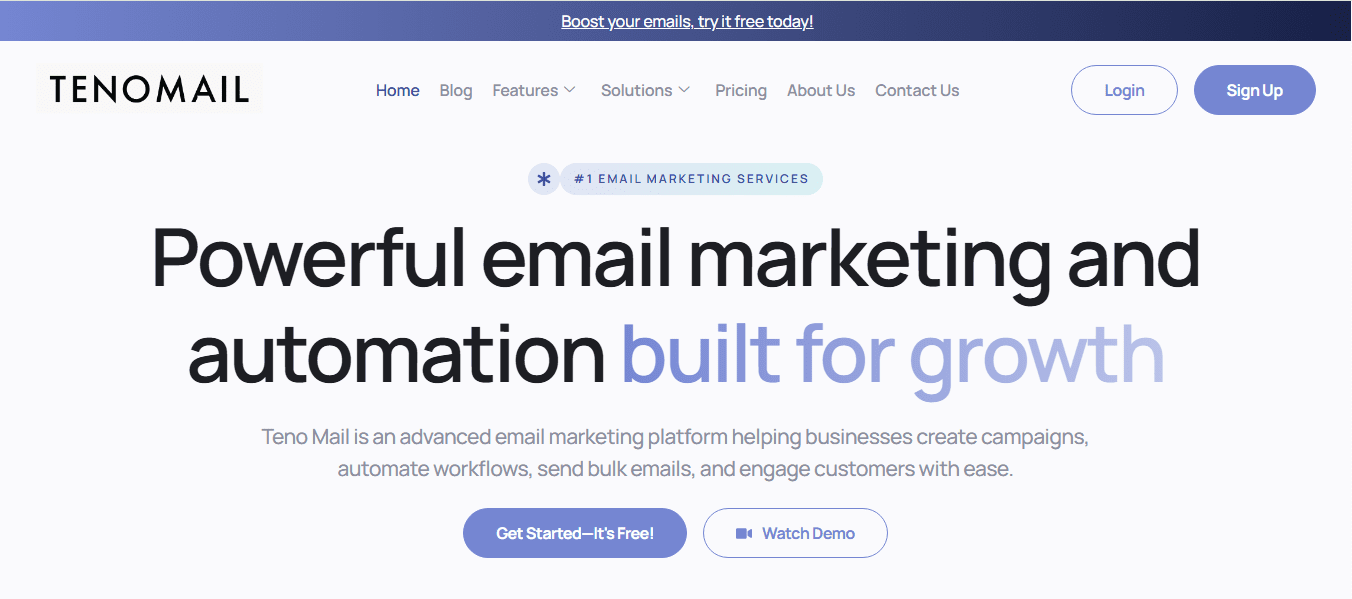
Teno Mail is an all-in-one email marketing and automation platform designed to help businesses manage campaigns, build automated workflows, and engage customers effectively. It offers tools for creating targeted email campaigns, automations, analytics and reports, and seamless integration with SMTP providers for scalable email delivery. The platform appeals to startups, growing businesses, and high-volume email senders who want both flexibility and control in their marketing automation setup.
Best Features
-
Email Campaigns & Automation: Build and schedule campaigns with trigger-based automation to send messages at the right moment.
-
Drag-and-Drop Newsletter Builder: Create professional newsletters without coding knowledge.
-
Bulk Email Sending: High-volume send capacity with optimized delivery and performance.
-
Analytics & Reporting: Real-time campaign insights to help optimize future automation flows.
-
Integration Capabilities: Seamless integrations with ecommerce platforms (Shopify, WooCommerce, Magento, BigCommerce) and CRM systems for rich automation triggers.
Pros
-
Easy to use with intuitive email editors and automation interfaces.
-
Flexible plans including a free tier for small lists and testing.
-
Robust SMTP integration for reliable deliverability and inbox performance.
-
Scalable from small businesses to enterprise needs.
Cons
-
Less brand recognition and ecosystem compared to older, larger competitors.
-
Advanced enterprise-level marketing features (like deep predictive analytics) may be limited compared to top-tier platforms.
Pricing
Teno Mail offers multiple subscription tiers based on business scale:
-
Free – $0/month: Includes 5,000 email credits, core campaign tools, basic analytics, and SMTP setup — ideal for small businesses or individuals just starting.
-
Standard – $250/month: Unlimited email sending credits, use of your own SMTP, advanced statistics, and multi-campaign management — best for growing businesses.
-
Premium – $895/month: Includes built-in SMTP, priority delivery optimization, advanced automation, and detailed analytics — perfect for professional marketers and larger teams.
-
Custom Plan: Tailored features, SMTP configurations, account support, and high-volume email capabilities — suited for enterprise needs. Pricing is custom based on requirements.
2. Klaviyo
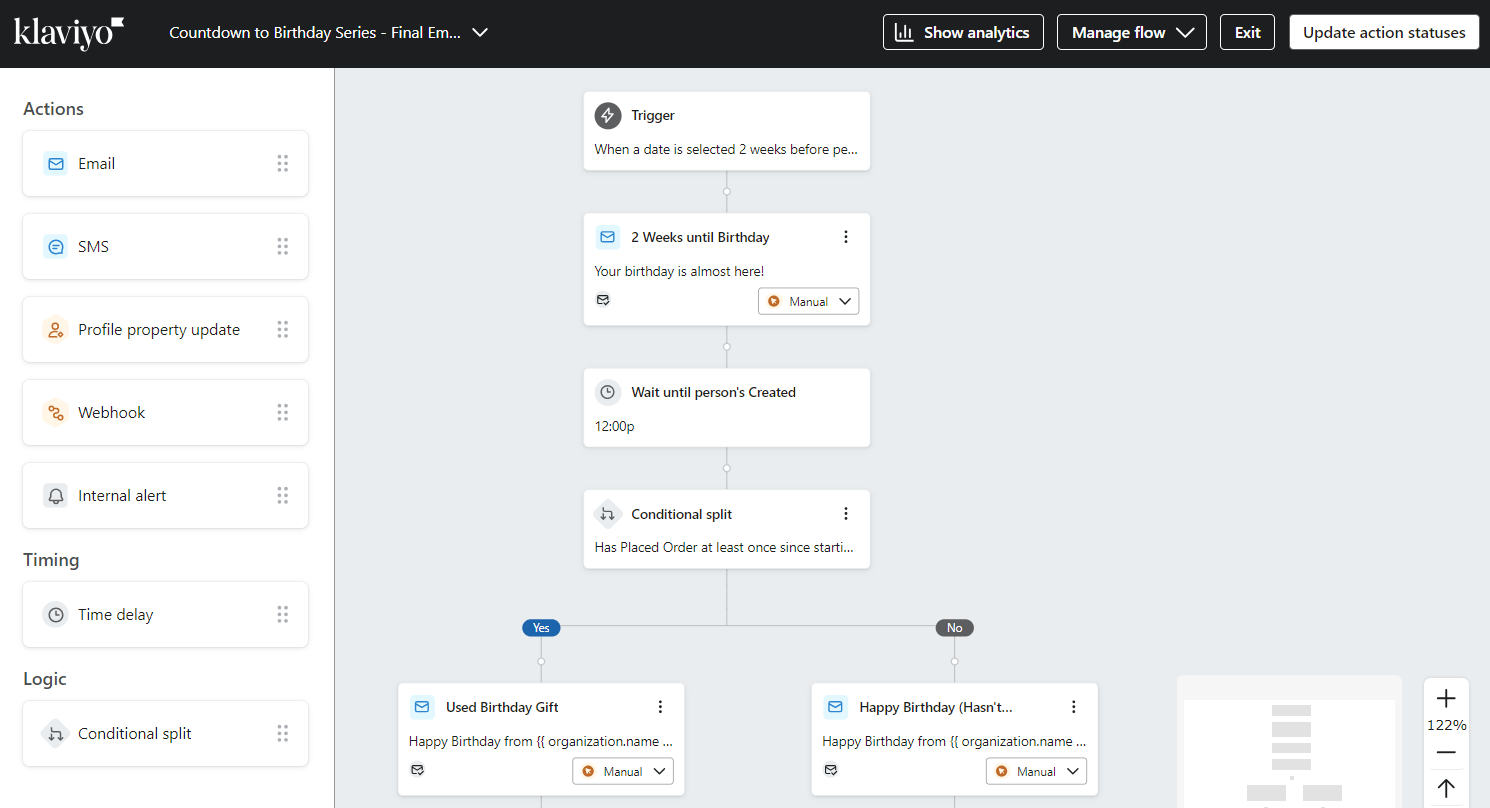
Klaviyo is one of the most powerful and widely used email and marketing automation platforms for ecommerce brands. It’s designed to help businesses leverage customer data to deliver highly personalized experiences via email and SMS. With tight integrations to major ecommerce platforms like Shopify and WooCommerce, Klaviyo makes it easy to build advanced automation flows triggered by customer behavior, lifecycle stages, and purchase patterns.
Best Features
-
Deep Ecommerce Integration: Native connectors to Shopify, BigCommerce, Magento, and more.
-
Advanced Segmentation: Real-time audience segments based on behavior, purchases, and engagement.
-
Visual Workflow Builder: Drag-and-drop automation builder with branching logic.
-
Multi-Channel Marketing: Includes email and SMS with credit bundles for texting.
-
Analytics & Predictive Insights: Revenue attribution, predictive life-time value, and performance dashboards.
Pros
-
Extremely powerful ecommerce-focused automation and segmentation tools.
-
Scalability from small brands to enterprise clients.
-
Multi-channel support (email, SMS, mobile push).
-
Extensive template library and A/B testing capabilities.
Cons
-
Pricing can become expensive as your contact list grows.
-
Some users find there’s a steeper learning curve compared to simpler platforms.
-
Customer support response times may vary.
Pricing
Klaviyo’s pricing is based on active profiles — i.e., contacts stored in your account who can receive marketing messages. Pricing increases as your list grows:
-
Free Plan – $0/month: Up to 250 active profiles, 500 email sends per month, and 150 mobile messaging credits.
-
Email-Only Plans:
-
~500 active profiles: $20/month
-
~1,000 active profiles: $30/month
-
~3,000 active profiles: $70/month
-
~10,000 active profiles: $150/month
-
~25,000 active profiles: $375/month
-
~50,000 active profiles: $720/month
(Prices increase with list size)
-
-
Email + SMS Plans:
-
Starts at $35/month for ~500 profiles including additional SMS credits (150 base + more).
-
Pricing for larger profiles scales proportionately, often adding costs for international SMS sends.
-
-
Enterprise / Custom Pricing: For large lists and advanced support — available via sales contact.
3. Moosend
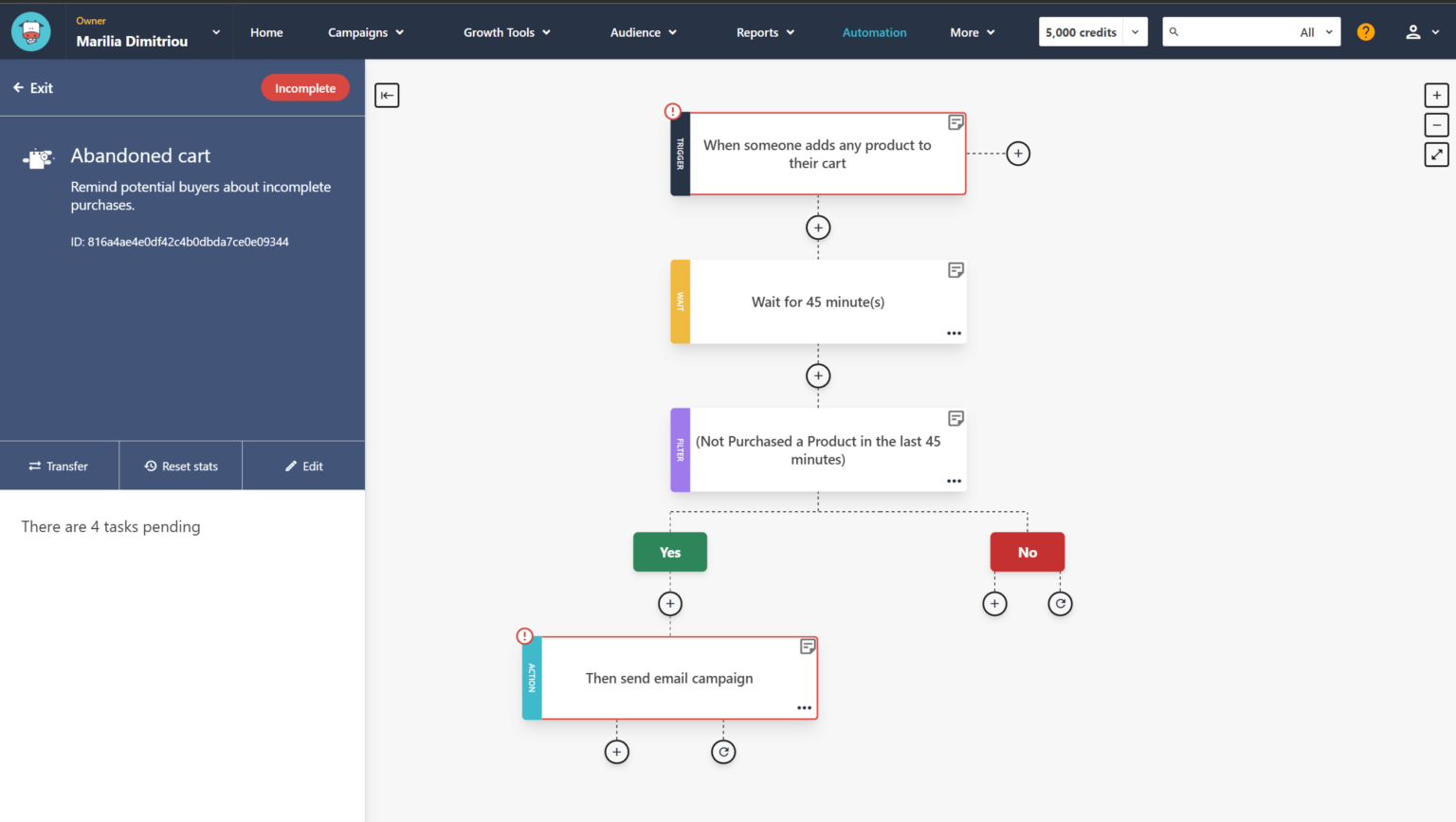
Moosend is a cost-effective, user-friendly email marketing and automation platform that brings robust features to businesses without the premium price tag. It’s ideal for ecommerce stores looking for powerful automation workflows, landing page builders, and audience segmentation, all at a more affordable price point. The platform includes tools for creating unlimited campaigns, subscription forms, and automated sequences with dynamic triggers.
Best Features
-
Marketing Automation: Build automated workflows using a visual builder with triggers and conditions.
-
Unlimited Email Sends: Even on entry tiers, send unlimited emails to your contact list.
-
Landing Pages & Signup Forms: Built-in tools to grow your email list directly from the platform.
-
AI Tools: Includes AI-powered features like subject line generation and product recommendations.
-
Detailed Reporting: Comprehensive analytics to track opens, clicks, and campaign performance.
Pros
-
Very affordable for small to mid-sized ecommerce businesses.
-
Easy to use with drag-and-drop editors and prebuilt templates.
-
All core automation features included even at entry levels.
-
30-day free trial with no credit card required gives full access to core features.
Cons
-
Not as many native integrations as some enterprise tools.
-
Advanced ecommerce tracking and analytics may be less robust than high-end alternatives.
Pricing
Moosend offers flexible and budget-friendly pricing:
-
30-Day Free Trial: Full access to features with unlimited email sends for up to 1,000 contacts. No credit card required.
-
Pro Plan – $9/month: (for up to ~500 contacts, unlimited email sends, automation workflows, landing pages, and signup forms).
-
Annual billing can reduce this to about $7/month.
-
-
Scaling Pricing: Costs increase as your subscriber list grows — e.g., ~$24/month for 2,000 contacts, ~$64/month for 10,000 contacts, and more for higher tiers.
-
Enterprise & Custom Plans: Tailored pricing with additional features (SSO/SAML, dedicated IPs, team members) available on request.
Choosing the right email automation tool depends on your business size, budget, and marketing goals:
-
⭐ Teno Mail is great if you want a scalable platform with built-in SMTP options and flexible plans, including free usage.
-
💡 Klaviyo is a powerful choice for data-driven automation and integrated SMS, ideal for growing ecommerce brands willing to invest as their list expands.
-
💰 Moosend strikes a strong balance of affordability and automation capabilities, especially beneficial for small to mid-sized ecommerce businesses.
Automate Your Way to Ecommerce Email Marketing Success
Email marketing automation has become an essential part of a successful ecommerce strategy. The right automation tools help simplify repetitive tasks, reduce manual workload, and create smoother, more engaging customer experiences.
By setting up automated flows such as abandoned cart recovery, post-purchase follow-ups, and personalized product recommendations, you can increase conversions, operate more efficiently, and deliver real value at every stage of the customer journey.
Choosing a reliable automation platform with an intuitive workflow builder, ready-to-use templates, and advanced customization options allows you to scale your ecommerce email marketing with confidence and consistency.
If you’re ready to put automation into action, start with a free trial of Teno Mail and explore its workflow builder firsthand. With the right tools in place, building a high-performing email strategy is well within reach.
FAQs
1. What types of email sequences can be automated in eCommerce?
Ecommerce businesses can automate a wide range of email sequences that align with the customer journey from first interaction to long-term retention. Common automated sequences include welcome series for new subscribers, abandoned cart reminders, browse abandonment emails, order and shipping confirmations, post-purchase follow-ups, review and feedback requests, replenishment reminders, win-back campaigns for inactive customers, loyalty and VIP emails, price drop alerts, back-in-stock notifications, and birthday or anniversary messages.
More advanced automation can also include personalized product recommendations, cross-sell and upsell flows, subscription renewal reminders, and context-based campaigns such as location- or weather-triggered emails. Together, these sequences create a continuous, relevant communication loop without requiring manual effort for each message.
2. How can I measure the success of email marketing automation?
The success of email marketing automation should be measured using metrics that reflect both engagement and revenue impact. Key performance indicators include open rates, click-through rates, conversion rates, revenue per email, and overall automation-driven revenue. These metrics help determine whether your emails are relevant and persuasive.
Beyond individual emails, it’s important to analyze flow-level performance. This means tracking how subscribers move through an automation sequence, where they drop off, and which steps drive the most conversions. Long-term metrics such as customer lifetime value, repeat purchase rate, and retention rate are especially useful for understanding the true business impact of automation.
3. What features should I look for in an eCommerce email marketing automation tool?
An effective ecommerce email marketing automation tool should offer behavior-based triggers, advanced segmentation, and a visual workflow builder that makes it easy to create and manage automation flows. Native integration with your ecommerce platform is critical so the tool can access real-time data like purchases, cart activity, and product views.
Other important features include dynamic content and personalization, automated product recommendations, A/B testing, detailed analytics and reporting, deliverability tools, and scalability as your contact list grows. In 2026, AI-powered capabilities such as predictive segmentation, optimized send times, and automated recommendations are also becoming increasingly valuable.
4. How do I integrate my eCommerce store with an email marketing automation platform?
Most modern email marketing automation platforms offer direct integrations with popular ecommerce systems. Integration typically involves connecting your store through an app, plugin, or API, which allows the platform to sync customer data, orders, products, and behavioral events automatically.
Once connected, you can define triggers such as purchases, cart abandonment, or browsing activity, and use this data to power automation workflows. A proper integration ensures real-time data flow, accurate personalization, and reliable tracking of conversions and revenue from your automated emails.
5. Can email marketing automation help reduce cart abandonment?
Yes, email marketing automation is one of the most effective ways to reduce cart abandonment. Automated cart recovery emails target shoppers who showed high purchase intent but left before completing checkout. These emails remind customers of the items they left behind and guide them back to the checkout page.
By using timely triggers, personalized product details, and gentle urgency or incentives, cart abandonment emails can recover a significant portion of otherwise lost revenue. When done correctly, these messages feel helpful rather than intrusive, addressing common hesitation points such as pricing, shipping, or decision uncertainty.
6. How do I personalize automated emails for my customers?
Personalization in automated emails is driven by customer data and behavior. At a basic level, this includes personal details like names, locations, and past purchases. More advanced personalization uses browsing history, product views, cart activity, engagement patterns, and lifecycle stage.
Modern automation tools allow dynamic content blocks that change based on who receives the email. This means different subscribers can see different products, offers, or messaging within the same automation flow. Over time, using data-driven personalization helps emails feel more relevant, improves engagement, and increases conversion rates.
7. Is email marketing automation suitable for small businesses?
Absolutely. Email marketing automation is especially valuable for small businesses because it allows them to compete effectively without large teams or budgets. Once automation flows are set up, they run continuously, saving time while maintaining consistent customer communication.
Many platforms offer affordable pricing tiers, free trials, or entry-level plans that include core automation features. For small ecommerce businesses, even a few essential workflows—such as welcome emails, abandoned cart reminders, and post-purchase follow-ups—can deliver meaningful revenue growth and improve customer retention with minimal ongoing effort.
Read More: Transactional Email Best Practices: A Practical Guide for 2026