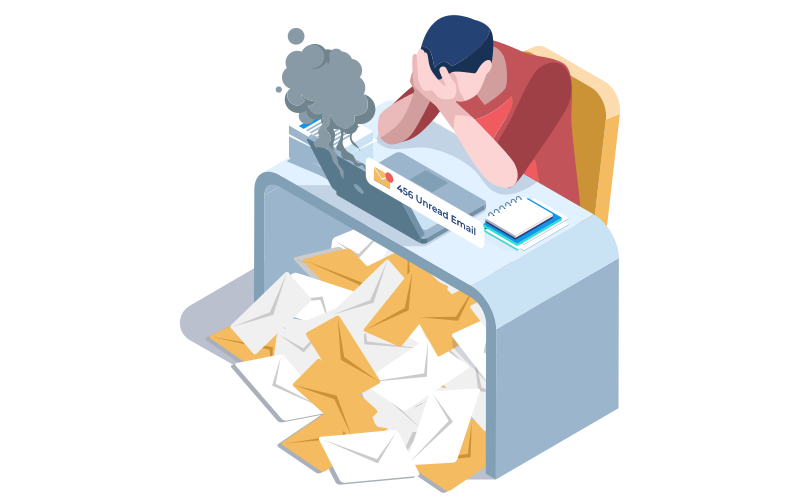
We’ve all been there. You’ve spent time crafting what you believe is the perfect email. The subject line is sharp, the message is clear, and the call-to-action is unmistakable. Your cursor hovers over the “Send” button, and in that moment, a wave of hesitation hits. Did you attach the right file? Was the tone too direct? Will the recipient misunderstand your intent? That gnawing feeling—a blend of doubt, fear, and perfectionism—is email send anxiety, a surprisingly common yet rarely discussed phenomenon in the modern workplace.
This isn’t just about being careful; it’s a form of professional paralysis that can delay crucial communication, sap your productivity, and add unnecessary stress to your day. The good news? You’re not alone, and it’s entirely possible to overcome it. By implementing strategic checks and a mindset shift, you can transform that moment of anxiety into one of confident action. This guide will walk you through five practical tips to conquer your email fears and communicate with clarity and assurance.
The Modern Professional’s Silent Stressor
Email send anxiety isn’t a sign of incompetence; it’s a byproduct of our hyper-connected, always-on professional landscape. In an era where written communication often replaces face-to-face interaction, each email carries significant weight. It serves as a permanent record, a representation of your personal brand, and a primary driver of projects and relationships. The silent stress stems from several key pressures:
-
The Volume and Permanence of Communication: With hundreds of emails flowing in and out each week, each one feels like a mini-publication. Unlike a spoken conversation, an email is recorded, can be forwarded infinitely, and is often scrutinized without the context of tone or body language. This perceived permanence magnifies the stakes of every single message.
-
The Asynchronous Nature of Email: When you hit send, you lose control. You launch your message into a void, unsure of when or how it will be received. This lack of immediate feedback creates a vacuum often filled with worry about misinterpretation or delayed response.
-
The Cult of Professional Perfection: Many workplaces, implicitly or explicitly, demand flawless communication. The fear of a typo being seen as a lack of attention to detail, or a missing attachment as unreliability, can be enough to trigger multiple re-reads and debilitating second-guessing.
-
The Blurred Lines of Audience: It’s alarmingly easy to select the wrong recipient from an auto-filled address bar or misunderstand the nuances of “Reply” versus “Reply All.” The potential for a private message to become public, or for confidential information to reach the wrong inbox, is a legitimate source of dread.
This anxiety becomes a silent stressor when it moves beyond healthy diligence into procrastination or avoidance. It’s the 20 minutes spent re-drafting a three-sentence update, or the important email left in “Drafts” until a deadline forces your hand. Acknowledging this dynamic is the first step toward dismantling it and reclaiming your efficiency and peace of mind.
Tips to Overcome Email Send Anxiety

While the mindset behind email anxiety is crucial to address, practical, actionable strategies form your first line of defense. By implementing systematic checks for the most common technical and human-error pitfalls, you build a safety net that allows your confidence to grow. Here are five detailed tips to target the specific sources of send-button dread.
1. Eliminate the Fear of Broken Links
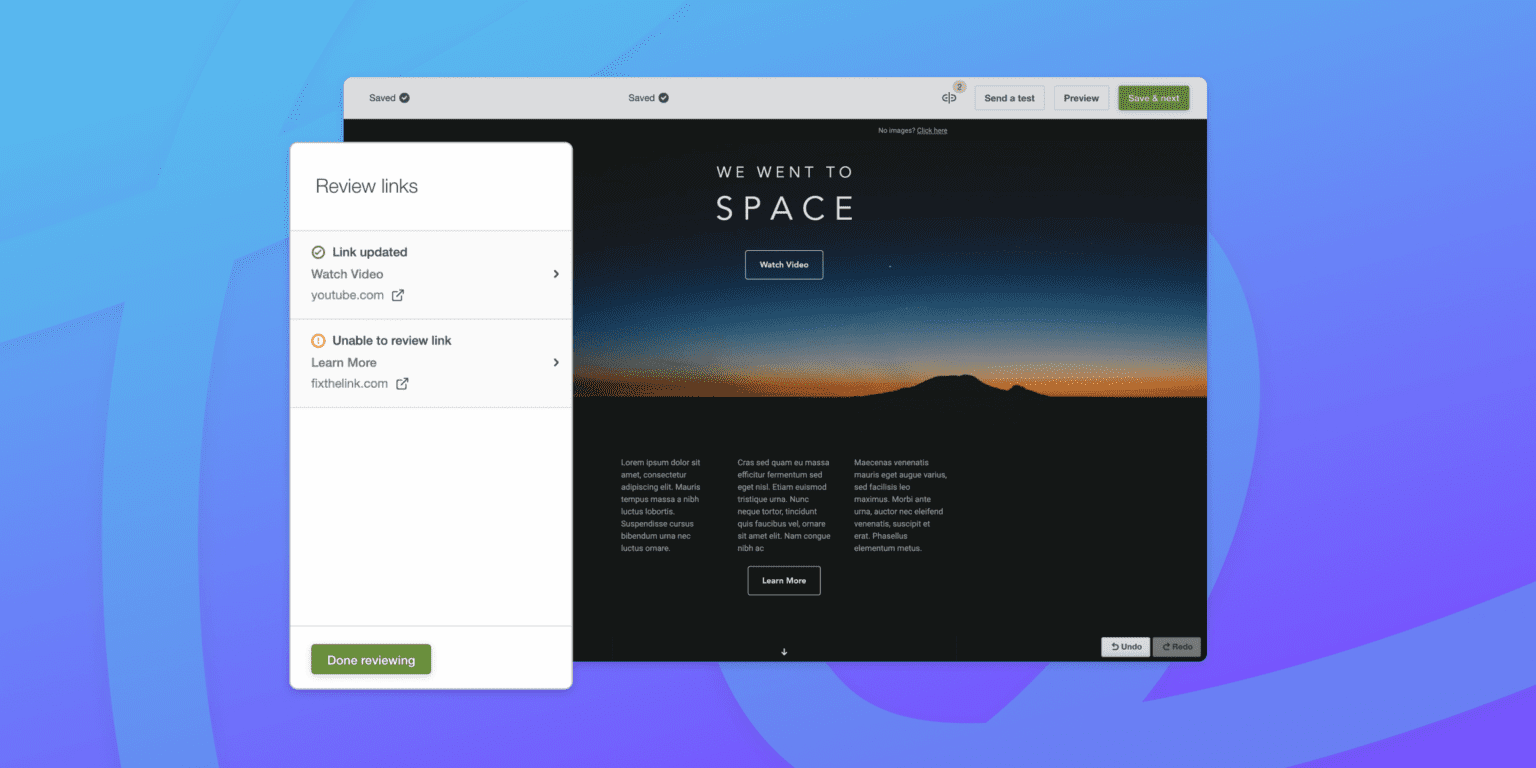
A broken link in a marketing email undermines your campaign instantly, and in a personal or professional email, it creates frustration and erodes trust. The anxiety stems from sending recipients into a digital dead-end, making you appear unprepared.
How to Combat This:
-
Use a Link Checker Tool: Before sending any email containing links, especially for newsletters or campaigns, run your content through a dedicated link checker. Many email marketing platforms have this functionality built into the review process.
-
Manual Hover and Click: For critical links (like to a main product page, a registration form, or a key document), manually hover over each one in your draft to ensure the destination URL looks correct in the status bar. If possible, send a test email to yourself and click every single link from within the email client itself, as this is the most accurate simulation of the recipient’s experience.
-
Implement a Standard Pre-Send Protocol: Make link verification a non-negotiable step in your drafting process. Create a simple checklist that includes: “All hyperlinked text clearly describes the destination,” and “All URLs have been verified live.”
2. Catch Typos and Grammatical Errors
The fear of a glaring typo living forever in someone’s inbox is universal. It can feel like a public mark of carelessness, even though it’s a common human error.
How to Combat This:
-
Embrace Text-to-Speech: Your brain often autocorrects mistakes on the screen. Use your computer or device’s text-to-speech function to read the email aloud to you. Hearing the words will immediately highlight awkward phrasing, missing words, and punctuation errors your eyes skipped over.
-
Read Backwards: For critical, high-stakes emails, try reading the text sentence by sentence, starting from the bottom and moving up. This technique breaks the content out of its logical flow, forcing you to see each sentence in isolation and making typographical errors more visible.
-
Leverage Technology Wisely: While not infallible, grammar and spell-checking browser extensions or dedicated software can catch many common errors. Use them as a final layer of defense, but never rely on them exclusively. Remember, they often miss context-specific mistakes (e.g., “their” vs. “there”).
3. Ensure All Elements Render Correctly
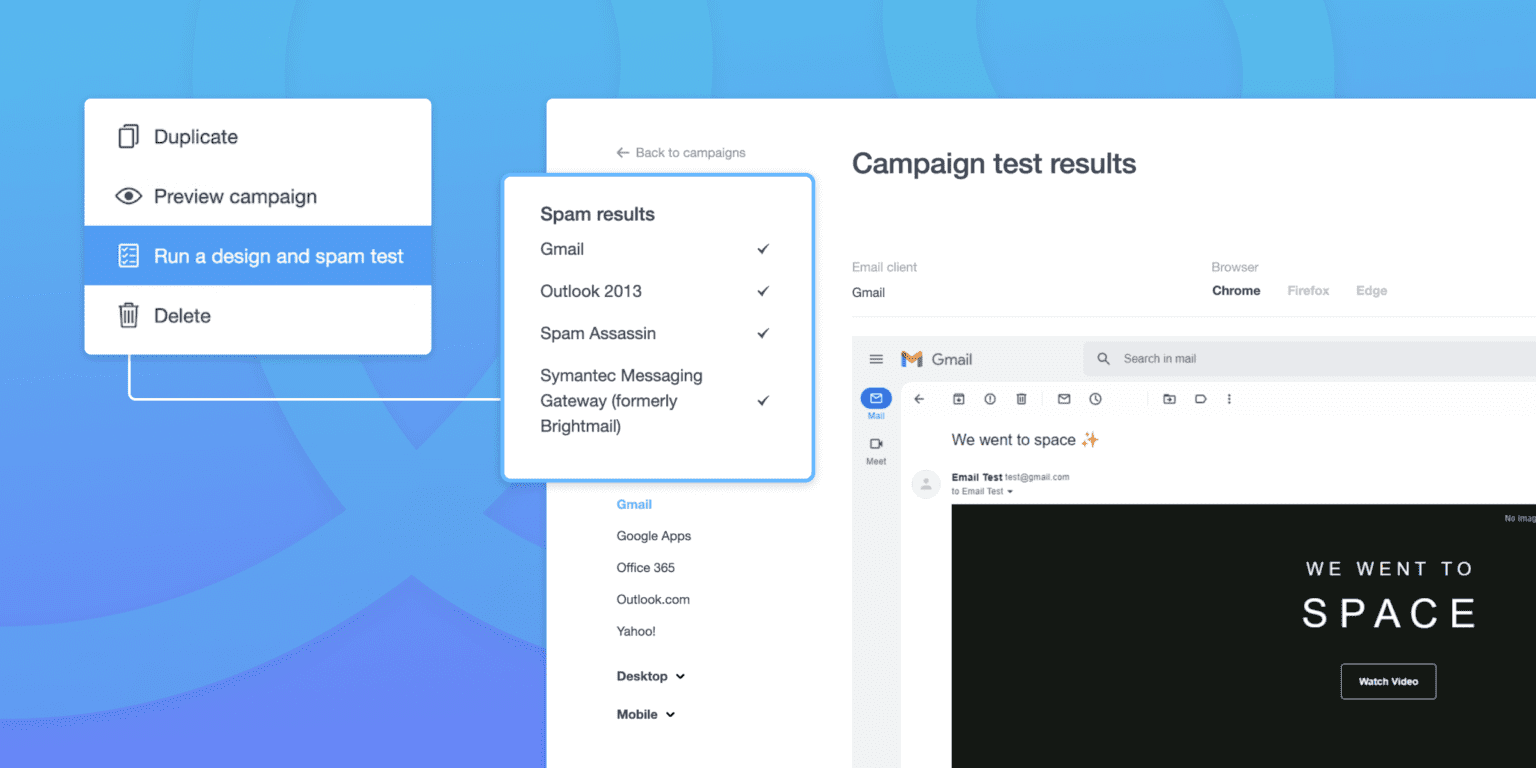
The anxiety here is about the email’s presentation falling apart the moment it leaves your hands. You crafted a beautiful, professional-looking message, but for the recipient, images are broken, the formatting is a chaotic mess, and the font is unreadable.
How to Combat This:
-
Send a Rigorous Test Email: Always, without exception, send a full test email to yourself and a few colleagues using different email clients (e.g., Gmail, Outlook, Apple Mail) and devices (desktop, phone). Review it meticulously in each environment.
-
Check with Images Disabled: Many clients block images by default. View your test email with images disabled to ensure the core message and call-to-action are still clear and that descriptive alt-text is in place for critical visuals.
-
Keep Design Simple for Critical Messages: For vital one-to-one professional communication, lean towards clean, simple formatting. Overly complex HTML with custom fonts and intricate tables has a higher chance of breaking. When in doubt, plain text is universally safe and can appear more personal and direct.
4. Manage the Fear of Less-Than-Optimal Results

This anxiety is particularly acute in marketing but applies to any email where you anticipate a specific response (like a meeting request or a proposal). The fear is that your effort will yield poor open rates, no clicks, or worse—a negative reply.
How to Combat This:
-
Reframe Your Metrics: For campaigns, separate “performance” from “learning.” Not every email will be a home run, but every send provides data. Focus on what you can learn from the metrics (e.g., “This subject line didn’t work, so I’ll try a question next time”) rather than viewing it as a personal pass/fail grade.
-
Set Realistic, Internal Benchmarks: Compare your results to your own past performance, not to idealized industry averages. A gradual improvement in your own metrics is a true sign of success.
-
For Important Individual Emails: Focus on what you can control: clarity, purpose, and a respectful ask. You cannot control the recipient’s workload, mood, or priorities. A well-structured, polite email is a professional success in itself, regardless of the immediate outcome.
5. Avoid the Catastrophe of Sending to the Wrong List
This is often the peak of email anxiety—the visceral fear of an irreparable mistake. Sending a confidential internal update to the entire client list, or a personal note to a large group, can feel like a professional nightmare.
How to Combat This:
-
Implement a “List Check” Pause: Make it a ritual. When you select the recipient field, physically pause. Read the name(s) or list title(s) aloud. For groups, verify the member count if your platform shows it. Ask yourself, “Is this exactly who should receive this?”
-
Use Descriptive List Names: In your email client or marketing platform, avoid vague list names like “Final List” or “Test.” Use unambiguous, descriptive titles like “2024_Q3_Client_Newsletter_Active” or “Internal_Team_Project_Alpha.”
-
For Critical Broadcasts, Use a Two-Person Rule: For company-wide or major client communications, have a second set of eyes verify the recipient list before sending. This shared responsibility drastically reduces risk.
-
Leverage Scheduling Delays: Most platforms allow for a short “undo send” window or let you schedule an email for even two minutes in the future. Use this buffer as a final chance to cancel a misdirected message.
The Mindset Shift: Email as Conversation, Not Performance
The most powerful tool for overcoming email anxiety isn’t a technical checklist—it’s a mental reframe. To liberate yourself from the paralyzing need for perfection, you must fundamentally shift how you view the email exchange. Move away from seeing each message as a solitary, high-stakes performance to be graded. Instead, embrace the perspective that email is simply one thread in a much larger, ongoing professional conversation.
Reframe Emails as One Thread in an Ongoing Dialogue
Think about how you communicate with a colleague sitting next to you. You ask a quick question, they give an imperfect answer, you clarify, and you move forward. The dialogue is fluid and forgiving. Apply this same principle to email. A single email is rarely the definitive final word on a subject; it’s a contribution to a continuing exchange. If you forget an attachment, you send a follow-up. If a point is unclear, the recipient will likely ask for clarification. This perspective removes the crushing weight of finality from the “Send” button, allowing you to communicate more naturally and promptly.
Remember Most Recipients Are Just as Busy and Imperfect
We often imagine our recipients meticulously scrutinizing every syllable we write. In reality, they are navigating their own overflowing inboxes, competing priorities, and daily pressures. They are far more likely to skim for intent and key action items than to perform a line-by-line literary critique. They, too, have sent emails with typos, forgotten links, or ambiguous phrasing. Grant yourself the same grace you extend to others when you receive their less-than-perfect messages. You are communicating with fellow humans, not a panel of judges.
The Professional Cost of Delayed Communication Often Outweighs the Risk of Imperfection
This is a critical business calculation. While a typo might cause a minor, momentary blip, the chronic delay of important information has tangible costs: missed opportunities, stalled projects, frustrated colleagues, and a perception of unreliability or indecisiveness. Holding an email for hours or days in pursuit of flawless phrasing often creates more problems than it solves. Ask yourself: “Is the potential minor imperfection I’m worried about truly worse than the guaranteed cost of this delay?” More often than not, timely, clear, and good enough communication is vastly more professional than perfect silence.
Share a Personal Anecdote About an Email “Mistake” That Turned Out Fine
Early in my career, I was tasked with sending a crucial project update to a key client and our senior leadership team. I had checked the data, polished the language, and reviewed it a dozen times. I hit send with a sense of accomplishment. Minutes later, a wave of cold dread hit—I realized I had used the client’s old project code in the subject line, a minor but potentially confusing error. I catastrophized immediately, imagining the client questioning our attention to detail and my manager’s disappointment.
In a panic, I drafted a follow-up email apologizing for the error. Before sending it, I took a breath and decided to wait for any reaction. The reaction never came. The client replied solely to the project content, moving the discussion forward. My manager never mentioned it. The “catastrophic” mistake I had agonized over was either unnoticed or deemed utterly insignificant in the broader context of the work. That experience was a profound lesson: my anxiety had magnified the error far beyond its actual impact. The dialogue continued seamlessly, proving that the value of the timely update was infinitely greater than the cost of that tiny imperfection.
Quick Reference Checklist
When anxiety strikes, a simple, decisive framework can cut through the paralysis. Use this quick-reference checklist to instantly diagnose your hesitation and apply the correct rule to move forward with confidence.
Is this a routine email? → Apply the 3-Second Rule
-
What it is: For daily, low-stakes communication (e.g., scheduling a meeting, confirming details, sending a follow-up), give yourself only three seconds after drafting to hit send.
-
Why it works: It prevents the cycle of overthinking. You’ve already checked for critical errors; further delay adds no value and feeds anxiety.
-
Action: Draft, do a final scan for glaring issues (wrong name, missing attachment), and count down from three. Send on zero. This builds the muscle memory of decisive communication.
Is this high-stakes? → Apply the 24-Hour Rule
-
What it is: For emails with major consequences—a job application, a sensitive client negotiation, or a company-wide announcement—intentionally delay the send.
-
Why it works: It creates necessary psychological distance. You step away from the intense focus of drafting and allow yourself to return with fresh eyes, which catches nuanced issues in tone, logic, and clarity that you were blind to initially.
-
Action: Draft the email, then save it and close your inbox. Schedule it to send the next day or set a calendar reminder to review it after a break. The goal isn’t to agonize for 24 hours, but to allow one calm review before it goes.
Am I catastrophizing? → Apply the “Worst Case” Test
-
What it is: When fear of a specific outcome is freezing you, explicitly name the catastrophic scenario you’re imagining and assess its actual probability and impact.
-
Why it works: It forces irrational fears into the light of reason. Our anxiety often imagines vague, dire consequences; defining them specifically reveals how unlikely or manageable they truly are.
-
Action: Ask: “What is the absolute worst that could realistically happen if I send this?” Then ask: “How likely is that? And if it happened, what would I do to fix it?” You’ll often find the answer is a minor correction or a simple apology, not a career-ending event.
Do I have a safety net? → Implement a Correction Plan
-
What it is: A pre-defined, calm response for the mistakes you fear most. This removes the “panic” phase if an error occurs.
-
Why it works: Anxiety thrives on the unknown. Having a plan for potential pitfalls—like sending to the wrong person or including a broken link—makes them feel like manageable contingencies instead of disasters.
-
Action: Mentally rehearse your response. If I send to the wrong list, I will immediately recall the email (if possible) and send a brief, honest apology to the unintended recipients. Knowing your first move instills calm.
Have I separated drafting from sending? → Use the Two-Step Process
-
What it is: Never write an email with the “To:” field already filled in. Make drafting and sending two distinct, separate actions.
-
Why it works: It creates a vital psychological barrier. When you write knowing the send button is inactive, you focus purely on composition without performance pressure. This leads to clearer, more natural writing and reduces the tension of the drafting phase.
-
Action: Always compose all new emails in a blank draft or document. Only once you are fully satisfied with the content do you open a new message, paste it in, and then deliberately add the recipient. This simple switch breaks the anxiety feedback loop.
FAQs for Overcoming Email Send Anxiety
Q1: I already sent an email and immediately noticed a terrible typo or mistake. How do I handle the panic?
A: First, take a deep breath. Almost everyone has done this. Your response should be proportionate to the error. For a minor typo, let it go—chances are high the recipient either didn’t notice or won’t care. For a significant error that could cause confusion (like a wrong date, broken link, or missing attachment), send a brief, polite follow-up email immediately. Simply state, “Please see the corrected information below,” or “Apologies, the attachment is now included.” Do not over-apologize or dwell on the mistake. Correct it succinctly and move on. This demonstrates responsibility without magnifying the error.
Q2: What exactly qualifies as a “high-stakes” email that deserves the 24-hour rule?
A: A high-stakes email is any message where the potential impact of a miscommunication is significant. This includes: emails related to employment (job applications, resignation letters, salary negotiations), sensitive feedback or conflict resolution, formal proposals or contracts, communications to senior leadership or important clients, and any message conveying difficult news. If the outcome of the email could meaningfully affect a relationship, opportunity, or project, it’s worth the deliberate pause.
Q3: How can I stop overthinking the tone of my emails?
A: Overthinking tone often stems from the lack of non-verbal cues. Combat this by:
-
Reading Aloud: If it sounds harsh or awkward to your ear, it likely will to the reader.
-
Using Greetings and Closings: A simple “Hope you’re having a productive week,” or “Thanks for your time on this,” can soften a direct request.
-
Stating Intent Directly: If you’re worried a request may seem demanding, preface it. Try: “In the interest of clarity…” or “To help us meet the deadline…”
-
Remembering the “Conversation” Frame: Would you stammer and over-apologize for asking this question in person? Probably not. Strive for the same polite, direct tone you’d use face-to-face.
Q4: Are there any tools that can help reduce this anxiety technically?
A: Yes, several tools can act as your safety net:
-
Email Scheduling: Use the “Schedule Send” feature. This lets you finalize an email and set it to go out later, giving you a final window to cancel if you have second thoughts.
-
Undo Send: Enable the “Undo Send” feature in your email client (like Gmail), which typically gives you a 5-30 second grace period to recall the message.
-
Grammar & Clarity Assistants: Tools like Grammarly or Hemingway Editor can help catch typos and complex sentences, but use them as an assistant, not an authority.
-
Plain Text Preview: Before sending a formatted HTML email (like a newsletter), always send a test to yourself and view it in plain text mode to ensure the core message is intact.
Q5: I feel anxious even about routine emails. How can I build long-term confidence?
A: Building confidence is a practice. Start small:
-
Track Your Successes: Keep a note of emails you sent promptly that led to positive outcomes or, more often, simply no negative consequence. This builds evidence against your anxiety.
-
Set a Time Limit: Give yourself a strict 5-minute timer to draft and send routine emails. This forces action over perfection.
-
Exposure Therapy: Intentionally send low-stakes emails (like asking a simple question to a colleague) with a minor, non-critical imperfection. You’ll learn that the world doesn’t end. The goal is to rewire your brain’s association between sending an email and impending catastrophe. Consistency in this practice is key to reducing the anxious reflex over time