Email marketing remains one of the most effective digital marketing channels in 2026, delivering unparalleled ROI when done right. Despite its early dominance and widespread adoption, many users find that the once-popular platform is no longer the best fit for their needs. Changes in pricing, feature limitations, and the evolving demands of modern email strategies have driven businesses, creators, and eCommerce brands to explore other options that offer greater flexibility, deeper automation, stronger personalization, and better value for money.
Today’s email marketing landscape features a diverse range of tools tailored to specific use cases — from budget-friendly platforms for startups and small businesses to advanced automation suites designed for growth-oriented brands and eCommerce stores. Whether you’re focused on boosting engagement, increasing conversions, or scaling revenue-generating email campaigns, there is a capable alternative that can meet and often exceed your expectations.
This guide dives deep into 12 tested and trusted alternatives, highlighting the strengths, limitations, pricing, and real-world use cases for each — helping you choose the best fit for your email strategy in 2026.
Why You Should Consider a Mailchimp Alternative
While the legacy solution remains familiar and widely used, there are several reasons businesses consider switching to other email marketing tools in 2026:
1. Rising Costs and Contact-Based Billing
Recent pricing changes mean many users are paying significantly more for the same — or even fewer — features than before. Contact-based billing, where you pay for every contact on your list (even inactive ones), can make scaling expensive, especially for larger lists or multi-brand accounts.
2. Limited Advanced Features
Although the platform continues to offer standard email campaign tools, its automation capabilities, segmentation tools, and personalization features are comparatively basic. Modern alternatives often include triggers, branching logic, and deep behavior-based workflows that make campaigns more dynamic and tailored without needing expensive upgrades.
3. Deliverability and Support Challenges
Some users report inconsistent deliverability and find that customer support — especially for free or lower-tier plans — lacks responsiveness or detailed guidance when issues arise. For businesses that rely on timely email delivery and strong inbox placement, these challenges can affect campaign performance.
4. Better Suitability for Specific Use Cases
Many alternatives are purpose-built for specific business types — such as eCommerce, creators, or CRM-centric strategies — offering workflows and integrations that are more aligned with unique goals. This specialized focus can improve both efficiency and outcomes compared to a one-size-fits-all platform.
5. More Competitive Pricing Models & Features
Some competitors base pricing on actual email volume instead of contact lists, offer more robust free tiers, or include features (like SMS, landing pages, and deeper analytics) without requiring premium add-ons. This makes them more cost-effective and versatile, particularly for growing businesses.
Exploring alternatives isn’t just about dissatisfaction — it’s about finding a tool that fits your strategy and budget better, empowers smarter automation, and ultimately helps you achieve stronger results without compromise.
Below are the most reliable and up-to-date Mailchimp alternatives we’ve tested and trust in 2026 — each tailored to specific needs, budgets, and business use cases.
1. Teno Mail – Best for Email Automation
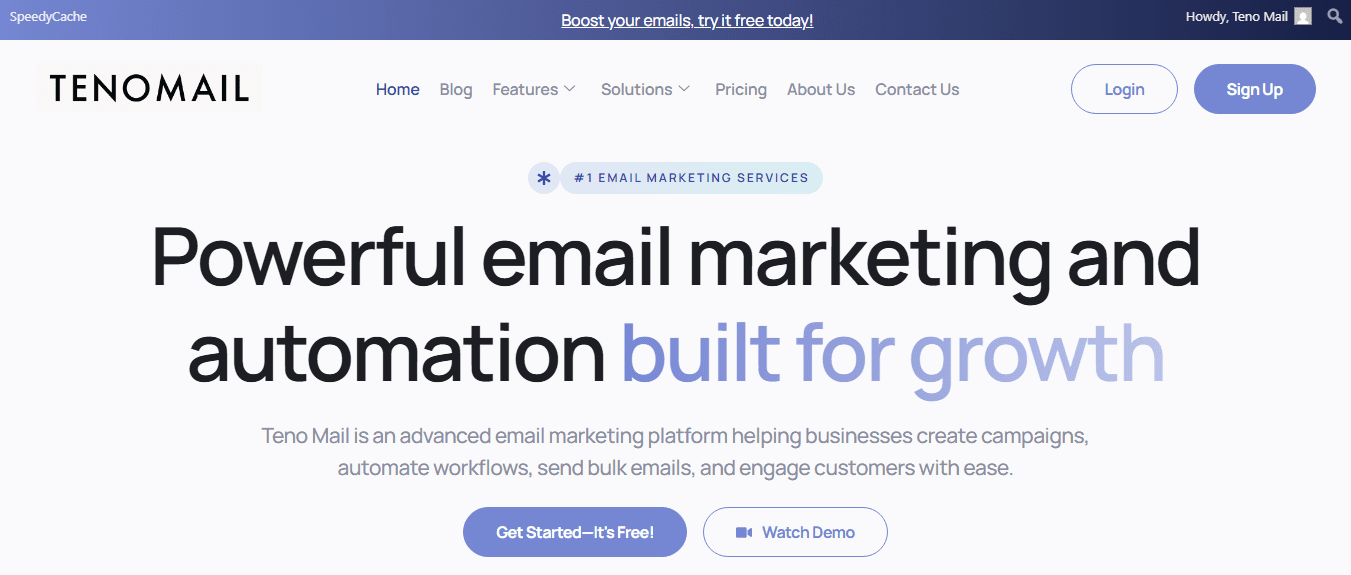
Teno Mail is a modern email marketing and automation platform designed for businesses that need smart campaign workflows and deep engagement without complexity. It’s crafted to help marketers automate tasks that would otherwise be manual, ensure timely messaging, and manage subscriber communication seamlessly. You can design emails, automate sequences, monitor performance, and integrate SMTP tools all from one dashboard.
Best Features
-
Email Campaign Builder: Create targeted broadcast or segmented campaigns with ease using drag-and-drop tools.
-
Automation Workflows: Set up automated sequences triggered by user behavior, enabling timely follow-ups without manual intervention.
-
Newsletter Creation: Build professional newsletters that match your brand without design skills.
-
Bulk Email Support: Send high volumes of email reliably with optimized delivery systems designed for speed and inbox placement.
-
SMTP Integrations: Integrates smoothly with third-party SMTP providers for better control and deliverability.
-
Analytics & Reports: View open, click, and engagement metrics in real-time to refine strategies.
Limitations
-
Pricing Transparency: The pricing structure isn’t fully published for every tier — some plans require contacting sales for custom quotes, which makes budgeting less predictable.
-
Newer Platform: As a newer option compared with longstanding competitors, community reviews and independent third-party ratings are still limited.
Pricing
Teno Mail pricing is tiered depending on your sending volume and included features:
-
Standard Plan: ~$250/month (5,000 email credits included)
-
Custom Plan: Custom pricing based on needs (unlimited email credits, advanced automation)
Note: Monthly rates and packages can vary or change depending on promotions or custom enterprise needs.
Ratings and Reviews
-
Because it’s newer and growing its user base, professional third-party review platforms like Capterra and G2 list Teno Mail as a strong email automation contender with a focus on user-friendly automation and deliverability.
2. Moosend – Best Affordable Alternative with Advanced Features
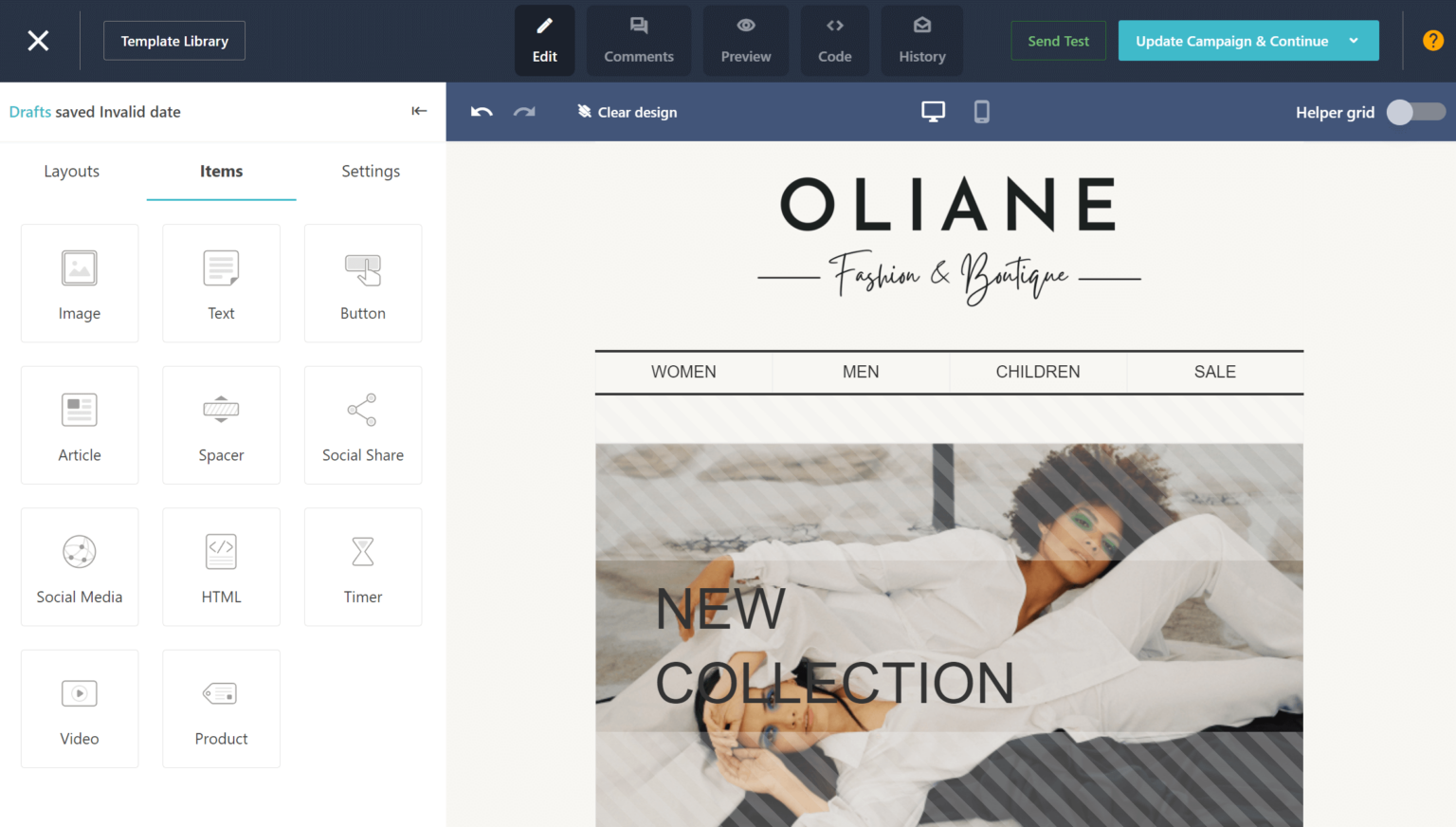
Moosend is a budget-friendly email marketing platform that delivers robust campaign and automation tools without demanding enterprise pricing. It combines flexible automation workflows with detailed analytics, making it a solid choice for small-to-medium businesses wanting advanced features at an accessible cost.
Best Features
-
Unlimited Sends: All paid plans include unlimited email sends regardless of your subscriber count.
-
Pre-Built Automation: Templates for cart abandonment, welcome series, and re-engagement help simplify setup.
-
Drag-and-Drop Builder: A user-friendly email editor with visual alignment guides and preview options.
-
Real-Time Analytics: Track performance to understand what drives opens and clicks.
-
Live Chat Support: Strong customer support via chat, helping users solve issues quickly.
Limitations
-
No Free Plan: Moosend doesn’t offer a forever-free tier — though a 30-day free trial gives access to most features.
-
Limited Integrations: Around 80+ native integrations, which is fewer than competitors with hundreds.
-
Transactional Emails Extra: You need the higher-tier Moosend+ plan or contact sales for transactional email capabilities.
Pricing
-
Pro Plan: Starts at $9/month for 500 contacts (unlimited sends) — annual billing reduces this to ~$7/month.
-
Moosend+ Plan: Custom pricing with transactional emails, dedicated IPs, and advanced analytics.
-
Email Credits: Pay-as-you-go options (e.g., $350 for 350,000 email credits).
Ratings and Reviews
Moosend is consistently praised for its value — automation at low cost, intuitive interface, and solid deliverability. It’s especially recommended for businesses focused on newsletters and automated flows.
3. Constant Contact – Best for Simple Email Campaigns
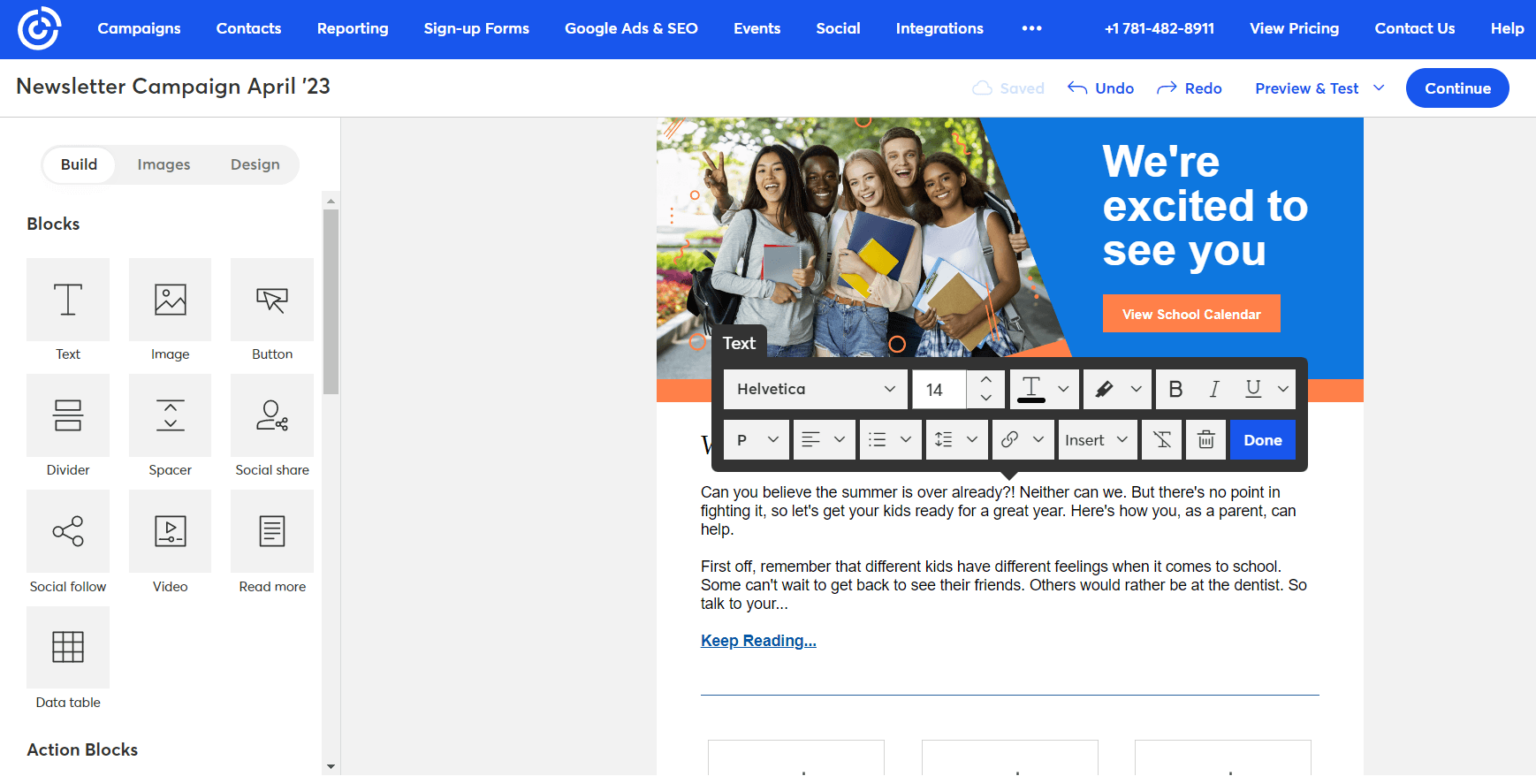
Constant Contact is one of the longest-standing email marketing platforms, known for its simplicity and ease of use. It excels at helping beginners and small businesses send professionally formatted email campaigns without a steep learning curve.
Best Features
-
Drag-and-Drop Templates: Simple, customizable designs that help non-designers launch campaigns fast.
-
AI Content Tools: Built-in AI writing assistance for email copy and subject lines.
-
Integrated Social and SMS Tools: Manage email alongside social posting and SMS messaging.
-
Event Marketing Tools: Unique event registration and promotion features not found in many competitors.
-
Strong Support: Phone, chat, and community support with webinars and tutorials.
Limitations
-
No Free Plan: Constant Contact removed free tiers, now offering a 60-day free trial only.
-
Basic Automation: While it supports simple automations (welcome emails, autoresponders), complex workflows are limited compared to modern tools.
-
Pricing Scalability: Costs rise quickly as lists grow.
Pricing
All pricing reflects annual billing discounts:
-
Lite: ~$10.20/month
-
Standard: ~$29.75/month
-
Premium: ~$68/month
-
Lead Gen & CRM: Custom pricing (~$449/month)
Pricing changes based on contact numbers and includes optional SMS add-ons.
Ratings and Reviews
Looks strong for beginners and non-profits, with high marks for support and ease of use, but some users find it limited for automation and list scaling.
4. HubSpot – Best for CRM Email Marketing
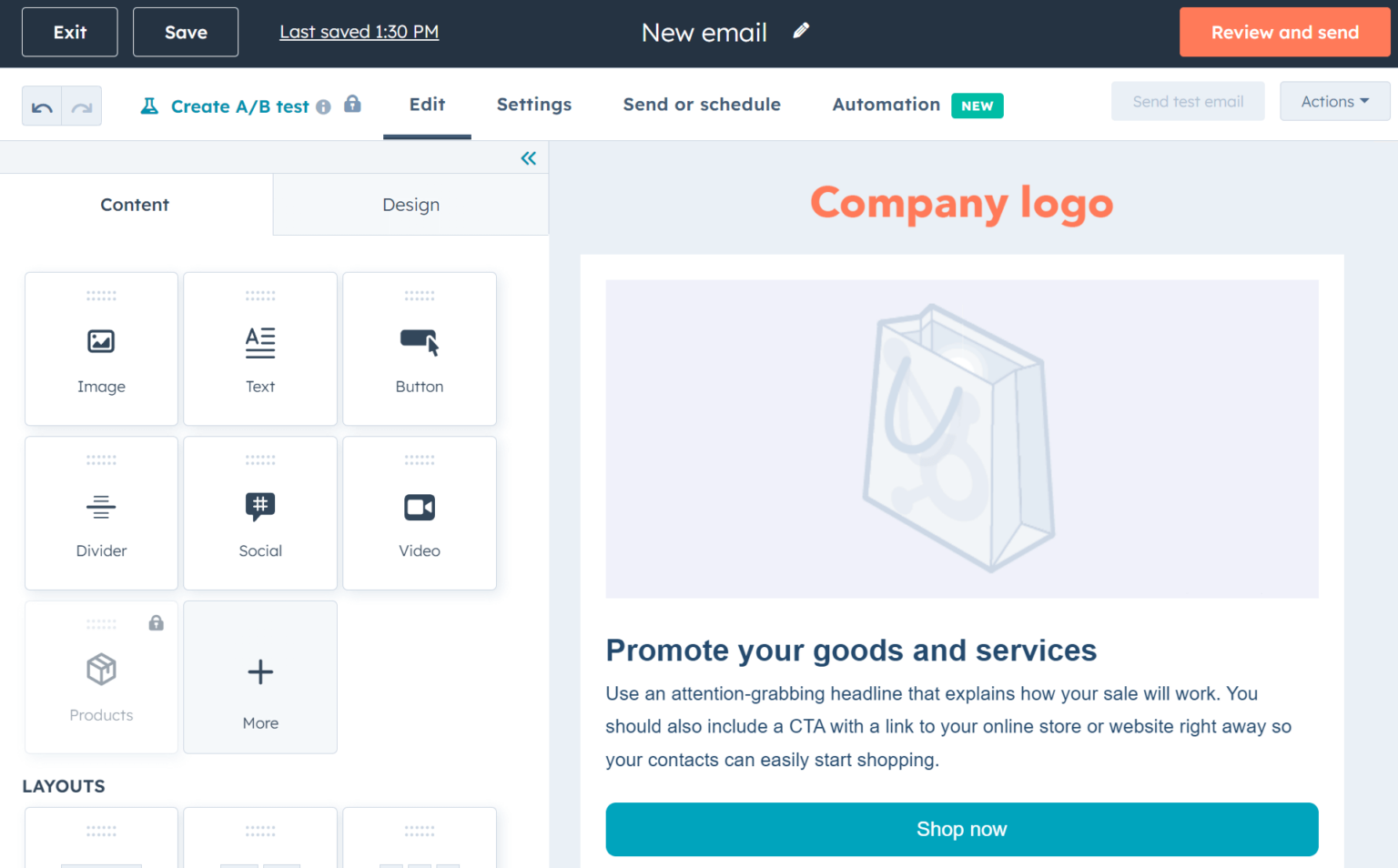
HubSpot isn’t just an email tool — it’s a full inbound marketing, sales, and CRM ecosystem. Its email marketing is tightly integrated with customer data, allowing you to deliver personalized, behavior-driven campaigns backed by a complete customer journey view.
Best Features
-
Unified CRM: All contacts, interactions, and deals live in one system.
-
Marketing Automation: Build workflows based on leads activity, scores, and behavior.
-
AI Features: Smart tools for email personalization, segmentation, and content recommendations.
-
A/B Testing & Analytics: Deep insights to optimize campaigns.
-
Free Tier: HubSpot’s CRM is free with core email functionality.
Limitations
-
Price Scalability: Costs rise quickly as automation and contact features are needed.
-
Complexity: The breadth of tools can be overwhelming for simple email campaigns.
Pricing
Entry fees vary based on feature tiers:
-
Free CRM Plan: $0
-
Starter: ~$20/user/month
-
Professional: ~$441/user/month
-
Enterprise: ~$1,180/user/month
Contact allowances, seats, and additional paid features can change totals considerably.
Ratings and Reviews
HubSpot consistently scores high for its CRM strength and integration capabilities, though some businesses find it expensive for email-only needs.
5. Omnisend – Best for eCommerce Businesses
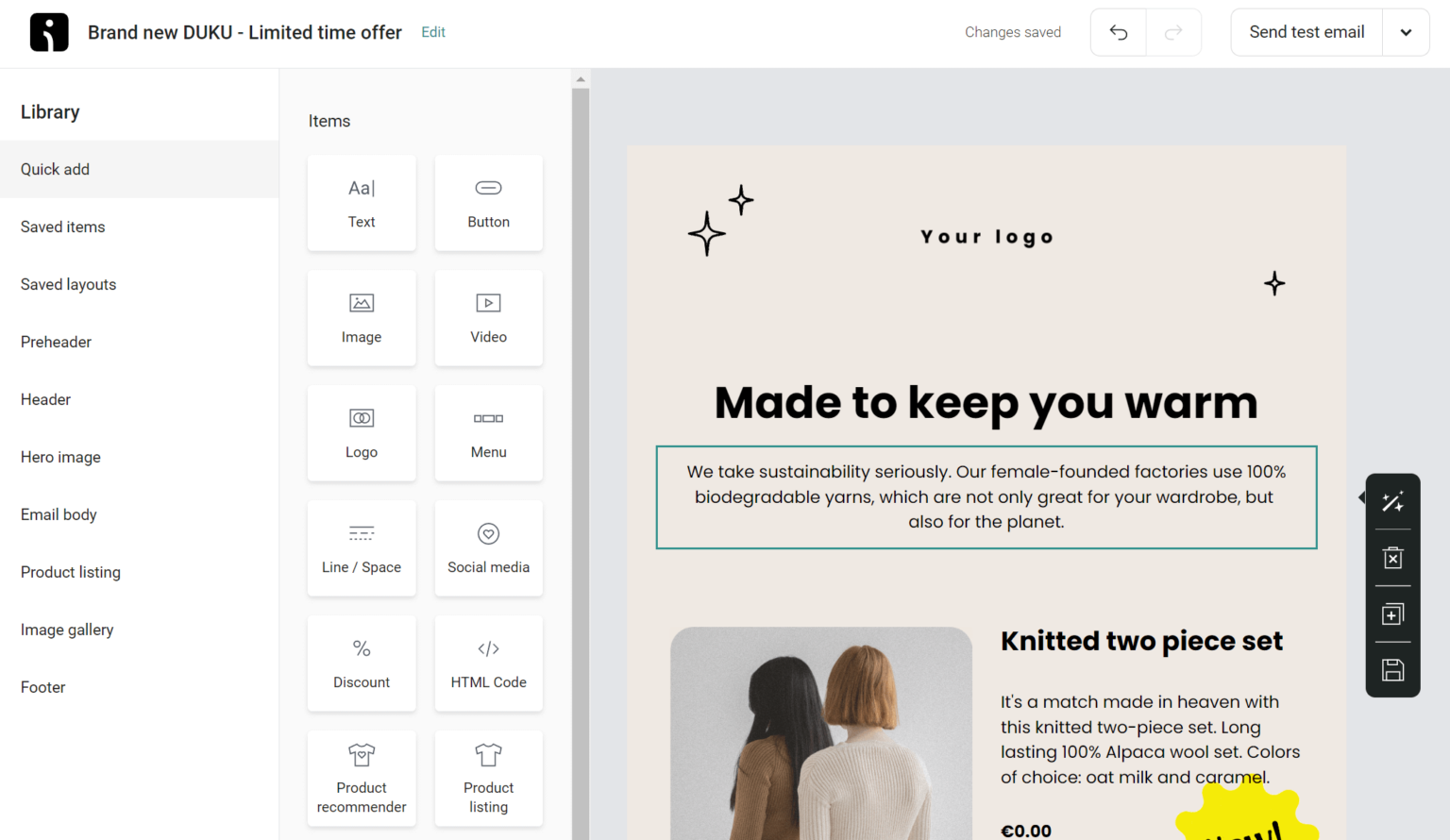
Omnisend is an email and SMS marketing platform built specifically for eCommerce brands looking to grow revenue through automated, behavior-driven messaging. It’s designed to help online stores recover abandoned carts, convert passive visitors, and increase customer lifetime value — with ready-to-use automation templates. Unlike basic email platforms, Omnisend combines multiple channels (email, SMS, push, and more) into one unified workflow.
Best Features
-
Omnichannel Automation: Pre-built workflows combining email, SMS, push notifications, and more to engage customers at key conversion moments such as cart abandonment, browse abandonment, and order follow-ups.
-
Smart Segmentation: Segment audiences based on purchase behavior, engagement levels, and custom tags for highly targeted campaigns.
-
Visual Flow Builder: Intuitive drag-and-drop automation builder that lets you map sequences visually without coding.
-
Product Picker & Recommendations: Personalized product recommendations based on customer behavior to boost upsells.
-
Built-In Signup Tools: Popups, landing pages, wheel spin gamification, and forms designed for eCommerce conversion.
-
Integration with eCommerce Platforms: Seamless connections with Shopify, Magento, BigCommerce, WooCommerce, and more — syncing customers, orders, and browsing behavior automatically.
Limitations
-
Pricing Complexity: While the free plan is generous, Omnisend’s pricing can become pricey as contact lists grow or when using SMS credits.
-
SMS Cost Separate: SMS credits are purchased separately, so costs can add up for omni-channel campaigns.
-
Not Ideal for Non-eCommerce: Some features are highly eCommerce-specific, making it less advantageous for service-based businesses.
Pricing
(2026 pricing — updated from official site)
-
Free Plan: $0 — up to 250 contacts with email & basic automations.
-
Standard Plan: Starts at ~$16/month (billed annually) — includes email & SMS automations.
-
Pro Plan: Starts at ~$59/month — adds advanced segmentation, product recommendations, and priority support.
-
Enterprise Plan: Custom pricing for high-volume SMBs and enterprises.
SMS credits and certain advanced features are add-ons, so total cost varies by usage.
Ratings and Reviews
Omnisend consistently earns high praise from eCommerce brands for its revenue-focused automations and multi-channel capabilities. Users especially value the ready-to-use workflows and deep platform integrations that require minimal setup. Independent review platforms rate it around 4.5/5 for ease of use and conversion-driven features.
6. Brevo – Best for Easy Segmentation and Personalization
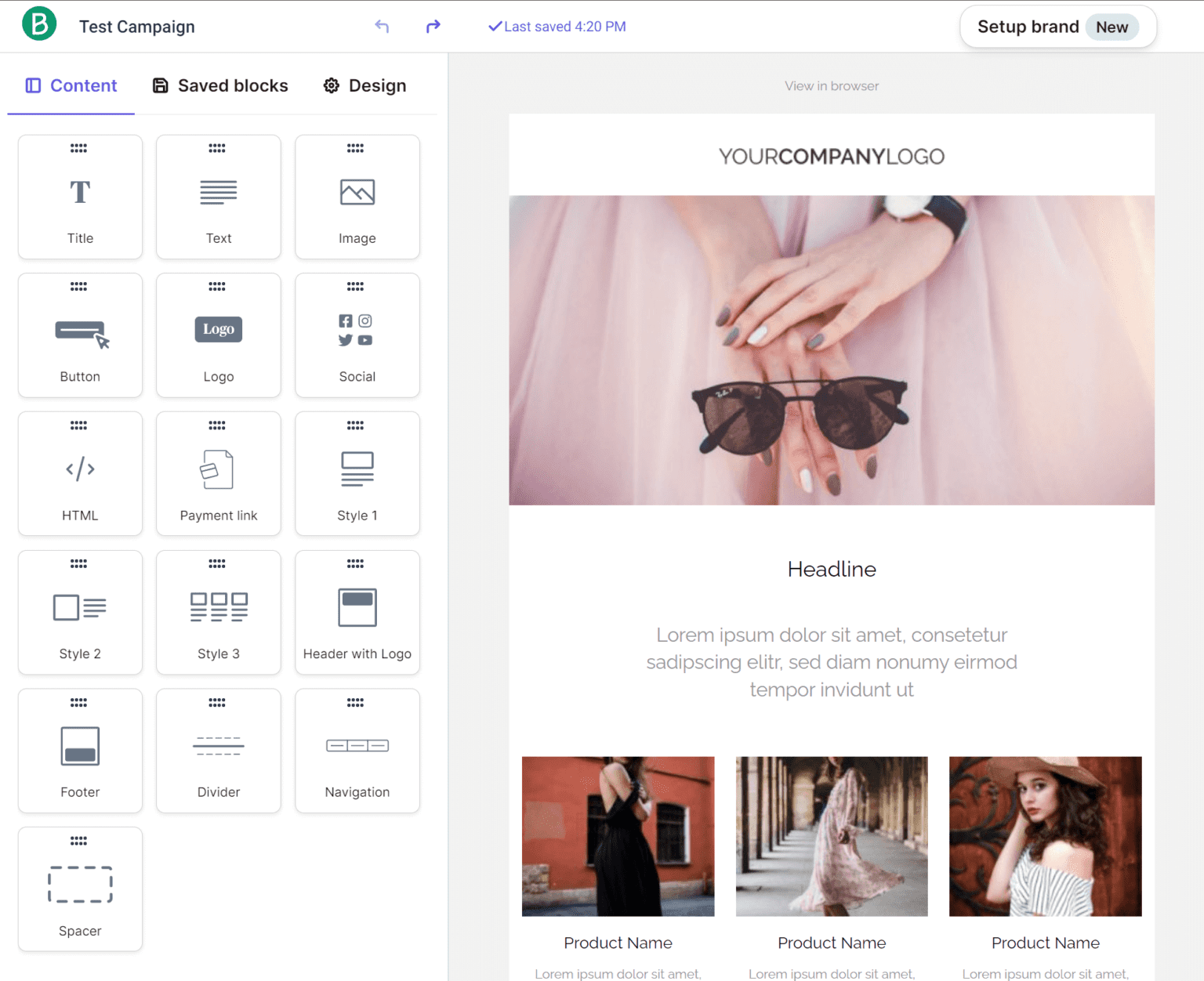
Brevo (formerly known under other brand names in earlier years) has rapidly grown into a robust email marketing solution focused on intuitive segmentation, personalization, and scalable automation. It combines email, SMS, and transactional messaging into a single platform, emphasizing personalization that drives open rates and conversions. Brevo is suitable for businesses that need flexible segmentation and sophisticated user journeys without a steep learning curve.
Best Features
-
Advanced Segmentation: Segment contacts based on behavior, demographics, purchase history, and custom tags for targeted messaging.
-
Personalized Messaging: Dynamic content blocks allow personalization at scale (e.g., product recommendations, custom greetings).
-
Omni-Channel Messaging: Combine email, SMS, push, and transactional notifications in one workflow for cohesive communication.
-
Drag-and-Drop Automation: Build automated sequences visually with triggers and filters.
-
Integrations & API: Connect easily with CRM tools, eCommerce platforms, membership sites, and custom apps via API.
-
Detailed Reporting: Track performance across delivery, engagement, automation conversion, and revenue attribution.
Limitations
-
Learning Curve for Advanced Features: While core features are intuitive, some advanced segmentation and multi-channel setups may require learning.
-
Template Library: The template selection, while strong, is slightly smaller than some competitors focused solely on email.
-
Cost Adds Up: SMS and transactional messaging credits may increase total spending for businesses with omni-channel strategies.
Pricing
(Updated 2026 figures)
Brevo pricing is flexible and primarily based on contact counts and message usage:
-
Free Plan: $0 — up to certain contact/usage limits with core email features.
-
Starter Plan: Around $25/month — adds advanced automations and higher sending limits.
-
Professional Plan: Around $65/month — includes multi-channel automation and deeper analytics.
-
Enterprise Plan: Custom pricing for large lists, dedicated resources, and compliance support.
SMS and transactional messaging are priced separately based on usage and region.
Ratings and Reviews
Brevo consistently scores high for its segmentation and personalization tools, earning around 4.4–4.6/5 across review platforms. Users praise the balance of power and simplicity — even with advanced workflows. Some note that multi-channel billing can be confusing, but overall ROI is strong for growing businesses.
7. GetResponse – Best for Building Sales Funnels
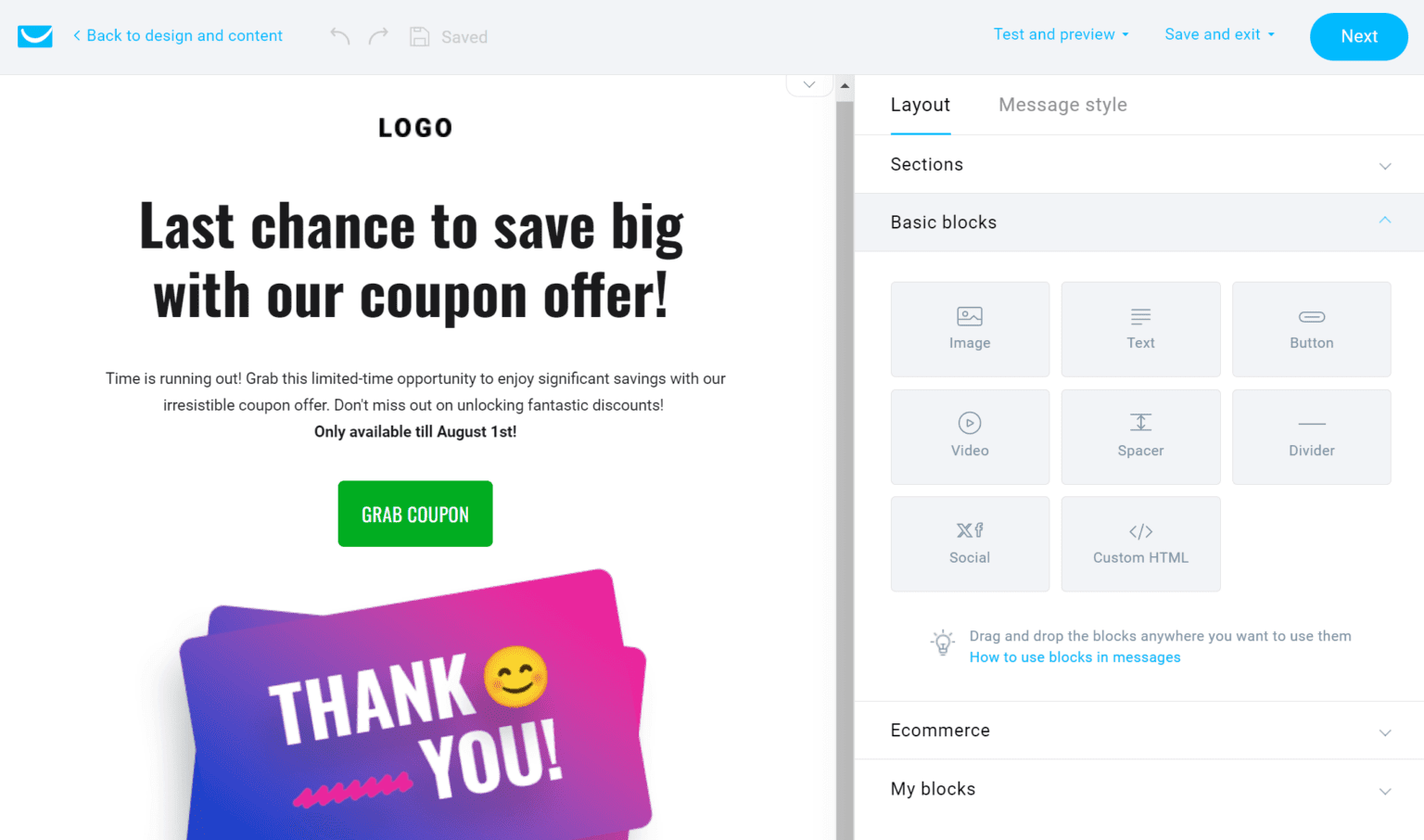
GetResponse is a comprehensive marketing platform that goes well beyond basic email campaigns — it includes tools for sales funnels, landing pages, webinars, and automated customer journeys. Designed for small-to-medium businesses and online marketers, GetResponse enables you to build end-to-end funnels that capture leads, nurture them via automation, and convert them into customers.
Best Features
-
Sales Funnel Builder: Drag-and-drop funnel creation with built-in templates for lead magnets, webinars, and conversion pages.
-
Advanced Automation: Visual workflow builder with triggers, conditions, and actions based on subscriber activity.
-
Built-In Webinar Tools: Host unlimited webinars directly within the platform to drive engagement and sales.
-
Landing Page Creator: High-converting landing pages with templates for offers, downloads, and opt-ins.
-
Email Creator & Templates: Pre-built responsive templates with easy customization.
-
Detailed Analytics: Conversion tracking, A/B testing, and revenue attribution to measure funnel performance.
Limitations
-
User Interface Complexity: Because of the comprehensive feature set, new users may find the dashboard busy and slightly overwhelming.
-
Webinar Limitations: Some users find webinar features less flexible compared with dedicated webinar platforms.
-
Higher Tiers for Full Features: Many advanced funnel and automation tools are behind higher-tier plans, increasing total costs.
Pricing
(Accurate as of 2026 — billed annually unless stated)
-
Email Plan: Starts approx $19/month — basic email campaigns and templates.
-
Marketing Automation Plan: Starts approx $49/month — includes automation workflows.
-
CRM & Sales Funnels Plan: Starts approx $99/month — full funnel builder, CRM, and advanced analytics.
-
Max Plan: Custom pricing for enterprise needs and dedicated support.
GetResponse also offers a free trial for users to test core features before committing.
Ratings and Reviews
GetResponse typically earns strong marks for its funnel and automation capabilities, especially among small business owners and digital marketers. Reviews praise its versatility and value relative to comprehensive funnel platforms, though mention that the learning curve can be steeper than on simpler email tools.
8. ActiveCampaign – Best for Advanced Automation for Email & SMS
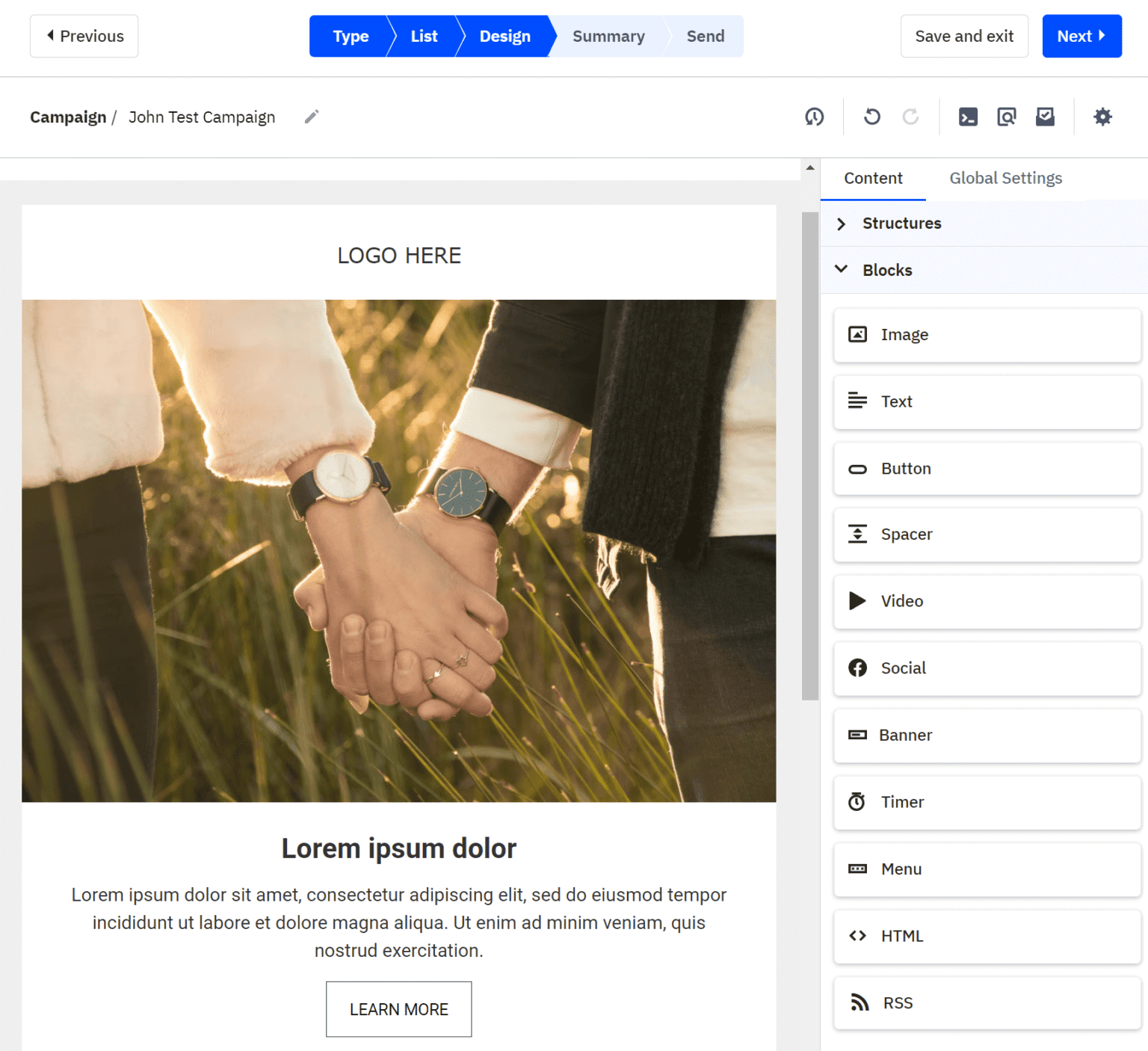
ActiveCampaign is widely considered one of the most advanced email automation platforms available, integrating email, SMS, CRM, and machine learning-powered messaging into one seamless system. It’s particularly valuable for businesses that want deeply personalized customer journeys built on behavior tracking and multi-channel communication.
Best Features
-
Advanced Automation Builder: Automations with multiple branches, triggers, and conditions based on interactions, purchase history, and lead scores.
-
CRM & Sales Automation: Built-in CRM with deal pipelines, task management, and automated follow-ups.
-
SMS Marketing: Integrated SMS tools for cross-channel engagement.
-
Machine Learning Personalization: Predictive sending, win probability scores, and engagement recommendations.
-
Segmentation & Tagging: Granular audience segmentation for hyper-targeted broadcasts and journeys.
-
Split Testing: A/B testing across campaigns and automation triggers.
Limitations
-
Price Scaling: Advanced features (especially automation and multi-channel tools) require mid- to high-tier plans, making it more expensive for large lists.
-
Complex for Beginners: The depth of automation tools can be overwhelming for newcomers without marketing experience.
-
Reporting: Powerful, but some users find dashboards less intuitive than rivals.
Pricing
(2026 typical pricing — billed monthly unless annual savings are chosen)
-
Lite Plan: Starts ~$39/month — basic email marketing and automations.
-
Plus Plan: Starts ~$69/month — adds CRM, contact scoring, and SMS.
-
Professional Plan: Starts ~$149/month — advanced automations, predictive content.
-
Enterprise Plan: Custom pricing for high-volume and dedicated support.
ActiveCampaign often runs promotions and offers custom pricing for nonprofit organizations or annual subscriptions.
Ratings and Reviews
ActiveCampaign scores highly across platforms, often around 4.5+ out of 5 for automation and CRM strength. Users who leverage its automation builder regularly cite strong lifecycle engagement and measurable revenue improvements. The main common feedback revolves around onboarding — solid support is available, but there’s an initial learning curve.
9. Sender – Best for Creating Rich Email Templates
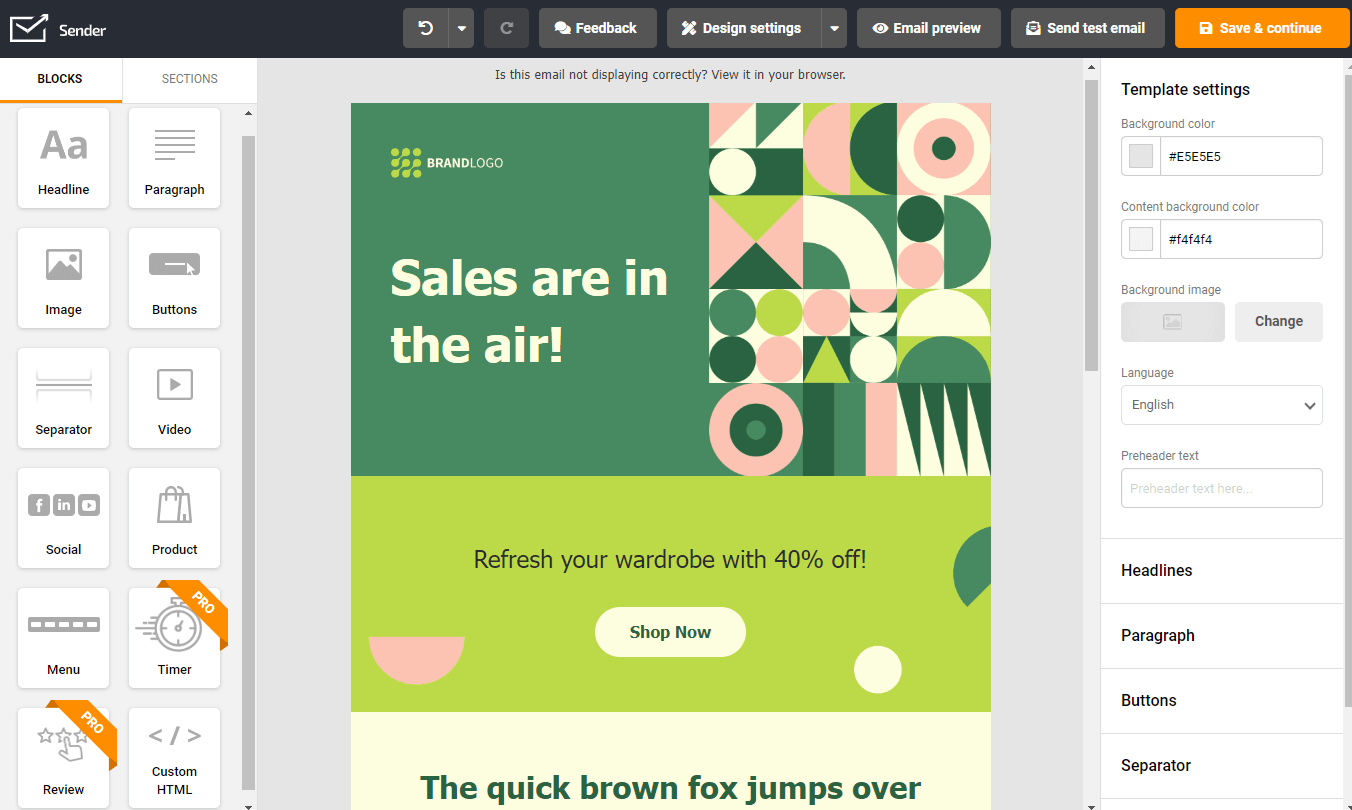
Sender is an email marketing platform that emphasizes beautiful, conversion-optimized templates and simplicity. It’s a great choice for businesses focused on creating visually engaging emails without needing heavy design experience or external tools. Sender also supports automation and segmentation while maintaining ease of use.
Best Features
-
Visually Rich Templates: Wide library of responsive, modern templates suitable for newsletters, promotions, and follow-ups.
-
Drag-and-Drop Editor: Intuitive email editor with content blocks, image handling, and formatting tools.
-
Automation Sequences: Basic automated messaging for onboarding, follow-ups, and targeted engagement.
-
Segmentation Tools: Audience segmentation by behavior, location, and engagement level.
-
Deliverability Optimization: Tools to manage sender reputation and inbox placement.
Limitations
-
Basic Automation: While solid for standard automations, it lacks the deep branching logic of enterprise tools.
-
Limited Advanced Features: Fewer add-ons for SMS, CRM, or multi-channel workflows compared with larger platforms.
-
Tool Integrations: Not as many native integrations as more expansive ecosystems.
Pricing
(2026 updated)
-
Free Plan: $0 — up to 2,500 subscribers, 15,000 emails/month.
-
Standard Plan: Starts ~$10/month — unlimited sends, automation, and templates.
-
Pro Plan: ~$25/month — advanced segmentation and reporting.
-
Enterprise: Custom pricing for large lists or dedicated features.
Sender’s generous free plan makes it attractive for smaller lists or businesses testing tools before upgrading.
Ratings and Reviews
Sender consistently earns strong reviews for design flexibility and ease of use, often rated around 4.4/5 on independent review sites. Users highlight the template quality and free plan value but note automation depth as a trade-off for simplicity.
10. MailerLite – Best Free Mailchimp Alternative
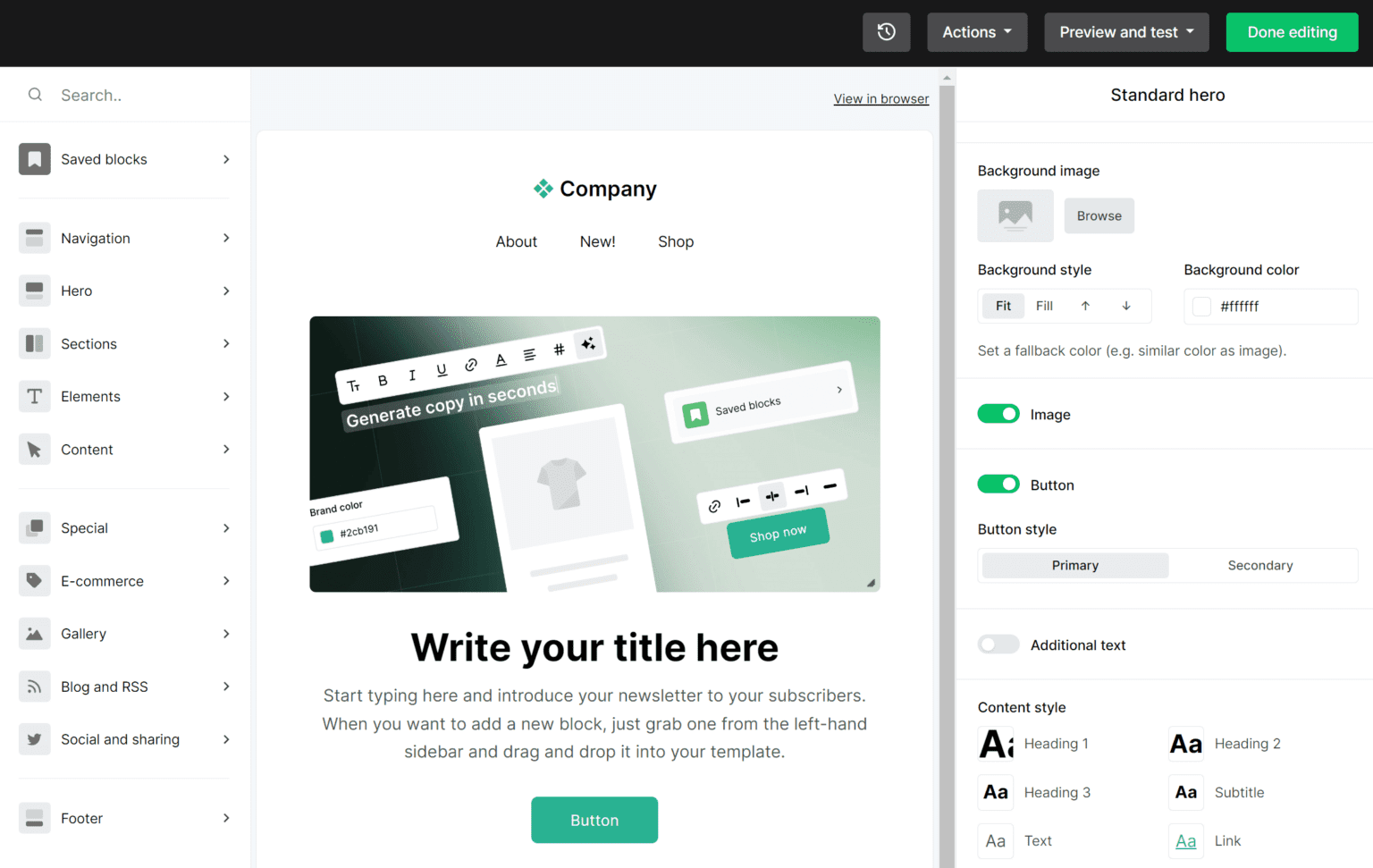
MailerLite is one of the most popular lightweight email marketing tools — particularly prized for its generous free tier combined with essential automation, landing pages, and reporting tools. It’s ideal for startups, bloggers, or small businesses that want a powerful platform without immediate costs.
Best Features
-
Generous Free Plan: Includes up to 1,000 subscribers with core email features and automation.
-
Drag-and-Drop Builder: Easy email, landing page, and form design with responsive templates.
-
Automation Workflows: Workflow builder with triggers, conditions, and actions.
-
Landing Pages & Forms: Built-in landing page creator for lead capture.
-
Grow Tools: Popup and embedded opt-in forms to grow your list organically.
Limitations
-
Limited Advanced Automation: Works well for simple workflows but less powerful than enterprise automation tools.
-
Template Library Size: The template library is solid but not as extensive as larger competitors.
-
Support Speed: Free plans have slower support responses than paid tiers.
Pricing
(2026 updated list pricing)
-
Free: Up to 1,000 subscribers, 12,000 monthly emails.
-
Starter: From $9/month — unlimited emails, advanced editor.
-
Growing Business: From $19/month — automation and landing pages.
-
Advanced: From $39/month — priority support and more.
MailerLite’s pricing remains among the most competitive in the industry.
Ratings and Reviews
MailerLite is consistently rated around 4.5/5 by users who appreciate its balance of affordability and essential features. Bloggers and solopreneurs especially praise the value of the free plan and simplicity of setup.
11. AWeber – Best for Creating AMP Emails
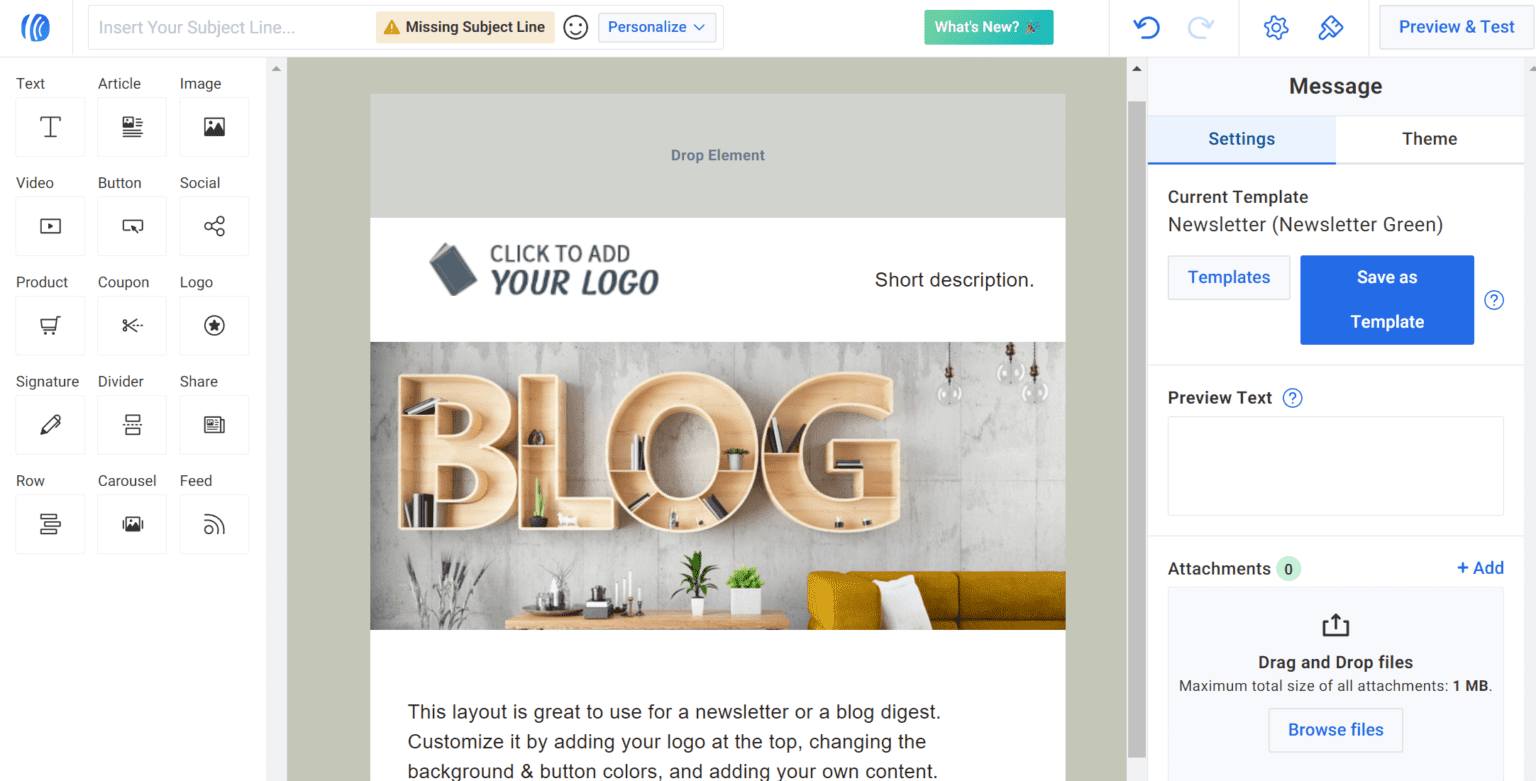
AWeber is a well-established email marketing tool that stands out due to its support for AMP (Accelerated Mobile Pages) emails — enabling interactive email experiences directly inside the inbox (e.g., carousels, forms, interactive buttons). This modern approach improves engagement and delivers richer experiences than static campaigns.
Best Features
-
AMP Email Support: Create interactive emails that boost engagement with built-in interactive blocks.
-
Drag-and-Drop Editor: Flexible editor with responsive templates.
-
Automation Tools: Triggered campaigns, tagging, and follow-ups.
-
Lists & Segmentation: Organize subscribers based on behavior and engagement.
-
Detailed Reporting: Metrics on opens, clicks, conversions, and device usage.
Limitations
-
AMP Learning Curve: Some users find AMP email creation requires adaptation if coming from traditional email editors.
-
Interface Looks Dated: Compared with modern platforms, some parts of AWeber’s UI feel less polished.
-
Add-Ons for SMS: SMS and other cross-channel tools often require separate activation or pricing.
Pricing
(2026 updated pricing)
-
Free Plan: For lists up to 500 subscribers.
-
Lite Plan: From $19/month — core email and automation.
-
Plus Plan: From $29/month — advanced features and tagging.
-
Premium: Custom pricing for large lists and dedicated workload.
Ratings and Reviews
AWeber earns solid reviews for its reliability and interactive email capability, with many users valuing the AMP option as a differentiator. General ratings hover around 4.3/5, with pros in engagement and cons in interface modernity.
12. Klaviyo – Best for Shopify Users
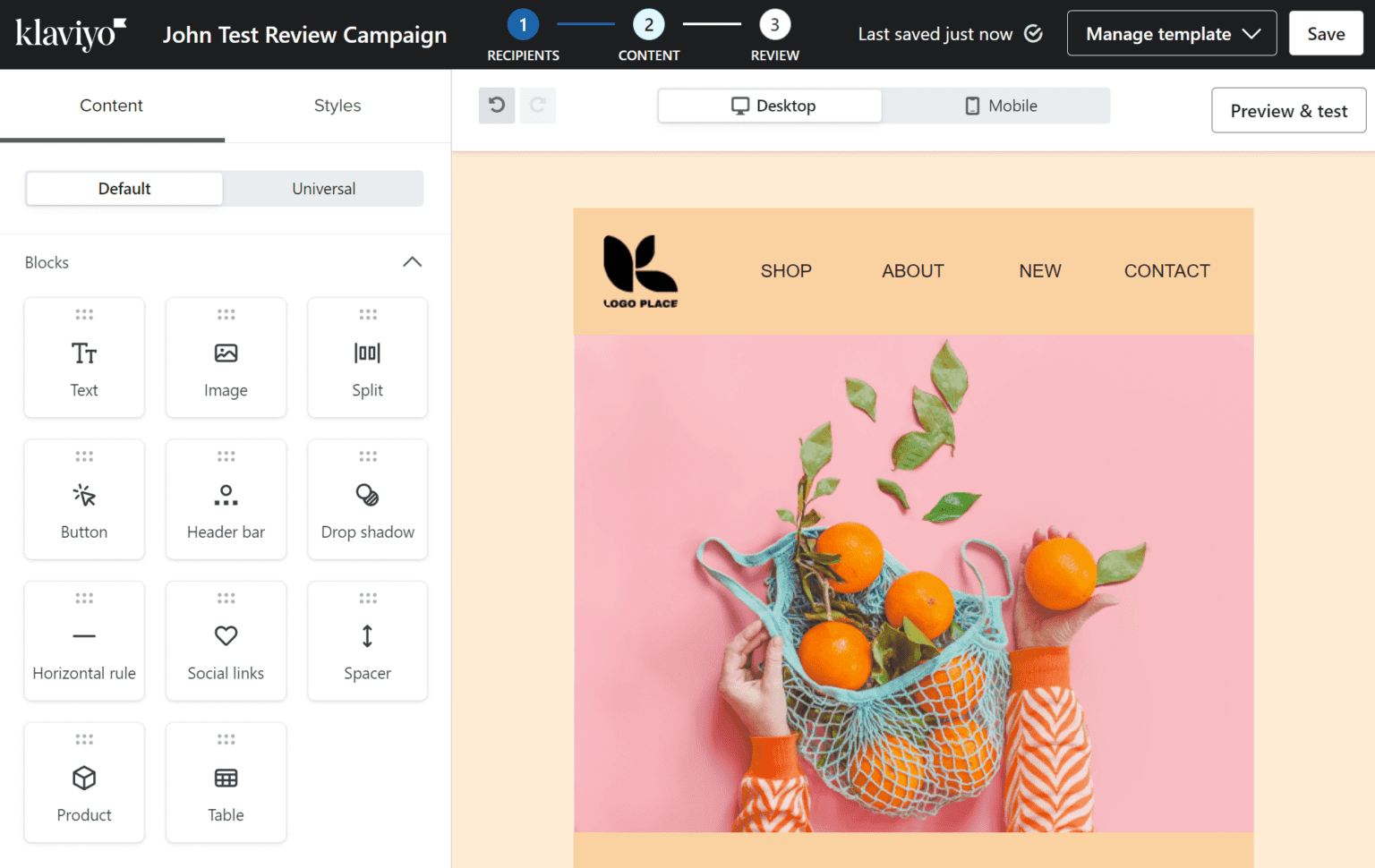
Klaviyo is recognized as the leading email and SMS marketing platform for Shopify and eCommerce brands, offering deeply personalized automation based on shopping behavior, order history, and product interaction. It’s built to drive revenue directly from campaigns driven by customer insights.
Best Features
-
Behavior-Based Segmentation: Use browsing, purchase history, and product affinities to create targeted lists.
-
Deep Shopify Integration: Automatic syncing of customers, orders, and carts.
-
Multi-Channel Journeys: Email + SMS automation that responds to real-time actions.
-
Revenue Analytics: Direct attribution of campaigns to revenue figures.
-
Pre-Built Flows: Templates for abandoned carts, welcome series, post-purchase nurture, and winbacks.
Limitations
-
Cost: Pricing increases based on contact list size, making it expensive for large lists.
-
Simplicity: For non-eCommerce needs, some features feel too tailored.
Pricing
(2026 pricing — Shopify eCommerce focus)
-
Email Only: Starts ~$45/month for small contact lists.
-
Email + SMS: Starts ~$60-$70/month depending on usage.
-
Scales with Contacts: Costs rise steeply as contact counts grow.
Ratings and Reviews
Klaviyo consistently ranks among the top tools for eCommerce email automation and revenue attribution, typically scoring 4.6+ out of 5 on major review platforms.
Mailchimp vs Other Email Marketing Software
When comparing Mailchimp to other tools, it’s important to look beyond brand recognition and focus on how features, pricing, deliverability, and ease of use stack up. While Mailchimp remains widely used, many competitors outshine it in specific areas such as pricing model, automation depth, multi-channel support, and CRM integration.
Key Differences
1. Pricing Model
-
Mailchimp: Charges based primarily on the number of contacts, which can get expensive as your list grows.
-
Alternatives: Many tools (like Brevo) charge based on number of emails sent instead, which can be cheaper for large lists that send less frequently.
2. Automation Features
-
Mailchimp: Offers built-in automation, but complexity and branching options are limited compared with dedicated automation tools.
-
Alternatives: Tools like ActiveCampaign, GetResponse, and HubSpot provide visual automation builders, behavioral triggers, and multi-step sequences.
3. Multi-Channel Support
-
Mailchimp: Primarily email focused, though has expanded into other channels.
-
Alternatives: Brevo, Omnisend, and others integrate SMS, WhatsApp and push notifications, offering unified customer engagement.
4. CRM and Personalization
-
Mailchimp: Provides basic contact organization and segmentation.
-
Alternatives: HubSpot and other CRM-integrated platforms offer deeper personalization, lead scoring, and customer journey mapping.
5. Deliverability & Advanced Reporting
-
Mailchimp: Strong deliverability but some users report variable performance at scale.
-
Alternatives: Many competitors provide comparable or better deliverability, especially when SMTP integrations and advanced analytics are used.
While Mailchimp is a capable all-around tool, it is no longer the best fit for every business type. Alternatives often excel in specific niches like eCommerce, CRM integration, automation complexity, or pricing flexibility.
How We Selected The Tools
To ensure the email marketing tools featured in this guide truly represent the best Mailchimp alternatives in 2026, we followed a structured evaluation process:
1. Feature Depth & Use Cases
We looked at how well each platform supports key email marketing needs such as:
-
Campaign creation & design
-
Automation & workflow complexity
-
Advanced segmentation & personalization
-
Multi-channel messaging (email + SMS + push)
-
Analytics & reporting
This helps match tools with real business needs rather than generic rankings.
2. Pricing Transparency & Value
Beyond just sticker price, we considered:
-
How pricing scales with list size and email volume
-
Whether the tool offers a practical free plan or trial
-
Additional costs (SMS credits, transactional emails)
This allows for apples-to-apples comparison between tools with contact-based vs volume-based pricing.
3. Usability & Onboarding
Tools were assessed for how easily new users can:
-
Set up campaigns
-
Build automations
-
Import/export audiences
-
Access support
Intuitive dashboards and helpful onboarding can significantly impact time to value.
4. Customer Feedback & Ratings
We reviewed up-to-date user feedback, testimonials, community discussions, and expert reviews — especially around common pain points like deliverability, support response, and reliability.
5. Suitability for Specific Business Types
Instead of a one-size-fits-all list, tools were mapped to common needs like:
-
eCommerce (e.g., Omnisend)
-
CRM-integrated marketing (e.g., HubSpot)
-
Advanced automation (e.g., ActiveCampaign)
-
Budget and beginners (e.g., MailerLite, Brevo)
This ensures readers can pick based on strategy, not just popularity.
Frequently Asked Questions (FAQs)
1. What features are important in a Mailchimp alternative?
When choosing an alternative to Mailchimp, the most important features to look for include:
-
Automation workflows: Triggers, conditions, branching, and lead scoring.
-
Segmentation: Ability to group contacts intelligently based on behavior and attributes.
-
Design & personalization tools: Rich templates, dynamic content, and preview options.
-
Multi-channel reach: SMS, push, and other channels beyond email.
-
Analytics & reporting: Clear insights on opens, clicks, conversions, and ROI.
-
Integrations: Connectors to CRM, CMS, eCommerce, and analytics platforms.
Strong customer support and affordability are also key considerations for long-term success.
2. Are there any free alternatives to Mailchimp?
Yes — several reputable email marketing tools offer free plans that can outperform Mailchimp’s free tier in 2026:
-
Brevo: Unlimited contacts and up to 300 emails/day on the free plan.
-
HubSpot Email Marketing + CRM: Up to 2,000 emails/month with foundational marketing tools.
-
MailerLite: Up to 1,000 subscribers and 12,000 emails/month with templates and basic automation.
-
Benchmark Email, Mailjet, EmailOctopus: Other options with free tiers and varying limits.
These alternatives provide useful ways to get started without paying upfront, especially for smaller businesses or newsletters.
3. Which Mailchimp alternative is the best for e-commerce?
For eCommerce businesses, platforms that combine robust automation with shopping behavior triggers and multi-channel engagement tend to perform best.
-
Omnisend: Specifically tailored for ecommerce automation, product recommendations, and cart recovery sequences.
-
Klaviyo: Deep integration with Shopify and WooCommerce for revenue-attributed campaigns.
-
Brevo: Strong omnichannel messaging with CRM and SMS capabilities.
These tools help online stores boost revenue by leveraging customer behavior data in automated campaigns.
4. What is a cheaper alternative to Mailchimp?
If your primary goal is lower ongoing cost without sacrificing core functionality, affordable alternatives include:
-
MailerLite: One of the most budget-friendly options with essential features and generous limits.
-
Brevo: Volume-based pricing often works out cheaper than contact-based billing as lists grow.
-
Sender: Strong free plan with high send limits and affordable paid upgrades.
-
Moosend: Great value with automation on lower-priced plans.
These options can significantly reduce monthly expenses compared with traditional contact-based pricing models.
5. What is the best Mailchimp alternative?
While the best alternative depends on your specific needs, Teno Mail stands out for overall automation strength and modern workflow capabilities — especially if you prioritize automation and reliability at an affordable rate. Its feature set and delivery infrastructure make it a strong contender for businesses looking to upgrade from basic tools without complexity. Create a free account today!
6. What are the main disadvantages of using Mailchimp?
Some of the most commonly reported disadvantages of continuing with Mailchimp in 2026 include:
-
Free plan restrictions: Recent changes have significantly reduced contact and send limits, making the free tier less useful for growing lists.
-
Contact-based pricing: Costs can escalate quickly as contact lists grow, especially for businesses that send newsletters infrequently.
-
Limited advanced automation: More complex workflows and multi-channel automations often require premium plans.
-
Less multi-channel support: Compared with tools that natively support SMS, WhatsApp, and push messaging, Mailchimp remains focused primarily on email.
-
Deliverability complaints: Some users report inconsistent results at scale, depending on industry and list quality.
For these reasons, it can be worth exploring alternatives with flexible pricing, deeper automation, and broader communication channels.
Read More: Email Marketing Benchmarks By Industry, Region & Day [2026 Update]